Trados Studio 2021 Activation error

Hello,

I was changing my 2nd activation for the perpetual licence for 2021 from one laptop to another, in the original laptop I followed the steps to deactivate the licence so I can free up the slot to activate it on the new laptop but came across the following error when pasting the activation code:

" Could not activate this licence ' Activation is not allowed because entitlement is in DISABLED state. "

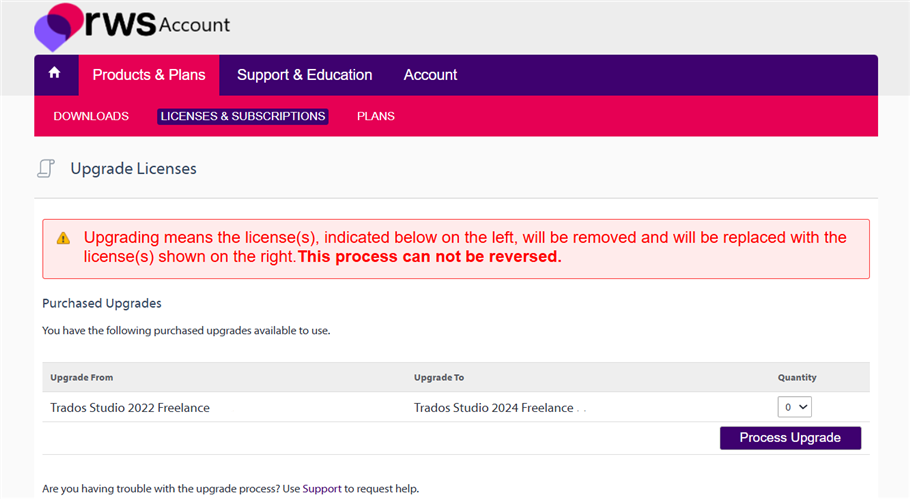
Another big issue is that on the licences tab on my account, my 2021 licence is not showing up anywhere.

Tried to log in in the community hub that is listed under assistance in my profile but each time I try to log in so I can log the case, the page just refreshes and doesnt let me input my user/password at all.

emoji
Parents
  • Hi  

    In your account you have a Trados 2024 Freelance license activated in 2024. Do you own any other separate Trados 2021 license? If so, please provide an order number.

    If you are looking for a 2021 license in the same account, that's not accessible anymore, since you upgraded to Trados 2024. An upgrade does not guarantee you the right to use old versions as separate licenses. In any case, Trados 2021 is not supported and, in case your client uses 2021, files created in Trados 2024 are compatible. If this is about using Trados on a second device, you upgraded to Freelance (not Plus), so you only have one desktop activation. Alternatively, you could use the cloud version: https://eu.cloud.trados.com/ please see the differences between the cloud and desktop version at this link down the page: www.trados.com/.../

    Kind regards,

    Elisa Maxim| RWS Group

    Design your own training!
    You've done the courses and still need to go a little further, or still not clear?
    Tell us what you need in our Community Solutions Hub

    emoji
Reply
  • Hi  

    In your account you have a Trados 2024 Freelance license activated in 2024. Do you own any other separate Trados 2021 license? If so, please provide an order number.

    If you are looking for a 2021 license in the same account, that's not accessible anymore, since you upgraded to Trados 2024. An upgrade does not guarantee you the right to use old versions as separate licenses. In any case, Trados 2021 is not supported and, in case your client uses 2021, files created in Trados 2024 are compatible. If this is about using Trados on a second device, you upgraded to Freelance (not Plus), so you only have one desktop activation. Alternatively, you could use the cloud version: https://eu.cloud.trados.com/ please see the differences between the cloud and desktop version at this link down the page: www.trados.com/.../

    Kind regards,

    Elisa Maxim| RWS Group

    Design your own training!
    You've done the courses and still need to go a little further, or still not clear?
    Tell us what you need in our Community Solutions Hub

    emoji
Children
No Data