The Trados cloud platform will be undergoing maintenance on Saturday, 9th May 2026 between 05:00 to 17:00 UTC. During this time, you will not be able to log in to the Trados platform.

Track changes suddenly not working with auto-propagation

Does that make any sense? I'm reviewing documents and started by looking at inconsistencies so I've run verification. I need the record of the changes to be kept so the translator can make changes to the finished document. 
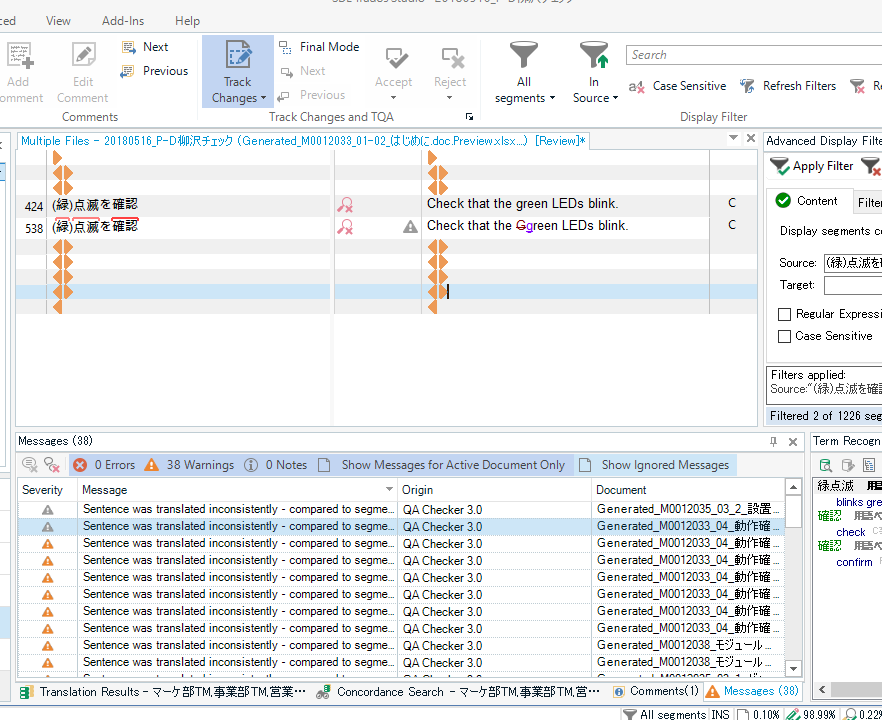
Screenshot of Trados Studio showing a verification error for an uppercase 'G' inconsistency before approving changes.

But if I approve the first occurrence of a repeat, it does auto propagate the data but leaves no record that a change occurred. See below. The crossed out uppercase G is gone now so the translator won't know that a change happened here and can't make the necessary corrections to the final document. I swear this has never happened before. Even auto-propagated changes are recorded if "track changes" is on. "Final mode" is off. I just did the same thing while opening for translation. Still won't show changes. The original files are Excel files generated from xliffs. I used bilingual excel so I could open multiple files at once soasto maintain as consistency between them. Can anyone explain this, please?
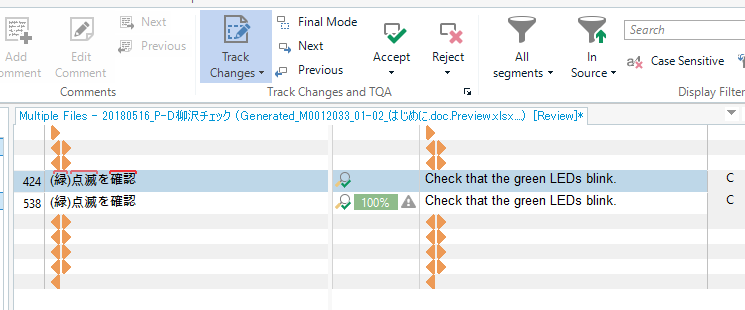
Screenshot of Trados Studio after approving changes, showing no record of the corrected uppercase 'G' inconsistency.

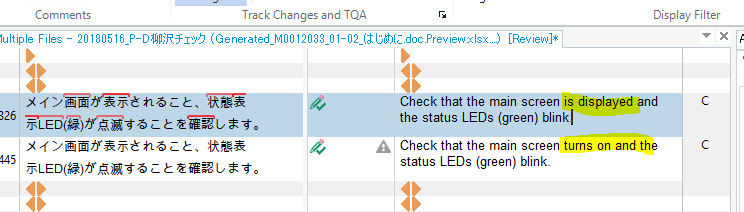
Before approving:

Screenshot of Trados Studio with track changes on, highlighting a text change in a Japanese segment before approval.

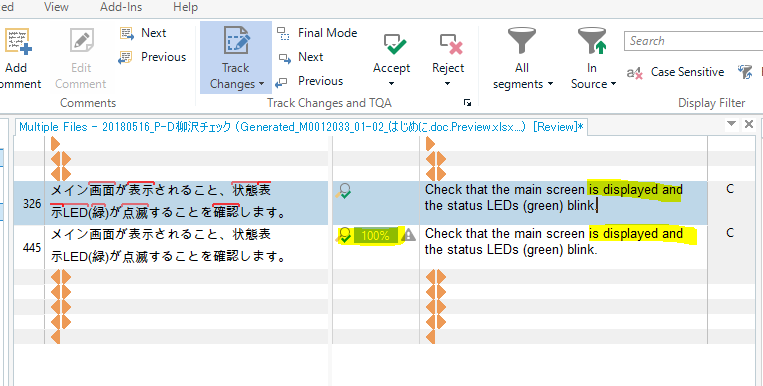
After approving:

Screenshot of Trados Studio showing the same Japanese segment after approval with the change recorded and auto-propagated.

I need the record of the change to say visible. Toggling track changes off/on or restarting makes no difference.

Just tried a different project where it's working properly. 

Before approving:
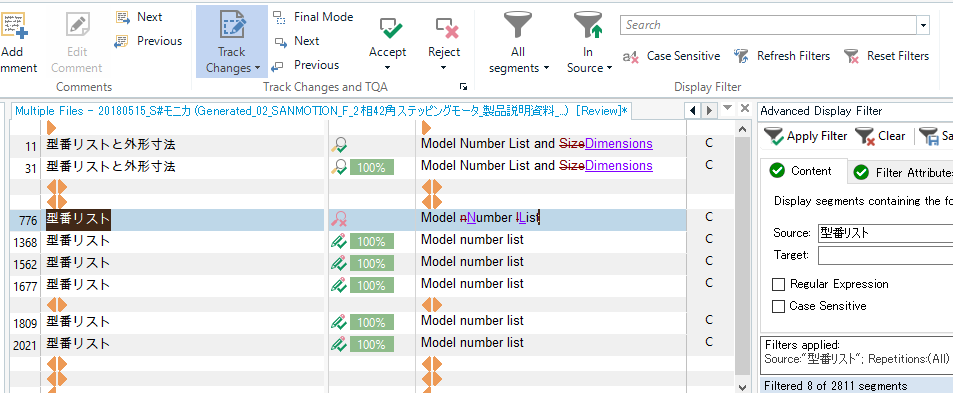
Screenshot of Trados Studio before approving changes, displaying a list of model numbers with no visible errors.

After approving. Autopropagated and changes recorded. 
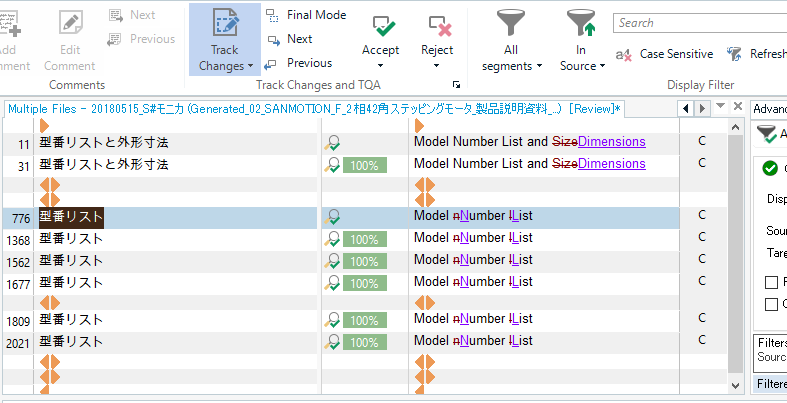
Screenshot of Trados Studio after approving changes, showing the model number list with auto-propagated changes recorded.


Generated Image Alt-Text
[edited by: Trados AI at 2:13 PM (GMT 0) on 28 Feb 2024]
emoji
Parents
  • Hi  

    I spent 15 mins or so trying to reproduce this problem today and I can't.  You mentioned that this "suddenly" started to happen so it was working before... this is hopefully good!

    Are you able to provide me with files and steps where this can reproduced every time?  If you can I'll happily hand this over to support/development for resolution.  If you can't then try to think about the history of the files you are working with.  How did they get their current status us translation rejected without track changes showing (segment #424 for example).  Anything to help reproduce the situation you are in because with a few simple tests I'm unable to reproduce this.

    Paul Filkin | RWS

    Design your own training!
    You've done the courses and still need to go a little further, or still not clear? 
    Tell us what you need in our Community Solutions Hub

Reply
  • Hi  

    I spent 15 mins or so trying to reproduce this problem today and I can't.  You mentioned that this "suddenly" started to happen so it was working before... this is hopefully good!

    Are you able to provide me with files and steps where this can reproduced every time?  If you can I'll happily hand this over to support/development for resolution.  If you can't then try to think about the history of the files you are working with.  How did they get their current status us translation rejected without track changes showing (segment #424 for example).  Anything to help reproduce the situation you are in because with a few simple tests I'm unable to reproduce this.

    Paul Filkin | RWS

    Design your own training!
    You've done the courses and still need to go a little further, or still not clear? 
    Tell us what you need in our Community Solutions Hub

Children