Translate



Hi guys
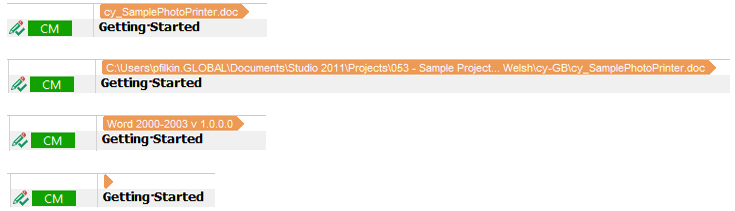
I'd appreciate any help/direction possible in order to remove the first unnumbered row above row 1 in Editor.
When I'm working in a project, I constantly update terminology (find+replace) as I work my way through the content.
Seeing as Studio always goes to the the last "replaced" segment when one selects "Replace All", I generally select Ctrl+Home to get to the top and use my shortcut (Ctrl+Enter) to get back to the next unconfirmed segment. However, seeing as there's the (I don't even know what it's there for) first row, the source file's path, I always have to first press the down key (seeing as no shortcuts work in the uppermost, unnumbered row) in order to get back into the actual project (row 1), before I can use the shortcut to get back to the next unconfirmed segment, i.e. where I left off before I did the Find+Replace.
I'd really appreciate a solution to this, as it wastes a lot of time over time.
Thanks,
Nathanael