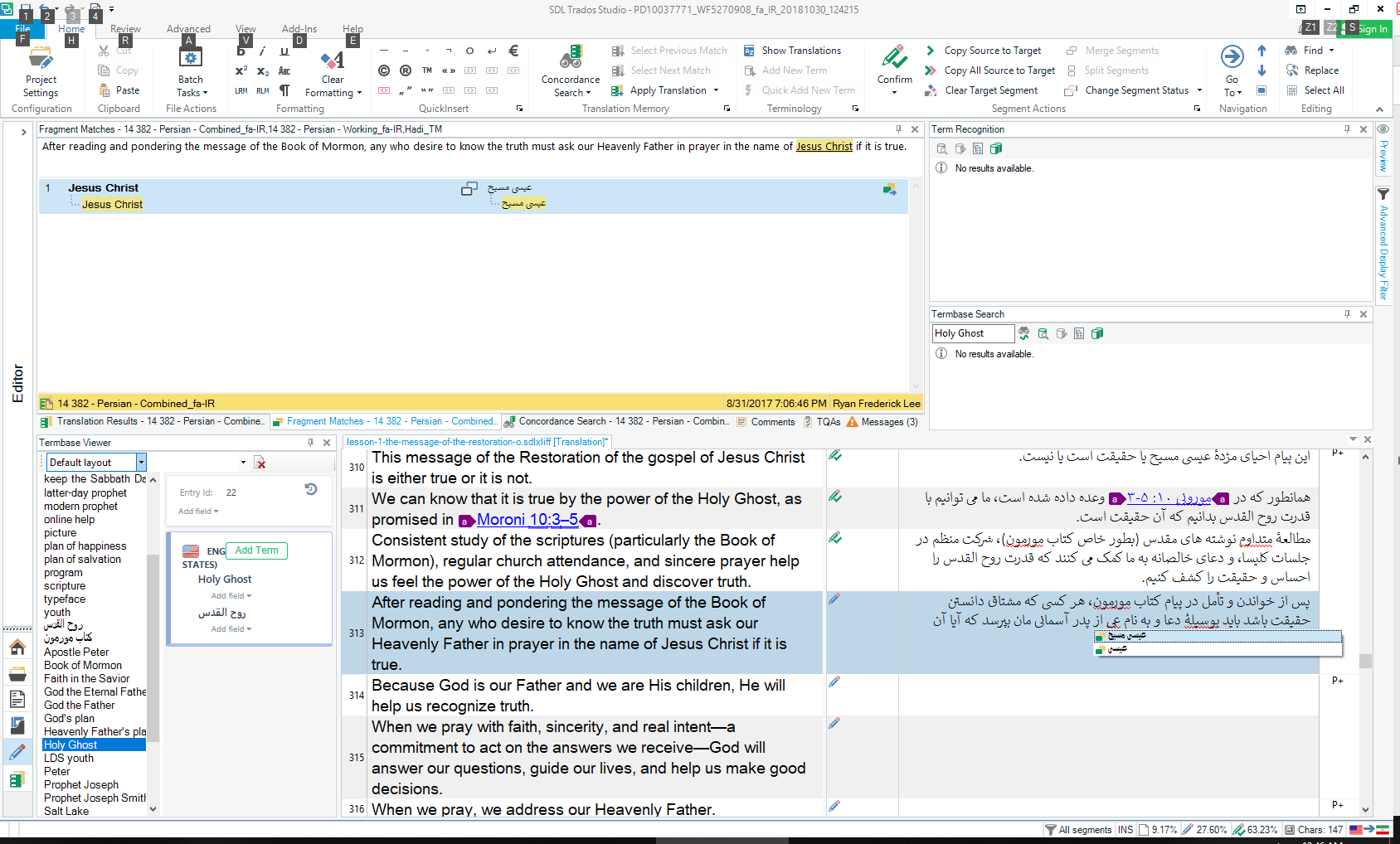
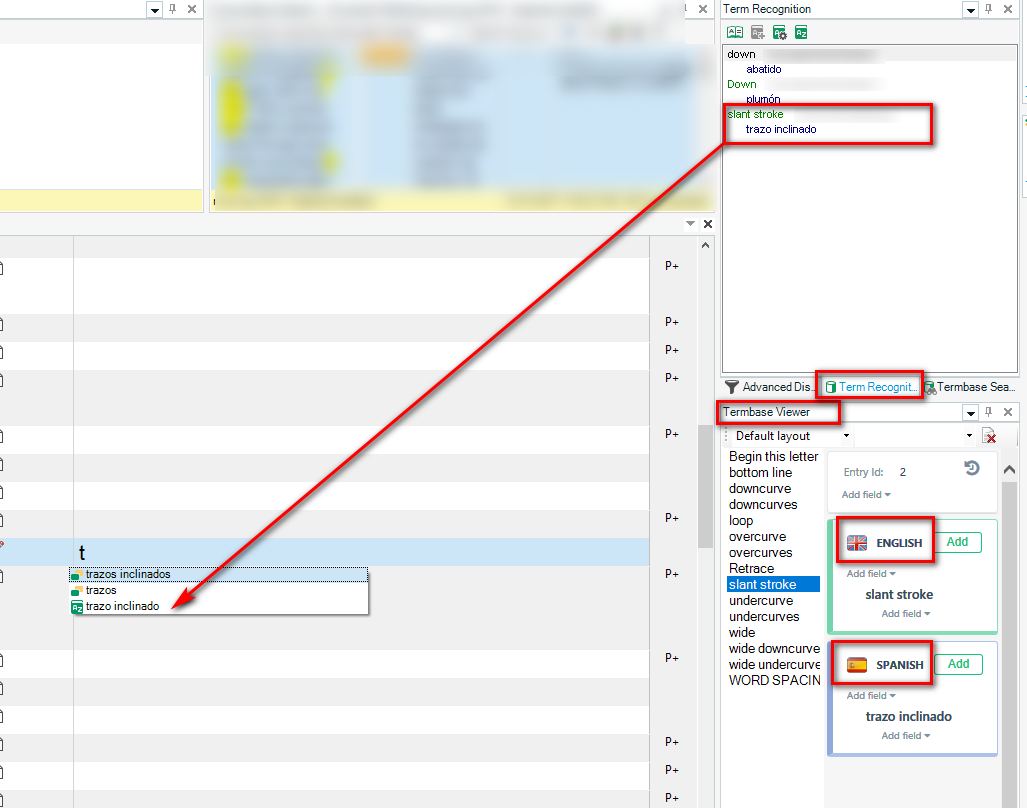
The AutoSuggest does retrieve the phrases from the Termbase

I am using Trados Studio 2017, a subscriber through LDS.org
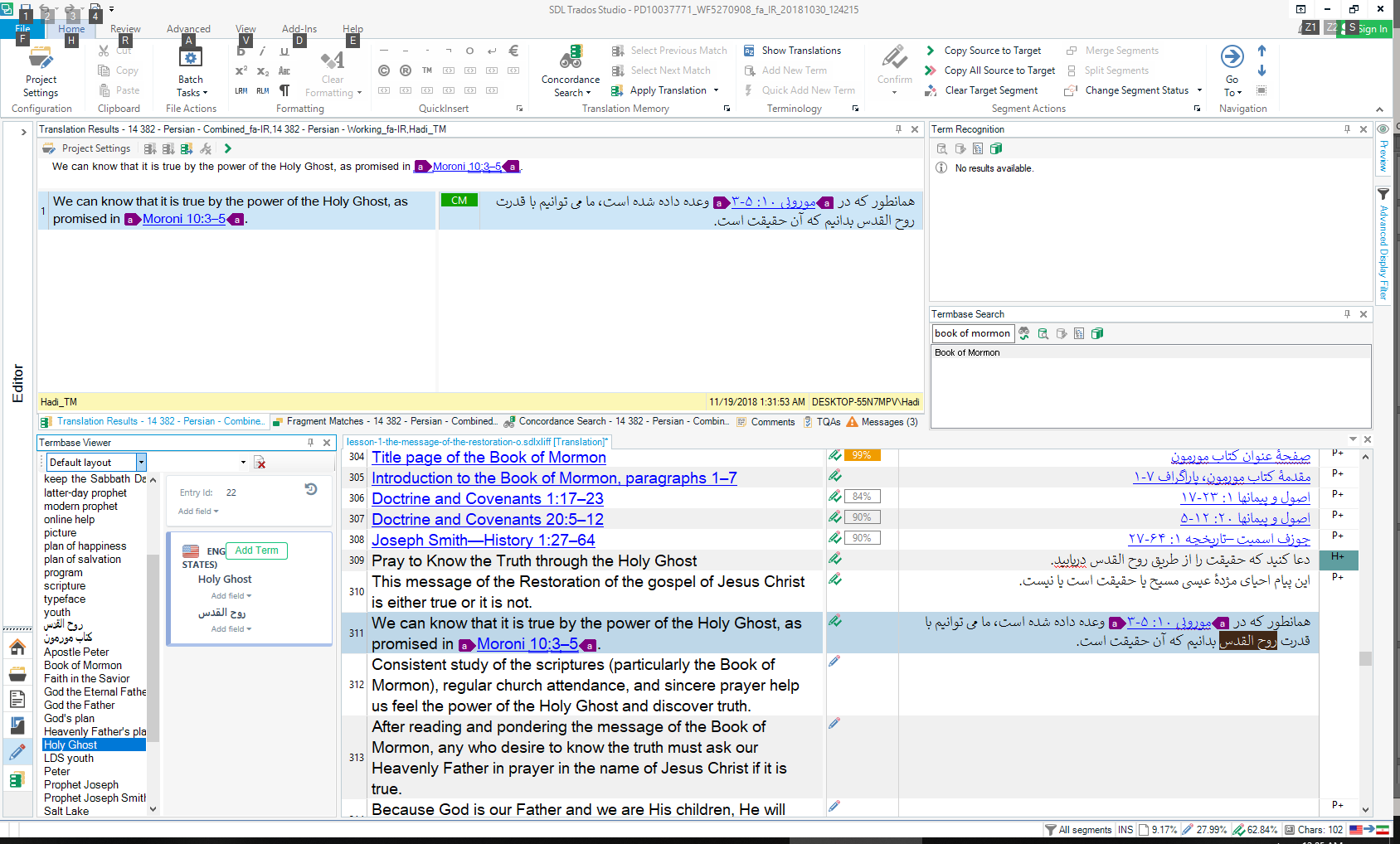
My problem is with the Auto-suggest service. I get to have the auto-suggest drop-down menu only if the word exists in the fragment matches. The auto-suggest does not show the words which I have added to the termbase although all the options in the "AutoSuggest providers" box are checked including the termbase. Could you please give me a clue what would be wrong? Screenshots are attached.
Trados Studio Options dialog showing AutoSuggest settings with all providers checked, including termbase.Project Settings dialog in Trados Studio with a termbase added and language mapping set.Trados Studio main interface with a document open, showing the AutoSuggest dropdown not displaying termbase entries.


Generated Image Alt-Text
[edited by: Trados AI at 2:39 PM (GMT 0) on 28 Feb 2024]

emoji
Parents
  • Hello  

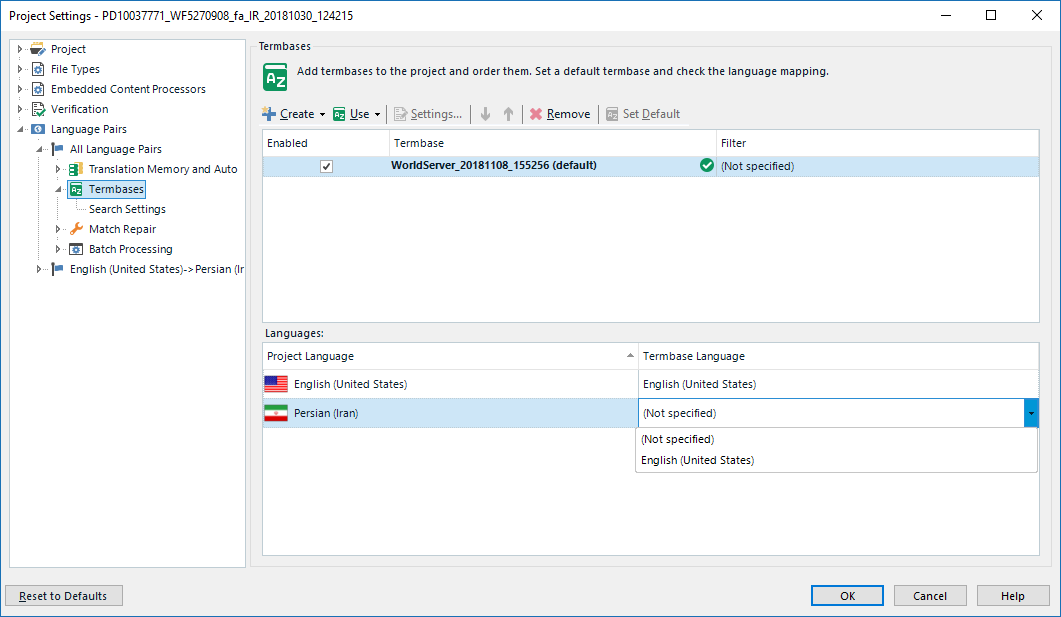
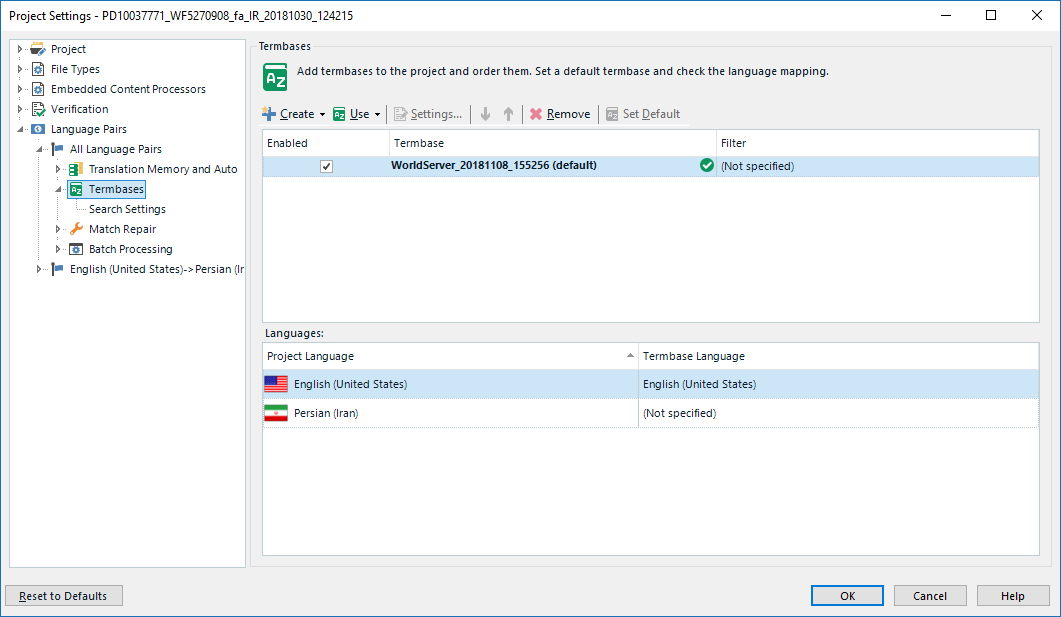
    You seem to have a couple of problems here.  Note that the Persian (Iran) is not set in your settings, it's not specified.  Sometimes making sure you select the right language so it is set will resolve a problem like this.  However, in your case your termbase viewer seems to be showing both languages under the English so I think you have a different problem.

    How did you create this termbase?

    Paul Filkin | RWS

    Design your own training!
    You've done the courses and still need to go a little further, or still not clear? 
    Tell us what you need in our Community Solutions Hub

  • Thank you for your response Paul. As you can see in the screenshot below, there's no other option available to specify the language:

    Trados Studio Project Settings window showing no option available for specifying language under Termbase Language Mapping.

    I was instructored last week by one of the experienced staff of the church translation office in Stockholm, Sweden. I'm not sure if I remember it completely how the termbase was added, but as far as I remember, we did it through the Termbase wizard.

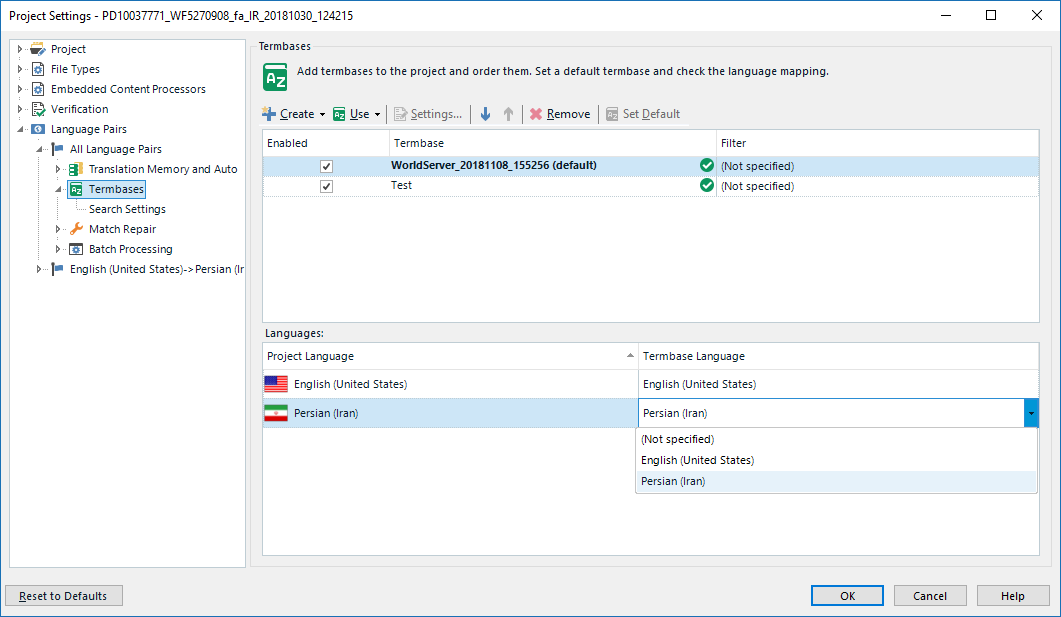
    I actually just tried to add a new Termbase (Test) and interestingly the option for Persian (Iran) is now added to the list. Anyway, by setting that, I do not see any difference in how AutoSuggest functions. 
    Trados Studio Project Settings window now displaying Persian (Iran) added to the Termbase Language Mapping list.

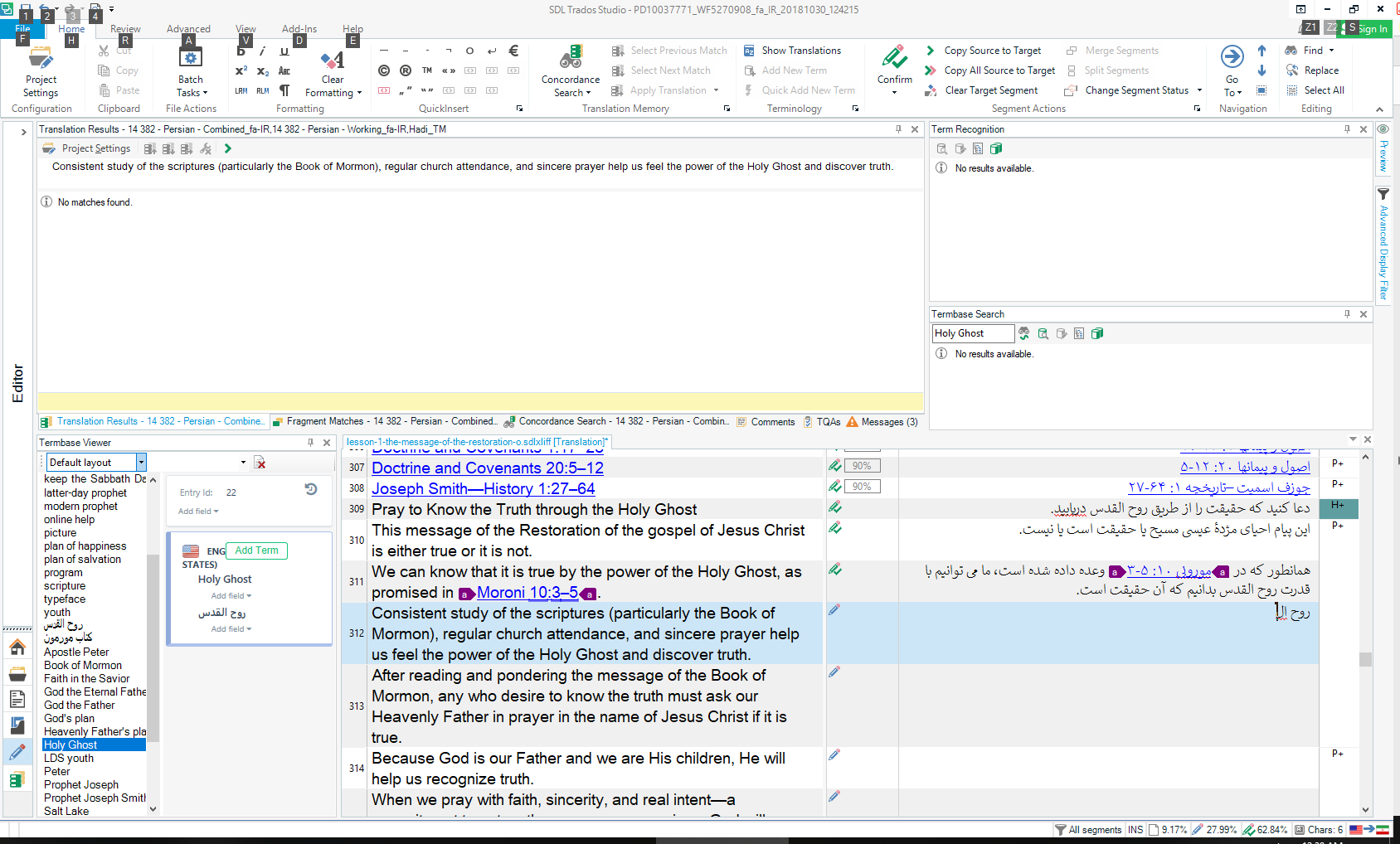
    Anyway, by setting that, I do not see any difference in how AutoSuggest functions.

    Trados Studio main interface with a document open for translation, showing no visible difference in AutoSuggest functionality after setting the language.

    emoji


    Generated Image Alt-Text
    [edited by: Trados AI at 2:39 PM (GMT 0) on 28 Feb 2024]
Reply
  • Thank you for your response Paul. As you can see in the screenshot below, there's no other option available to specify the language:

    Trados Studio Project Settings window showing no option available for specifying language under Termbase Language Mapping.

    I was instructored last week by one of the experienced staff of the church translation office in Stockholm, Sweden. I'm not sure if I remember it completely how the termbase was added, but as far as I remember, we did it through the Termbase wizard.

    I actually just tried to add a new Termbase (Test) and interestingly the option for Persian (Iran) is now added to the list. Anyway, by setting that, I do not see any difference in how AutoSuggest functions. 
    Trados Studio Project Settings window now displaying Persian (Iran) added to the Termbase Language Mapping list.

    Anyway, by setting that, I do not see any difference in how AutoSuggest functions.

    Trados Studio main interface with a document open for translation, showing no visible difference in AutoSuggest functionality after setting the language.

    emoji


    Generated Image Alt-Text
    [edited by: Trados AI at 2:39 PM (GMT 0) on 28 Feb 2024]
Children