Problem with MultiTerm display on 4K monitor

I finally got around to upgrading to 2019 from 2017. After having lived with the tiny font in the Terms window in MultiTerm 2017 (both in the desktop version and in Studio), I was sure 2019 would not have those issues. After all, 4K monitors are quite commone. But nope - the terms are still displayed with font 2 (so it seems).
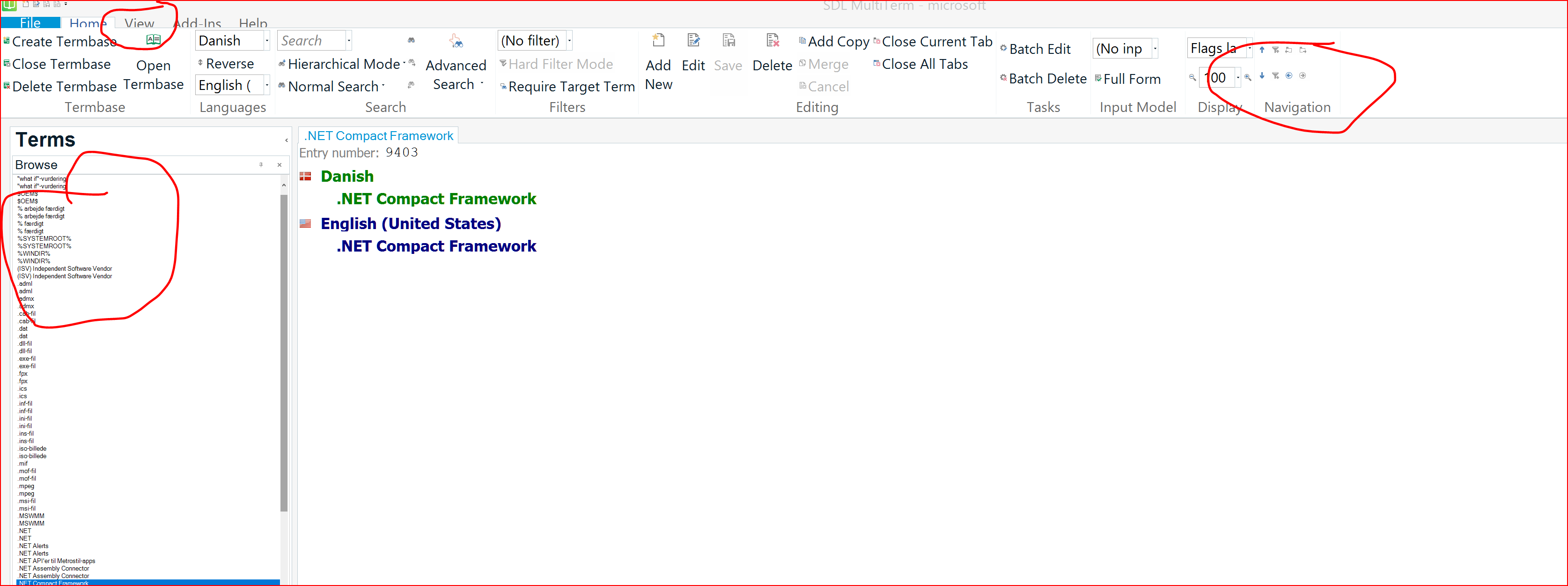
Screenshot of Trados Studio 2019 showing tiny font in the Terms window, with red circles highlighting the small text and the 'Change Scaling Behavior' option.

And yes, I have installed the Change Scaling Behavior app - MultiTerm 2019 is not even a choice there!
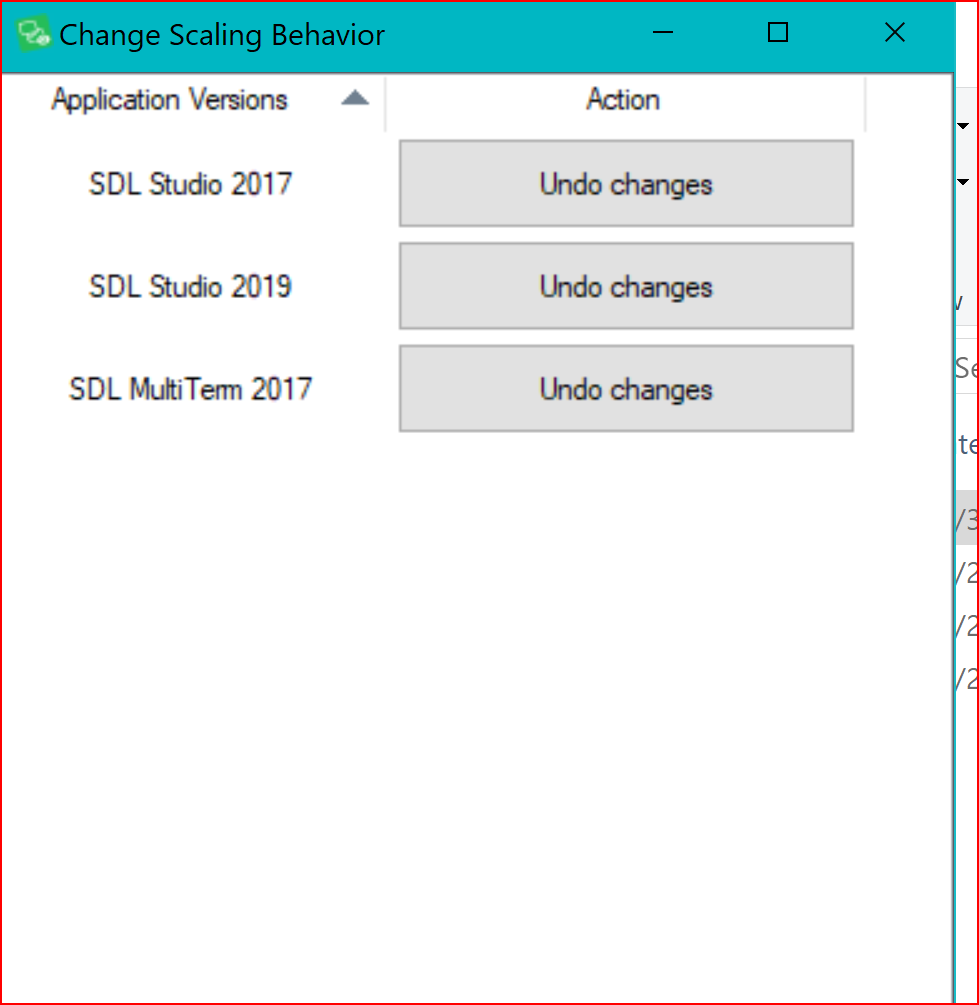
Screenshot of the 'Change Scaling Behavior' window with options for SDL Studio 2017, SDL Studio 2019, and SDL MultiTerm 2017, but no option for MultiTerm 2019.

I have the same high DPI settings for MultiTerm 2019 as I do for Studio 2019, but apparently that doesn't make a difference.
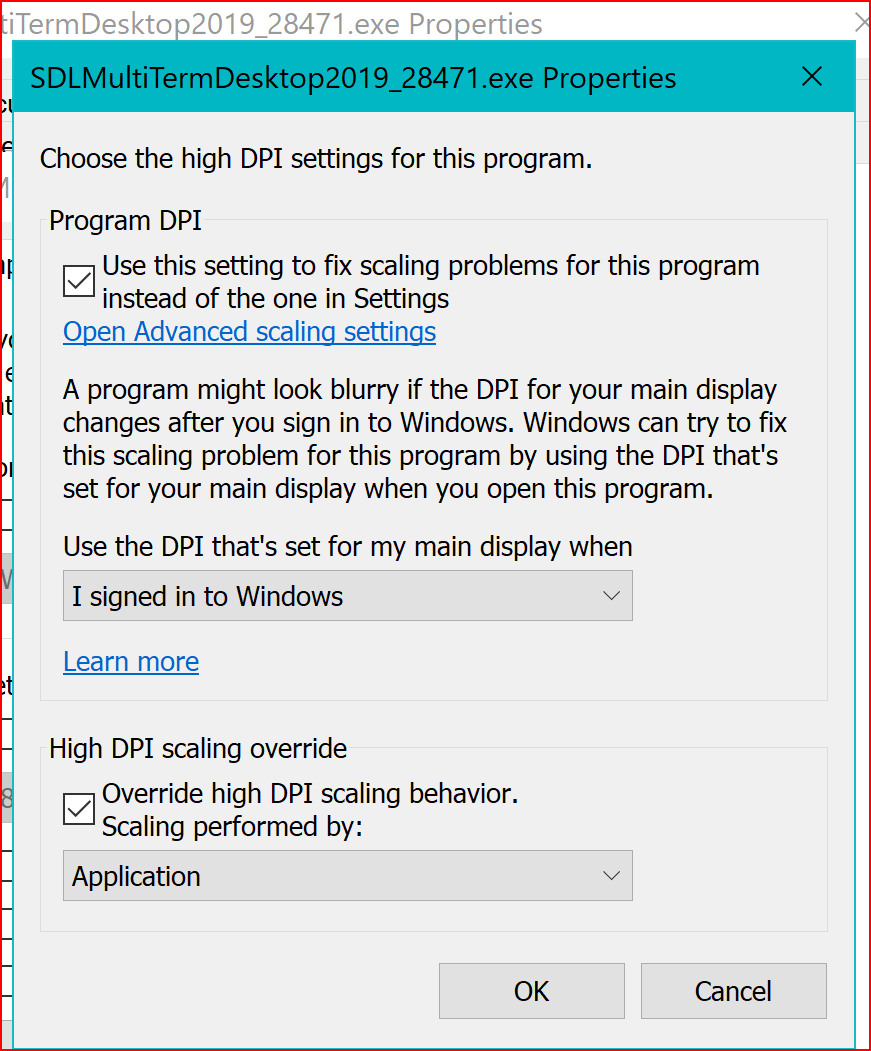
Screenshot of the 'SDL MultiTerm Desktop 2019 Properties' window with 'High DPI scaling override' checked and 'Scaling performed by: Application' selected.

I have not worked in Studio 2019 since I upgraded, but I didn't see any display issues when I opened it the first time, so hopefully this "only" pertains to MultiTerm. Which is still bad enough, because all other programs seems to be able to adjust to high resolution automatically - even the free ones!!


Does anyone have any suggestions how this can be fixed? I don't understand why this continues to be an issue; I would expect more considering the price for the software.


TIA

Dorte


Generated Image Alt-Text
[edited by: Trados AI at 10:10 PM (GMT 0) on 28 Feb 2024]

emoji
Parents
  • Hi  

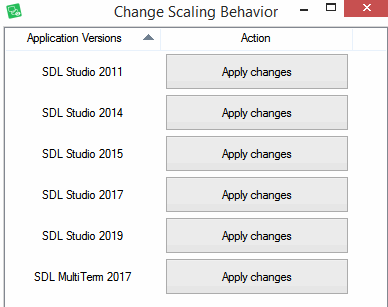
    Please can you make sure you have the latest version of the "Change Scaling Behaviour" application because this is what I see:

    Screenshot of the 'Change Scaling Behavior' application window showing a list of SDL Studio and MultiTerm versions with 'Apply changes' buttons next to each.

    Every version of Studio and MultiTerm that I have installed is shown in the list.

    Unknown said:
    I don't understand why this continues to be an issue; I would expect more considering the price for the software.

    You might be surprised how many expensive pieces of software have these sorts of issues (even W10 isn't perfect!).  The problem is that hardware moves faster than software.  The reason being there is no point building software to support something that doesn't exist yet, so hardware manufacturers offer amazing new features that many software vendors have to catch up with and this can take quite a while as the work is often not trivial.  Studio is updated whenever we tackle features in a particular part of the software so proper 4k support through the whole application is a work in progress.

    Paul Filkin | RWS

    Design your own training!
    You've done the courses and still need to go a little further, or still not clear? 
    Tell us what you need in our Community Solutions Hub

    emoji


    Generated Image Alt-Text
    [edited by: Trados AI at 10:10 PM (GMT 0) on 28 Feb 2024]
  • Hi

    After having written all of that I realised I need my eyes testing! I don't have MultiTerm 2019 available either!! We'll get that sorted next week!

    Paul Filkin | RWS

    Design your own training!
    You've done the courses and still need to go a little further, or still not clear? 
    Tell us what you need in our Community Solutions Hub

Reply Children