


Opening 90 Mb word file OK but cannot save translation XML error (1,76)

Former Member
Former Member

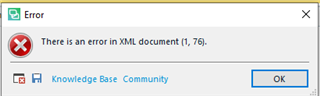
Error message window in Trados Studio stating 'There is an error in XML document (1, 76).' with an OK button and links to Knowledge Base and Community.

Which is the max Word file size? I followed Steve instructions about deactivating last Word filetype and using the older one, but still cannot save the translated file.

Thank you


Generated Image Alt-Text
[edited by: Trados AI at 7:32 PM (GMT 0) on 28 Feb 2024]

emoji
  • Former Member
    0 Former Member

    <SDLErrorDetails time="15/12/2019 12:58:38">
      <ErrorMessage>There is an error in XML document (1, 76).</ErrorMessage>
      <Exception>
        <Type>System.InvalidOperationException, mscorlib, Version=4.0.0.0, Culture=neutral, PublicKeyToken=b77a5c561934e089</Type>
        <HelpLink />
        <Source>System.Xml</Source>
        <HResult>-2146233079</HResult>
        <StackTrace><![CDATA[   at System.Xml.Serialization.XmlSerializer.Deserialize(XmlReader xmlReader, String encodingStyle, XmlDeserializationEvents events)
       at Sdl.FileTypeSupport.Bilingual.SdlXliff.XliffFileReader.OnInternalFile(XmlElement internalFile)
       at Sdl.FileTypeSupport.Bilingual.SdlXliff.SdlXliffFeeder.<ContinueScanning>b__14_13(ISdlXliffStreamContentHandler handler)
       at System.Collections.Generic.List`1.ForEach(Action`1 action)
       at Sdl.FileTypeSupport.Bilingual.SdlXliff.SdlXliffFeeder.ContinueScanning()
       at Sdl.FileTypeSupport.Bilingual.SdlXliff.XliffFileReader.ContinueParsing()
       at Sdl.FileTypeSupport.Bilingual.SdlXliff.XliffFileReader.ParseNext()
       at Sdl.FileTypeSupport.Framework.Integration.FileExtractor.ParseNext()
       at Sdl.FileTypeSupport.Framework.Integration.MultiFileConverter.ParseNext()
       at Sdl.FileTypeSupport.Framework.Integration.MultiFileConverter.Parse()
       at Sdl.TranslationStudio.Editor.TranslationEditor.TranslatableDocument.Load(IJobExecutionContext context)
       at Sdl.Desktop.Platform.Services.JobRequest.Execute(IJobExecutionContext context)
       at Sdl.Desktop.Platform.Implementation.Services.Job.<_worker_DoWork>b__47_0()
       at Sdl.Desktop.Logger.Log.Resources(Object message, Action action)
       at Sdl.Desktop.Platform.Implementation.Services.Job._worker_DoWork(Object sender, DoWorkEventArgs e)
       at System.ComponentModel.BackgroundWorker.OnDoWork(DoWorkEventArgs e)
       at System.ComponentModel.BackgroundWorker.WorkerThreadStart(Object argument)]]></StackTrace>
        <InnerException>
          <Type>System.OutOfMemoryException, mscorlib, Version=4.0.0.0, Culture=neutral, PublicKeyToken=b77a5c561934e089</Type>
          <HelpLink />
          <Source>mscorlib</Source>
          <HResult>-2147024882</HResult>
          <StackTrace><![CDATA[   at System.Text.StringBuilder.set_Length(Int32 value)
       at System.Xml.XmlTextReaderImpl.ParseText()
       at System.Xml.XmlTextReaderImpl.ParseElementContent()
       at System.Xml.XmlTextReaderImpl.Read()
       at Sdl.FileTypeSupport.Bilingual.SdlXliff.WhitespacePreservingXmlTextReader.Read()
       at System.Xml.XmlReader.ReadStartElement(String name)
       at Oasis.Xliff12.internalfile.ReadXml(XmlReader reader)
       at System.Xml.Serialization.XmlSerializationReader.ReadSerializable(IXmlSerializable serializable, Boolean wrappedAny)
       at Microsoft.Xml.Serialization.GeneratedAssembly.XmlSerializationReader1.Read64_internalfile()]]></StackTrace>
        </InnerException>
      </Exception>
      <Environment>
        <ProductName>SDL Trados Studio</ProductName>
        <ProductVersion>15.0.0.0</ProductVersion>
        <EntryAssemblyFileVersion>15.2.5.2145</EntryAssemblyFileVersion>
        <OperatingSystem>Microsoft Windows 10 Pro</OperatingSystem>
        <ServicePack>NULL</ServicePack>
        <OperatingSystemLanguage>1040</OperatingSystemLanguage>
        <CodePage>1252</CodePage>
        <LoggedOnUser>ASUS\info</LoggedOnUser>
        <DotNetFrameWork>4.0.30319.42000</DotNetFrameWork>
        <ComputerName>ASUS</ComputerName>
        <ConnectedToNetwork>True</ConnectedToNetwork>
        <PhysicalMemory>16661016 MB</PhysicalMemory>
      </Environment>
    </SDLErrorDetails>

  • Which is the max Word file size?

    There isn't one as far as I'm aware.

    There is an error in XML document (1, 76).

    Did you recreate your project when you followed these instructions?

    Also, what version of Word are you using?  Perhaps this file isn't a problem with a more up to date version of Word... I have seen this sort of thing before?  I don't know why, because there should not really be a problem at all, but this might help to provide a way forward for the time being.

    Paul Filkin | RWS

    Design your own training!
    You've done the courses and still need to go a little further, or still not clear? 
    Tell us what you need in our Community Solutions Hub