
 Translate



Hi all,
I translate in different language versions and British and American english. So, if the last project had language pair A+B and I now choose a project template for another customer with another language pair, let's say F+G, the program pop up this friendly but silly comment box: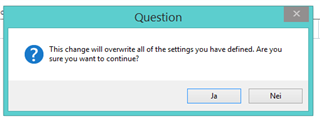 .
.
There is no reason for it. The last assignment used another project template and this should the program be able to see. Of course the settings have to change - it is the whole point with project templates. Is there any way I can just make this go away?
Thanks for any input!
Best regards,
Knut
Generated Image Alt-Text
[edited by: Trados AI at 7:52 PM (GMT 0) on 28 Feb 2024]


