Translate



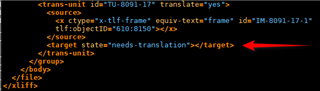
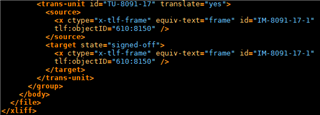
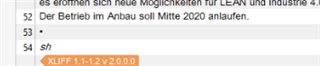
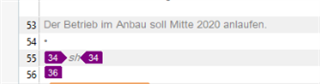
We have translated an xlf in Studio 2019 that was created from an InDesign file. Now, this normally goes without a hitch, but now the client is complaining that they cannot import the file back into InDesign as the source has been changed. The screenshot they sent shows that when they open the translated xlf in Studio, it shows two extra segments in the file, with only a tag in them. They're probably the reason why the import is unsuccessful, but as we can't see them in Studio (on our side everything appears normal), we can't fix the issue. This is the case with all the languages we translated, so it can't be one translator having messed up something.
Any ideas what happened and more importantly, how we can fix it?
Generated Image Alt-Text
[edited by: Trados AI at 2:44 PM (GMT 0) on 1 Mar 2024]