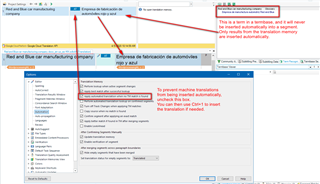
Prioritize translation sources

Dear friends, good morning ...

Please, I need to know how to make my intent.to plugin working only AFTER my own glossaries (TM and TB) ...
It is happening that, going on a segment, my iten.to plugin provides me a machine translation EVEN if I already have some better fit in my own resources ... I do NOT like this. Hope You can help.

The only solution I thought about was “First I start a project with NO inten.to providers and only after that, when I did check briefly all my project and I haven't already found some valid translation, anly at the point I would open ProjectSettings to restart the translation of that segments where I need the support of inten.to MTs“ … BUT maybe there is a better whay to do so!
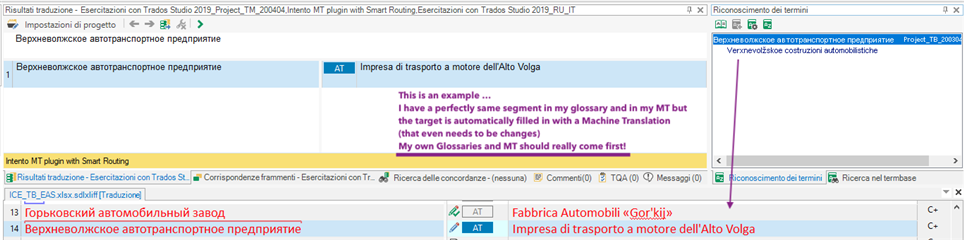
Trados Studio interface showing a segment with machine translation despite existing glossary entries, with a comment highlighting the issue.


My own resources should really come FIRST! Don't You think so?
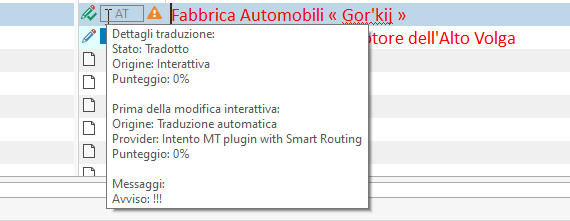
Translation details pop-up in Trados Studio indicating the segment is translated, with a warning symbol and a message alert.

Ahhh ...
Of course I know I can set a hierarchy for my TMs moving them up or down in the Project Settings BUT, what I am talking about here is NOT the hierarchy between my TMs, but between the Machine Translations AND my own resources!

Hope You understand what I mean …

Best regards
Pietro


Generated Image Alt-Text
[edited by: Trados AI at 8:46 PM (GMT 0) on 28 Feb 2024]

emoji
Parents
  • This is because your ressource is in the terminology database. This would not happen, if the resource you mention would have been a TM. Terminology database is not used for matching, but just for building sentences, as terminology is used elsewhere too.

    There is no way to force Studio to use terminology instead of TM. Create a translation memory based on your terminology database and you will have what you need.

    _________________________________________________________

    When asking for help here, please be as accurate as possible. Please always remember to give the exact version of product used and all possible error messages received. The better you describe your problem, the better help you will get.

    Want to learn more about Trados Studio? Visit the Community Hub. Have a good idea to make Trados Studio better? Publish it here.

Reply
  • This is because your ressource is in the terminology database. This would not happen, if the resource you mention would have been a TM. Terminology database is not used for matching, but just for building sentences, as terminology is used elsewhere too.

    There is no way to force Studio to use terminology instead of TM. Create a translation memory based on your terminology database and you will have what you need.

    _________________________________________________________

    When asking for help here, please be as accurate as possible. Please always remember to give the exact version of product used and all possible error messages received. The better you describe your problem, the better help you will get.

    Want to learn more about Trados Studio? Visit the Community Hub. Have a good idea to make Trados Studio better? Publish it here.

Children