Translate



Dear friends, good morning ...
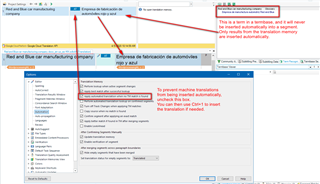
Please, I need to know how to make my intent.to plugin working only AFTER my own glossaries (TM and TB) ...
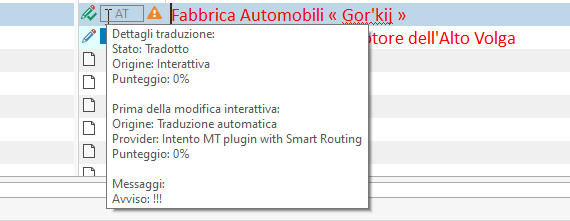
It is happening that, going on a segment, my iten.to plugin provides me a machine translation EVEN if I already have some better fit in my own resources ... I do NOT like this. Hope You can help.
The only solution I thought about was “First I start a project with NO inten.to providers and only after that, when I did check briefly all my project and I haven't already found some valid translation, anly at the point I would open ProjectSettings to restart the translation of that segments where I need the support of inten.to MTs“ … BUT maybe there is a better whay to do so!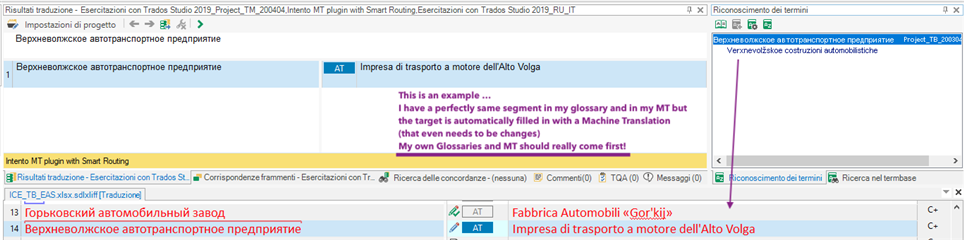
My own resources should really come FIRST! Don't You think so?
Ahhh ...
Of course I know I can set a hierarchy for my TMs moving them up or down in the Project Settings BUT, what I am talking about here is NOT the hierarchy between my TMs, but between the Machine Translations AND my own resources!
Hope You understand what I mean …
Best regards
Pietro
Generated Image Alt-Text
[edited by: Trados AI at 8:46 PM (GMT 0) on 28 Feb 2024]