Translate



Hello everyone,
I'm having a problem again with trados 2019.
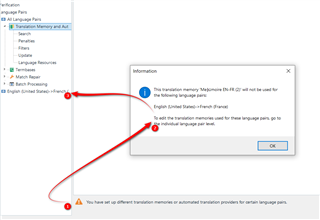
When I add a translation memory in the project settings I get the message below (see screen). I also still have the pop up window: "forbidden". I specify that I have added the same translation memories in the "option" tab and for the same language pair.
Thanks a lot!
Generated Image Alt-Text
[edited by: Trados AI at 9:01 PM (GMT 0) on 28 Feb 2024]