bilingual Excel error message

I receive Excel files from a customer which require the use of the filetype Bilingual Excel to check string length limitations, but I cannot process them because I get this error
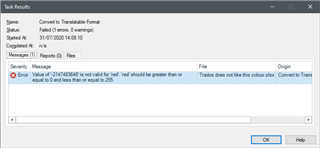
Error message in Trados Studio stating 'Value of '10534654' is not valid for 'red'. 'red' should be greater than or equal to 0 and less than or equal to 255.'

I have been able to find out the cause of this error, it is the colour used for part of the text in Excel (in this case [ENTER])

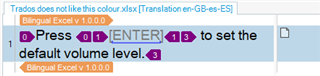
Excel cell with text 'Press ENTER to set the default volume level.' with ENTER highlighted in a non-standard color causing error in Trados.

This is the file with that contains this single cell in A1

Trados does not like this colour.xlsx

A few additional remarks:

- if I use the standard Excel filetype I get no error

- if I change the colour to a standard green (see below) I get no error

Excel cell with text 'Press ENTER to set the default volume level.' with ENTER highlighted in standard green color accepted by Trados.

Trados likes this colour.xlsx

Replacing all the occurrences of the colour not liked by Bilingual Excel requires too much time.

Is there a solution?

Stefano


Generated Image Alt-Text
[edited by: Trados AI at 11:41 PM (GMT 0) on 28 Feb 2024]
emoji
Parents Reply
  • I have closed Trados, deleted the file Default.sdltpl in C:\Users\Deastis\Documents\Studio 2019\Project Templates

    I have reopened Trados. A new default template has been automatically created.

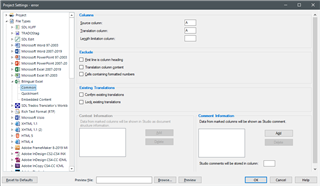
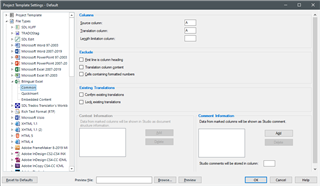
    I edited the template disabling the standard excel filetype, enabling bilingual Excel and setting it as follow

    Trados Studio Project Template Settings window showing the editing of a template with the standard Excel filetype disabled and bilingual Excel enabled.

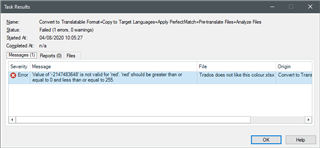
    I have tried to create a project and I get the usual error

    Then I also tried the single file way

    I have used File/Options, I have disabled the standard excel filetype, enabled bilingual Excel setting it as above

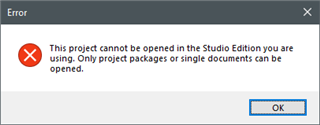
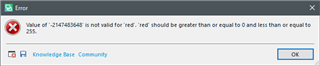
    then I have chosen Translate as single document and I get this error

    Error message in Trados Studio stating 'Value of '-2147483648' is not valid for 'red'. 'red' should be greater than or equal to 0 and less than or equal to 255.' with an OK button.

    I don't know what else I can do, can you provide a project template that I can import in Trados and solves this issue?


    emoji


    Generated Image Alt-Text
    [edited by: Trados AI at 11:42 PM (GMT 0) on 28 Feb 2024]
Children