Translate



I work with Studio 2019 SR2 15.2.7.2849. One of my customers uses Software Lingo (Version 10.2.6786 64 Bit) of MadCap and regularly sends me XLF files to translate them in Studio. There has never been a problem, but since I have installed SR2 I can work on the files as usual, however the customer cannot import them into his software. He gets the following error message "There were no relevant files found in the bundle....zip". Do you have any idea what the problem could be and how to solve it? Thank you for your help!

<?xml version="1.0" encoding="utf-16"?>
<MadCapLog
Protocol="2"
Date="2020-08-06T14:02:42.7569777+02:00"
Description="Merged completed translation bundle FBO_Test_2020_08_06.zip - S:\030_ROTOX_MB\BedAnl_CMSProjekte\Translations\englisch_en(GB)\_Test\">
<Messages>Unpacking FBO_Test_2020_08_06.zip...
Extracted FBO_en(GB)_TEST_1/FBO_en(GB)_Texte.txt.xlf...
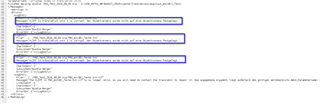
Bundle Merger: S:\030_ROTOX_MB\BedAnl_CMSProjekte\Translations\englisch_en(GB)\_Test\FBO_Test_2020_08_06.zip\FBO_en(GB)_Texte.txt: XLIFF in translation unit 1 is corrupt. Der Objektverweis wurde nicht auf eine Objektinstanz festgelegt.
Bundle Merger: S:\030_ROTOX_MB\BedAnl_CMSProjekte\Translations\englisch_en(GB)\_Test\FBO_Test_2020_08_06.zip\FBO_en(GB)_Texte.txt: XLIFF in translation unit 2 is corrupt. Der Objektverweis wurde nicht auf eine Objektinstanz festgelegt.
Bundle Merger: S:\030_ROTOX_MB\BedAnl_CMSProjekte\Translations\englisch_en(GB)\_Test\FBO_Test_2020_08_06.zip\FBO_en(GB)_Texte.txt: XLIFF in translation unit 3 is corrupt. Der Objektverweis wurde nicht auf eine Objektinstanz festgelegt.
Bundle Merger: S:\030_ROTOX_MB\BedAnl_CMSProjekte\Translations\englisch_en(GB)\_Test\FBO_Test_2020_08_06.zip\FBO_en(GB)_Texte.txt.xlf: The XLIFF in FBO_en(GB)_Texte.txt.xlf is no longer valid, so you will need to contact the translator to repair it: Das angegebene Argument liegt außerhalb des gültigen Wertebereichs.
Parametername: Corrupted nodes in translation units.
Finished merging bundle: FBO_Test_2020_08_06.zip - S:\030_ROTOX_MB\BedAnl_CMSProjekte\Translations\englisch_en(GB)\_Test\
</Messages>
<Warnings />
<Errors>
<LogEntry
File="../../FBO_Test_2020_08_06.zip/FBO_en(GB)_Texte.txt"
Message="XLIFF in translation unit 1 is corrupt. Der Objektverweis wurde nicht auf eine Objektinstanz festgelegt."
LineIndex="-1"
CharIndex="-1"
Subsystem="Bundle Merger"
ErrorID="-1"></LogEntry>
<LogEntry
File="../../FBO_Test_2020_08_06.zip/FBO_en(GB)_Texte.txt"
Message="XLIFF in translation unit 2 is corrupt. Der Objektverweis wurde nicht auf eine Objektinstanz festgelegt."
LineIndex="-1"
CharIndex="-1"
Subsystem="Bundle Merger"
ErrorID="-1"></LogEntry>
<LogEntry
File="../../FBO_Test_2020_08_06.zip/FBO_en(GB)_Texte.txt"
Message="XLIFF in translation unit 3 is corrupt. Der Objektverweis wurde nicht auf eine Objektinstanz festgelegt."
LineIndex="-1"
CharIndex="-1"
Subsystem="Bundle Merger"
ErrorID="-1"></LogEntry>
<LogEntry
File="../../FBO_Test_2020_08_06.zip/FBO_en(GB)_Texte.txt.xlf"
Message="The XLIFF in FBO_en(GB)_Texte.txt.xlf is no longer valid, so you will need to contact the translator to repair it: Das angegebene Argument liegt außerhalb des gültigen Wertebereichs.
Parametername: Corrupted nodes in translation units."
LineIndex="-1"
CharIndex="-1"
Subsystem="Bundle Merger"
ErrorID="-1"></LogEntry>
</Errors>
</MadCapLog>
Generated Image Alt-Text
[edited by: Trados AI at 10:20 PM (GMT 0) on 28 Feb 2024]