The Trados cloud platform will be undergoing maintenance on Saturday, 9th May 2026 between 05:00 to 17:00 UTC. During this time, you will not be able to log in to the Trados platform.

SDL Trados 2021 Freelance - While doing alignment on two files, suddenly "connect" function is always grayed out

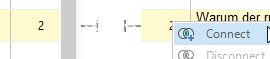
I'm new to using Trados. I did manage to figure out how the alignment process works and things were going well until ... did I inadvisedly press the "Realign" button? maybe... and now the "connect" option is consistently grayed out.
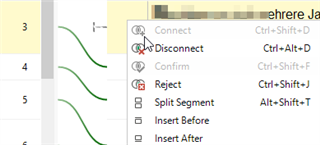
All of the other functions (disconnect, split segment, insert before, etc.) seem to still function. I started aligning two other files and that functioned as expected, but I can't get these large files working for me again. Any clues?  Thanks.
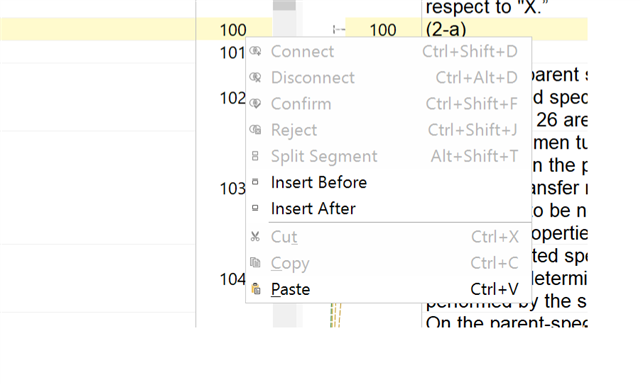
Trados Studio screenshot showing alignment options with the 'Connect' option grayed out and unavailable.


Generated Image Alt-Text
[edited by: Trados AI at 10:50 PM (GMT 0) on 28 Feb 2024]

emoji
Parents Reply Children
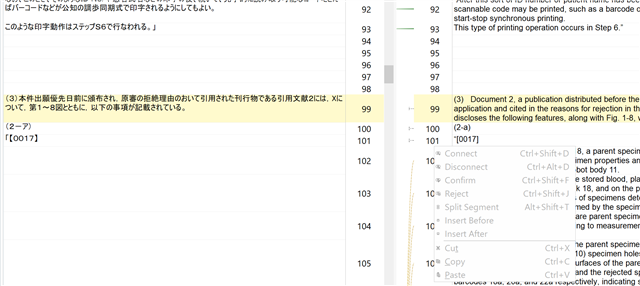
  • Exactly, Daniel.... there's no "not connected" symbol on the source side, which is odd.  Here's another screenshot which I hope is more helpful.  You can see some segments that I successfully connected at the top, and then the problem started occurring and I could no longer connect between source and target.  It seems the source-side segments have become inoperable.

    Screenshot of Trados Studio showing segments with successful connections at the top and inoperable source-side segments below. No 'not connected' symbol visible.

    At this point I've pretty much given up on trying to continue with this particular alignment, but this report may be helpful if someone else encounters this same issue.

    Thanks for your time.

    emoji


    Generated Image Alt-Text
    [edited by: Trados AI at 10:50 PM (GMT 0) on 28 Feb 2024]