
 Translate



I want to change the location of a project. So I go to "Project Settings", then "Project" where I alter the location on the below screen, typing in the desired location or choosing it via "Browse" - works perfectly: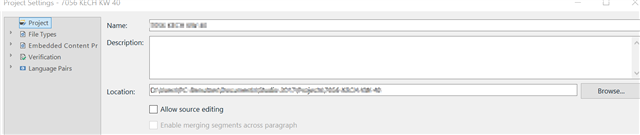
My problem: when my project has a little blue ball on its lower right side:  I am not offered "Project" on clicking on "Project settings".
Instead, I am offered "Language Pairs" rather than "Projects" at the top of the hierarchy:
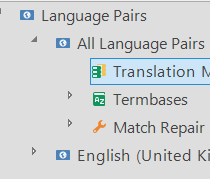
Why can I not change the location? What do I have to do to change the location, when the project status is ? By the way, it is so hard to find an explanation/definition/name of this symbol that I still call it "project with little blue ball on its lower right side". Is there somewhere an overview of symbols such as this one? Hovering over it yields no result.

