


Can't open TM

Hello,

I trust you are well ;-)

I have been sent a TM export
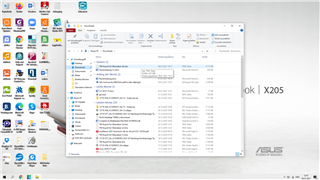
Screenshot of a Windows desktop with Trados Studio software open, showing a file explorer window with a list of files, but the TM export file is not visible.

When I try to open this, it doesn't appear: 
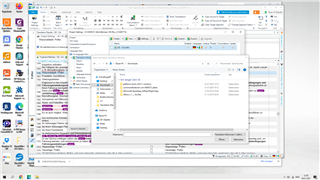
Screenshot of Trados Studio software with an 'Open' dialog box, attempting to locate the TM export file within a folder, but the file is not displayed in the list.

How can I then merge the newly imported TM with my existing TM?

The most important this is how can I open this in the first place 

Trados certainly isn't for the faint-hearted I have to say maybe I need to do a course in it ;-)

Appreciate your help!

Ruán


Generated Image Alt-Text
[edited by: Trados AI at 12:30 AM (GMT 0) on 29 Feb 2024]
emoji
Parents
  • It's important to tell us what version of Trados you have as this could affect the answer.

    But in a nutshell a few pointes to note:

    1. Create a new TM in the Translation Memories View in Trados Studio and then import your TMX into it.
    2. If you're happy with the quality of the TMX then you could just import it directly into your existing TM and don't bother creating a separate one first.
    3. Import s the easiest approach, especially since you received a TMX, but you can merge translation memories and this effectively creates a new one containing the contents of the TM's you merged.  How you do this depends on the version of Studio.

    Paul Filkin | RWS

    Design your own training!
    You've done the courses and still need to go a little further, or still not clear? 
    Tell us what you need in our Community Solutions Hub

Reply
  • It's important to tell us what version of Trados you have as this could affect the answer.

    But in a nutshell a few pointes to note:

    1. Create a new TM in the Translation Memories View in Trados Studio and then import your TMX into it.
    2. If you're happy with the quality of the TMX then you could just import it directly into your existing TM and don't bother creating a separate one first.
    3. Import s the easiest approach, especially since you received a TMX, but you can merge translation memories and this effectively creates a new one containing the contents of the TM's you merged.  How you do this depends on the version of Studio.

    Paul Filkin | RWS

    Design your own training!
    You've done the courses and still need to go a little further, or still not clear? 
    Tell us what you need in our Community Solutions Hub

Children