Can you fix the bug of font issue?

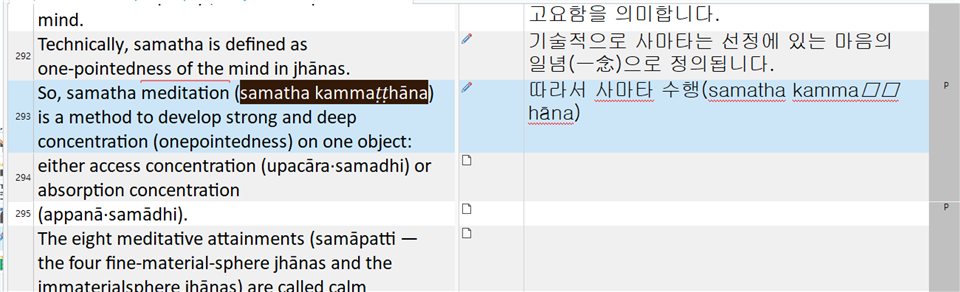
Screenshot of Trados Studio 2021 SR1 showing a font issue where the text 'kamma h na' is displayed with square boxes instead of Korean characters.

version: trados 2021 SR1 - 16.1.3.4096

problem : font issue(ㅁㅁ)

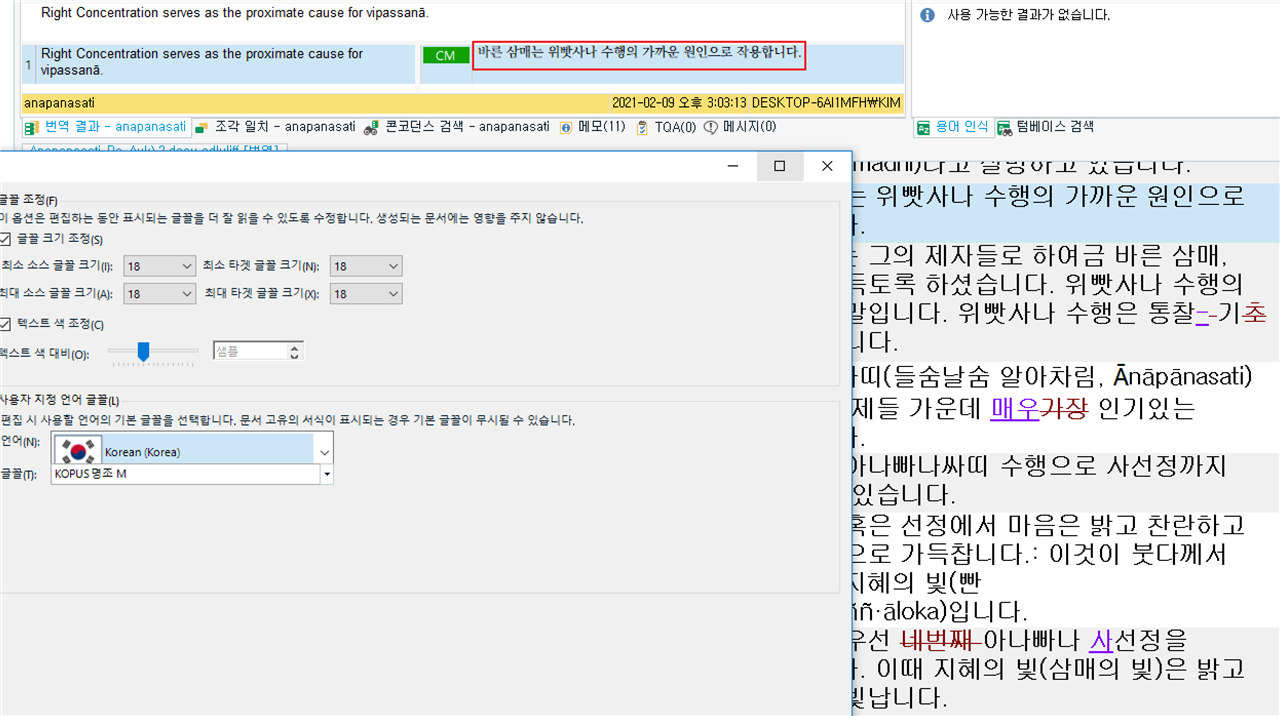
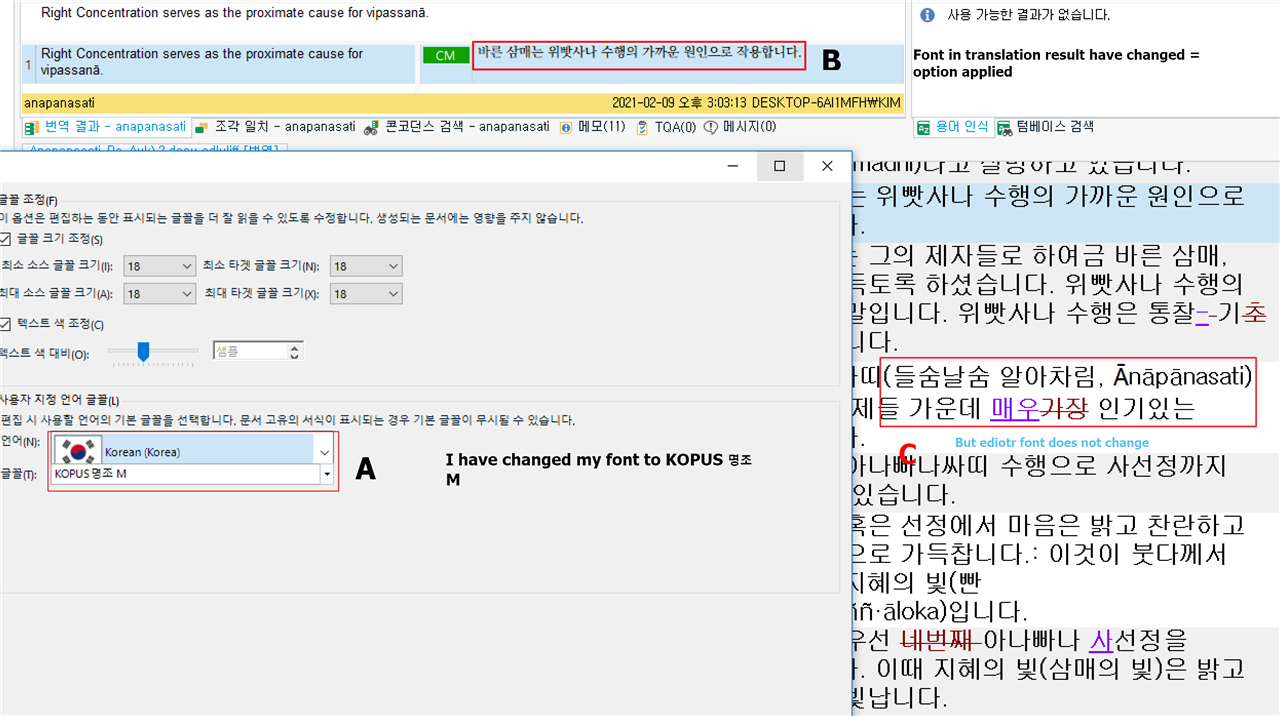
There is function that change font option in trados. 

But it does not works in some language( Republic of Korea) 

my target area(and my basic font) can not express some language word like you can see the problem in image(kammaㅁㅁhāna)

Can you fix the bug of font issue?

I can not understand. Even some general text editor app can change font. 


Generated Image Alt-Text
[edited by: Trados AI at 1:06 AM (GMT 0) on 29 Feb 2024]

emoji
Parents Reply
  • Screenshot of Trados Studio showing an error message when trying to upload an sdlxliff file, with a docx file uploaded instead.DOCX

    I don't know what the problem is. But I can not upload the sdlxliff file. So I have uploaded docx original file. You can convert it. 

    When you convert this and move to the target(CTRL+ INSERT). You may see the right word. but If you add ( ) or to add () and press space, Font is changed to Unrecognized text(like ㅁㅁ). 

    I solve the big issue from font now. because if I save the file, it works well.(=right text)

    But I still have anxiety about this issue. because I often handle the ancient language like pali, saṃskṛtā. And I have to type the special language to the target area too. 

    So please fix that bug(can't change font in some language). Our country trados sale person already know that bug. 

    emoji


    Generated Image Alt-Text
    [edited by: Trados AI at 1:06 AM (GMT 0) on 29 Feb 2024]
Children