Can you fix the bug of font issue?

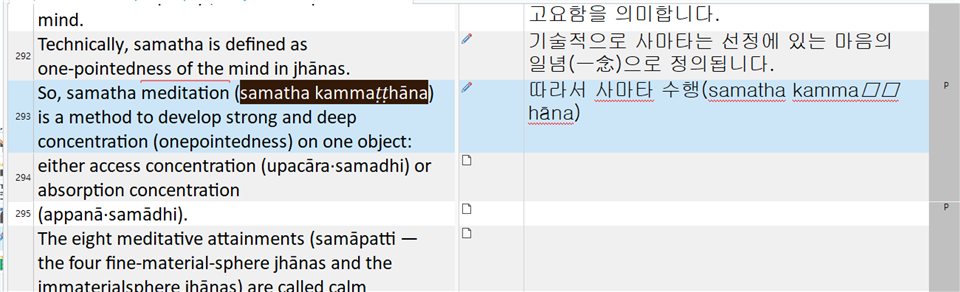
Screenshot of Trados Studio 2021 SR1 showing a font issue where the text 'kamma h na' is displayed with square boxes instead of Korean characters.

version: trados 2021 SR1 - 16.1.3.4096

problem : font issue(ㅁㅁ)

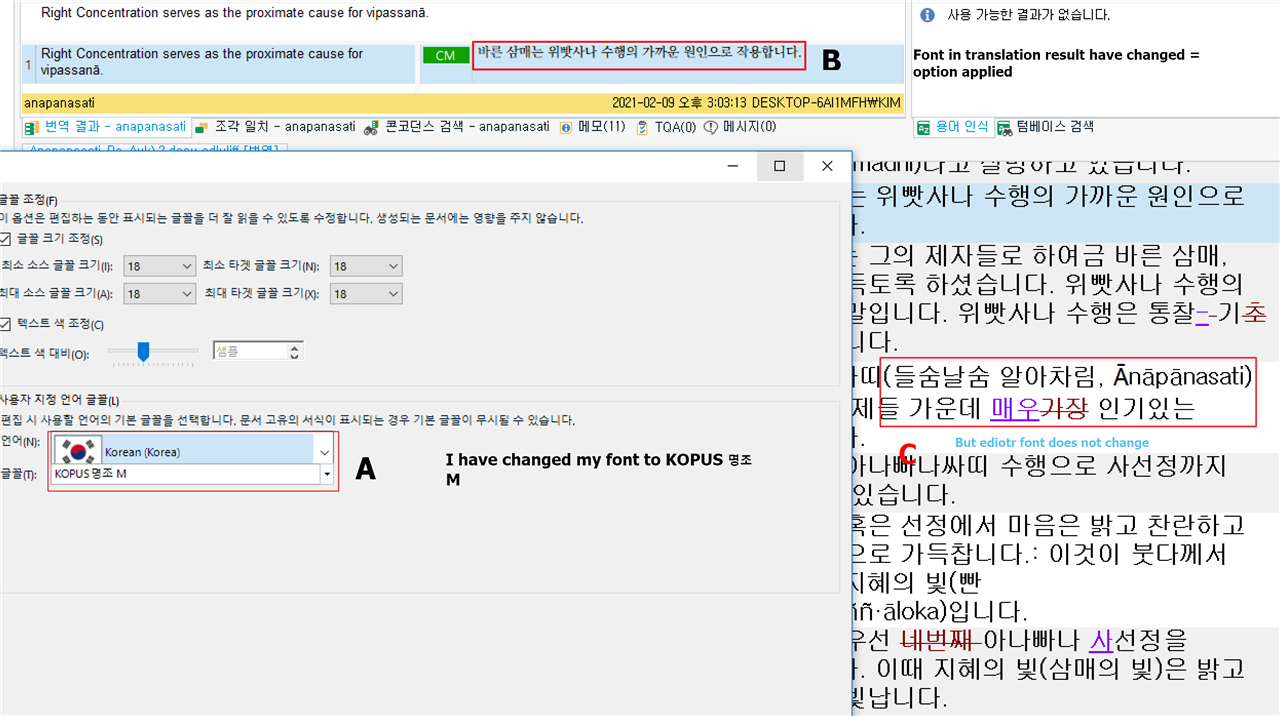
There is function that change font option in trados. 

But it does not works in some language( Republic of Korea) 

my target area(and my basic font) can not express some language word like you can see the problem in image(kammaㅁㅁhāna)

Can you fix the bug of font issue?

I can not understand. Even some general text editor app can change font. 


Generated Image Alt-Text
[edited by: Trados AI at 1:06 AM (GMT 0) on 29 Feb 2024]

emoji
Parents Reply
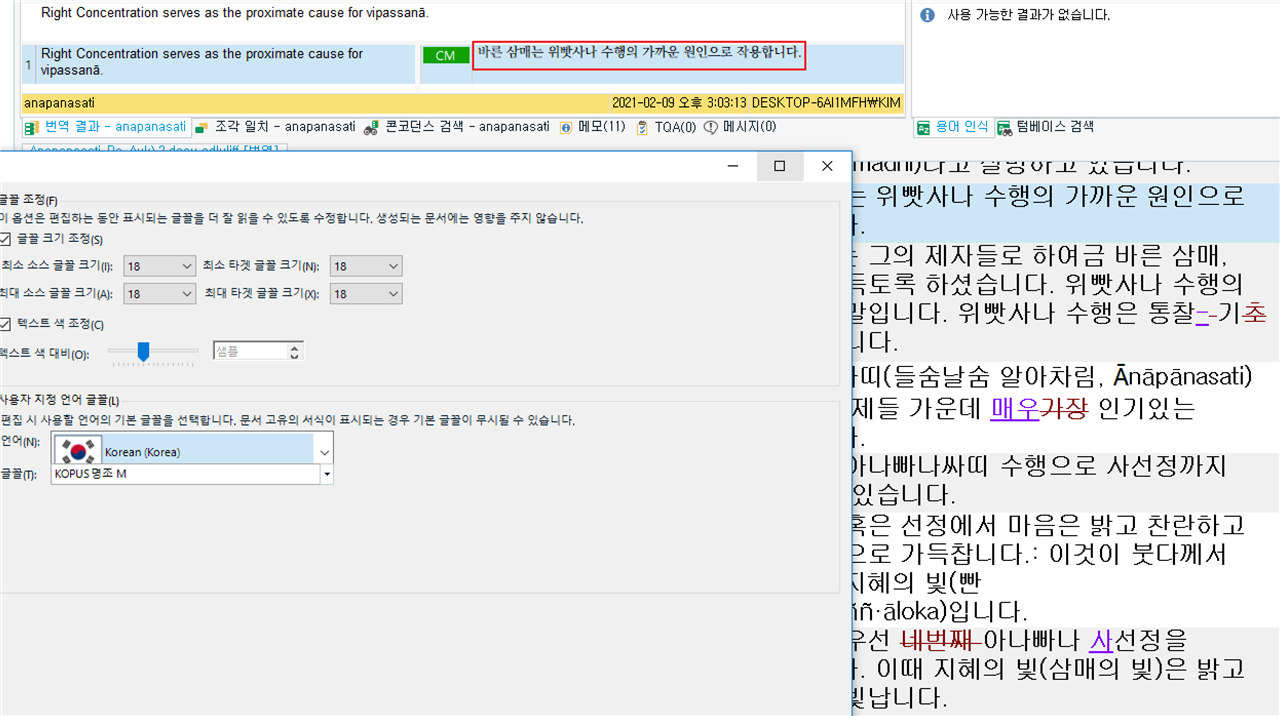
  • See A. I have changed South korea font from default to my font (KOPUS 명조 M) by using 'font adaptation'. See B. So font have applied(changed) in translation result. See C. But target editor font is still default font. 

    Thank you.  So is this slightly different to the original post?  Initially you reported corrupt chars in the target.  Is this the result of not being able to change the font adaptation to use a compliant font or is this a different issue?

    It may be that the problem is simply the wider issue that Korean font adaptation is not working and this is more important to get fixed than one or two particular fonts that may not work when selected.  Small clarification, but it helps me to understand this better.

    Thank you for your patience!

    Paul Filkin | RWS

    Design your own training!
    You've done the courses and still need to go a little further, or still not clear? 
    Tell us what you need in our Community Solutions Hub

Children