A hyphen shows as an en-dash in Editor

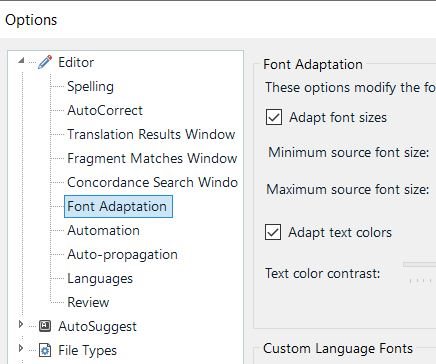
When I type a hyphen in Editor, it shows as an en-dash, so a hyphen and an en-dash look the same in the Editor window. The font is also not shown properly in Editor as set in Font Adaptation (the font was set in Century in the image below).

However, both a hyphen and the font are shown properly in TM (Translation Results). When I insert a hyphen using QuickInsert, it does show as a hyphen, so this happens when I type using a keyboard and only happens in Studio. Is there any way to fix this issue? I'd like to see the hyphen in the Editor window as I type. Thank you.
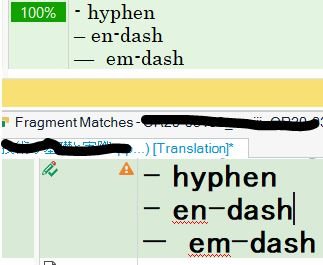
Screenshot showing Trados Studio Editor window with a hyphen and an en-dash looking identical, and a warning about font adaptation not applied to Century font.


Generated Image Alt-Text
[edited by: Trados AI at 1:08 AM (GMT 0) on 29 Feb 2024]

emoji
Parents Reply
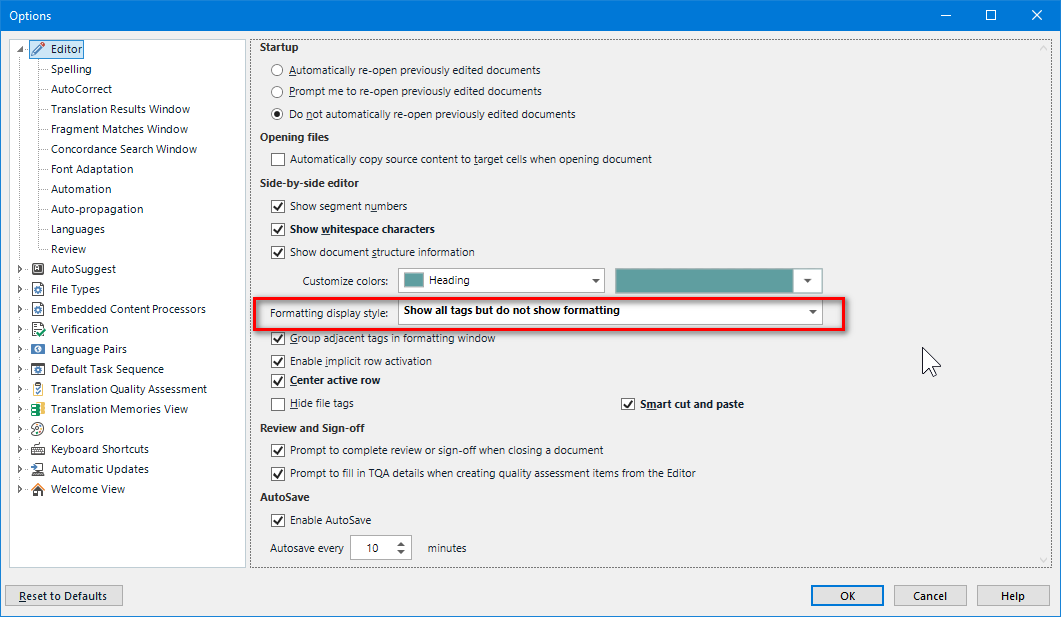
  • but turning off the formatting of the source text is also somewhat inconvenient.

    Really? I see it exactly the other way round. Seeing all the formatting including the font face (which very often is not present in my system, which leads to many problems) does disturb me much. I need to focus on text and the formatting is of very secondary meaning. On top of this, properly created documents do use only very little of local formatting. 

    _________________________________________________________

    When asking for help here, please be as accurate as possible. Please always remember to give the exact version of product used and all possible error messages received. The better you describe your problem, the better help you will get.

    Want to learn more about Trados Studio? Visit the Community Hub. Have a good idea to make Trados Studio better? Publish it here.

Children