Translate



I am just so tired of this happening and there seemingly being no answer to this issue.
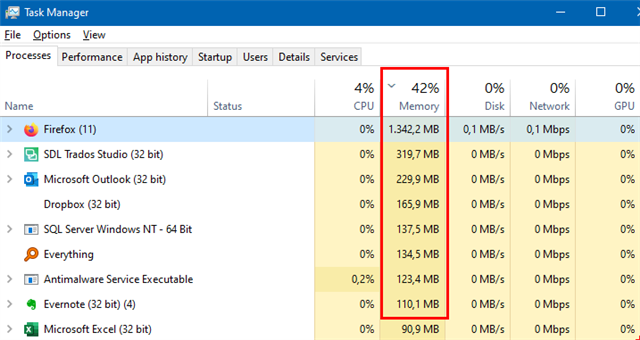
Has there been any answer to this yet beyond the "close chrome" in that knowledge base article. I am currently working on 10 files which in total have 46MB, so it's big and I open them individually and close them when done (which is super annoying since I would prefer to open them all at ones due to repetitions and making overall changes), but even when I open them individually the bigger ones around 6MB throw that exception. Had to email the client to split the excel file in half and send two sdlxiff files. I get the same type job each week. Same size roughly. And yet, some weeks it just works fine other weeks, like this week it throws an exception.
I am just so fed up with this. I am using Trados 2019, my laptop has 16GB Ram which should be overkill.
Are there any answers? Anything that actually works?