 Translate



For as long as I can remember my Studio error messages have been in a different language than that which Trados' user interface is in.
Does anyone know why this might be happening and perhaps how I could fix it?

For as long as I can remember my Studio error messages have been in a different language than that which Trados' user interface is in.
Does anyone know why this might be happening and perhaps how I could fix it?
Hello ,
I would check first your Windows Language settings to make sure these are correct
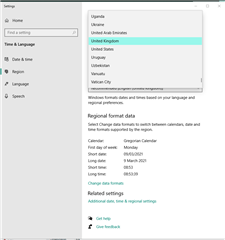
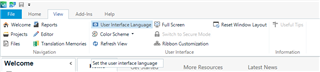
Also you are able to change the UI language in Studio as follows-
Oana Nagy | QA Engineer | RWS Group


Nope. Everything set up correctly as far as my Windows language settings and Studio UI language is concerned.
Previously I had my UI language set to English and I was getting my errors messages in Norwegian, which was one of the five source languages I selected when I used to be on a Freelance licence. I'm using the Pro version now, so all languages have become possible source languages.
I did a test and changed the UI language to French and then the error messages were in English...
I changed the UI back to English and now the problem has been resolved, i.e. the error messages are in the same language as the UI.
Not sure if that's a solution, but it's at least a workaround.
