Studio opens an old project file from a completed project

I've been experiencing a weird bug for  long time, but I thought to write in today to see if there might not be a solution.

I experience that Studio either always/sporadically opens a file in Editor from a previous (now completed) project.

I currently only have one project in progress in Studio. All the previous projects are marked as 'Completed'.

However, if I have project files from the current in-progress project open and then I close Studio, when I open Studio again, it opens a particular file from a previous project.

I'm not sure if it only happens after I've restarted my computer or not, but my question is why it should be happening at all.

Is there perhaps a particular file that Trados is looking at when it comes to which file(s) it should open again when reopening Editor?

If so, is there perhaps a way to manipulate/instruct to always open the file(s) from the most recent project one has been working in prior to closing the application?

Looking forward to anyone's help!

Parents Reply Children
  • Hi 

    Thanks for your response.

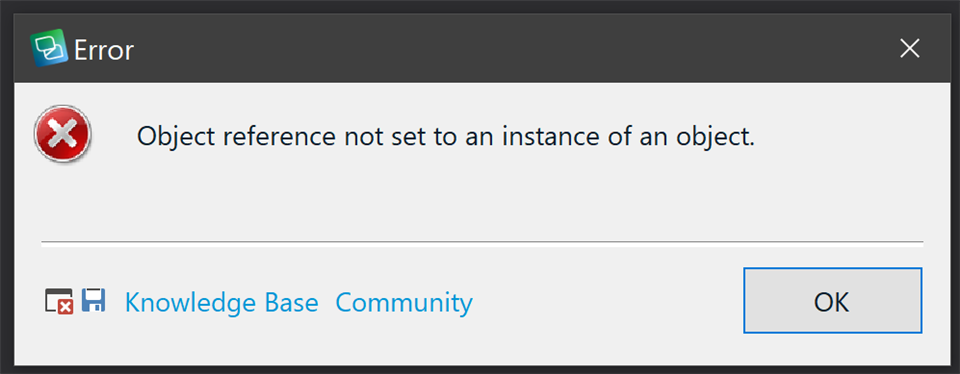
    I removed the old project whose file was opening in Editor and now when I open Studio and go straight to the Editor I get the below error:

    Error dialog box in Trados Studio with a red cross icon, displaying the message 'Object reference not set to an instance of an object.' with options for Knowledge Base and Community, and an OK button.

    emoji


    Generated Image Alt-Text
    [edited by: Trados AI at 1:30 AM (GMT 0) on 29 Feb 2024]
  • Hello ,

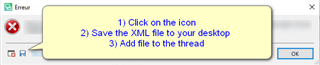
    Could you please save the error stack and post into the community-

    Error message popup in Trados Studio with instructions: 1) Click on the icon, 2) Save the XML file to your desktop, 3) Add file to the thread.

    Oana Nagy | QA Engineer | RWS Group

    emoji


    Generated Image Alt-Text
    [edited by: Trados AI at 1:30 AM (GMT 0) on 29 Feb 2024]
  • Here we go:

    <SDLErrorDetails time="2021/03/09 15:39:38">
      <ErrorMessage>Object reference not set to an instance of an object.</ErrorMessage>
      <Exception>
        <Type>System.NullReferenceException, mscorlib, Version=4.0.0.0, Culture=neutral, PublicKeyToken=b77a5c561934e089</Type>
        <HelpLink />
        <Source>Sdl.TranslationStudio.Editor</Source>
        <HResult>-2147467261</HResult>
        <StackTrace><![CDATA[   at Sdl.TranslationStudio.Editor.EditorService.OpenTranslatableFile(ITranslatableDocumentDescriptor descriptor, Boolean restoreSession)
       at Sdl.TranslationStudio.Editor.EditorService.RestoreEditingSessionWorker.Restore()
       at Sdl.TranslationStudio.Editor.EditorService.RestoreEditingSession()
       at Sdl.TranslationStudio.Editor.EditorView.Refresh()]]></StackTrace>
      </Exception>
      <Environment>
        <ProductName>SDL Trados Studio</ProductName>
        <ProductVersion>Studio16</ProductVersion>
        <EntryAssemblyFileVersion>16.1.4.4184</EntryAssemblyFileVersion>
        <OperatingSystem>Microsoft Windows 10 Home</OperatingSystem>
        <ServicePack>NULL</ServicePack>
        <OperatingSystemLanguage>1044</OperatingSystemLanguage>
        <CodePage>1252</CodePage>
        <LoggedOnUser>THE-NATTOP\Nathanael</LoggedOnUser>
        <DotNetFrameWork>4.0.30319.42000</DotNetFrameWork>
        <ComputerName>THE-NATTOP</ComputerName>
        <ConnectedToNetwork>True</ConnectedToNetwork>
        <PhysicalMemory>16732904 MB</PhysicalMemory>
      </Environment>
    </SDLErrorDetails>