Studio opens an old project file from a completed project

I've been experiencing a weird bug for  long time, but I thought to write in today to see if there might not be a solution.

I experience that Studio either always/sporadically opens a file in Editor from a previous (now completed) project.

I currently only have one project in progress in Studio. All the previous projects are marked as 'Completed'.

However, if I have project files from the current in-progress project open and then I close Studio, when I open Studio again, it opens a particular file from a previous project.

I'm not sure if it only happens after I've restarted my computer or not, but my question is why it should be happening at all.

Is there perhaps a particular file that Trados is looking at when it comes to which file(s) it should open again when reopening Editor?

If so, is there perhaps a way to manipulate/instruct to always open the file(s) from the most recent project one has been working in prior to closing the application?

Looking forward to anyone's help!

Parents Reply Children
  • Here we go:

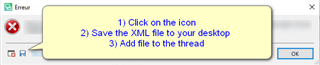
    <SDLErrorDetails time="2021/03/09 15:39:38">
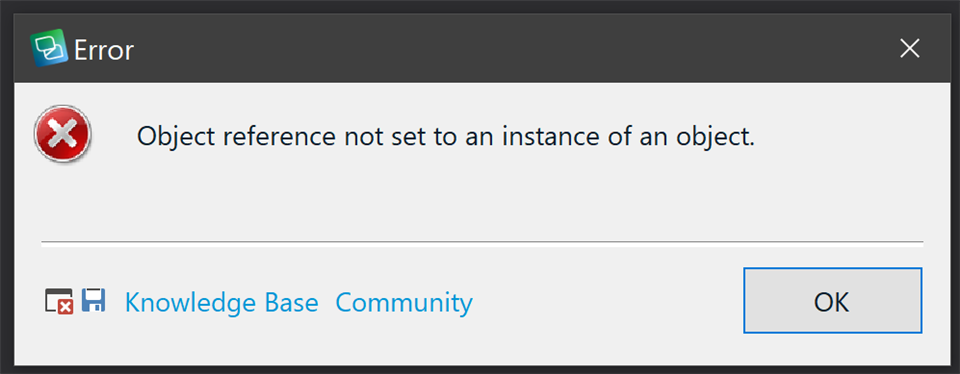
      <ErrorMessage>Object reference not set to an instance of an object.</ErrorMessage>
      <Exception>
        <Type>System.NullReferenceException, mscorlib, Version=4.0.0.0, Culture=neutral, PublicKeyToken=b77a5c561934e089</Type>
        <HelpLink />
        <Source>Sdl.TranslationStudio.Editor</Source>
        <HResult>-2147467261</HResult>
        <StackTrace><![CDATA[   at Sdl.TranslationStudio.Editor.EditorService.OpenTranslatableFile(ITranslatableDocumentDescriptor descriptor, Boolean restoreSession)
       at Sdl.TranslationStudio.Editor.EditorService.RestoreEditingSessionWorker.Restore()
       at Sdl.TranslationStudio.Editor.EditorService.RestoreEditingSession()
       at Sdl.TranslationStudio.Editor.EditorView.Refresh()]]></StackTrace>
      </Exception>
      <Environment>
        <ProductName>SDL Trados Studio</ProductName>
        <ProductVersion>Studio16</ProductVersion>
        <EntryAssemblyFileVersion>16.1.4.4184</EntryAssemblyFileVersion>
        <OperatingSystem>Microsoft Windows 10 Home</OperatingSystem>
        <ServicePack>NULL</ServicePack>
        <OperatingSystemLanguage>1044</OperatingSystemLanguage>
        <CodePage>1252</CodePage>
        <LoggedOnUser>THE-NATTOP\Nathanael</LoggedOnUser>
        <DotNetFrameWork>4.0.30319.42000</DotNetFrameWork>
        <ComputerName>THE-NATTOP</ComputerName>
        <ConnectedToNetwork>True</ConnectedToNetwork>
        <PhysicalMemory>16732904 MB</PhysicalMemory>
      </Environment>
    </SDLErrorDetails>