Translate



Hello,
One of our customers sent us an XLIFF file to translate, which was exported from Wordpress.
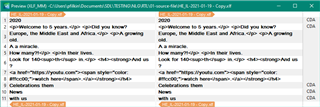
Initially I tried to process it with Studio's embedded file types, I had no luck as I received the error message below.

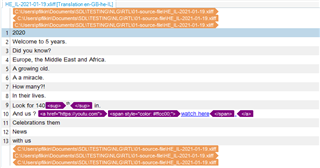
So I created custom file type settings where <source> elements excluded from translation.
When I exported the translated file, I noticed that a "dir="rtl" added in <target> elements.
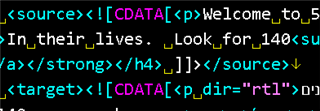
Please note that I haven't added RLM/LRM markers in the segments.
Have you seen that before? Is this an expected behavior of Studio? Is there a setting to update in order to prevent this from happening? If not I can just batch delete it in a text editor.
Attached you can find the source file, the custom file type settings I used, and the translated XLIFF file.
/cfs-file/__key/communityserver-discussions-components-files/90/0726.files.zip
Thanks,
Pavlos
Generated Image Alt-Text
[edited by: Trados AI at 1:55 AM (GMT 0) on 29 Feb 2024]