Translate



Hello Community!
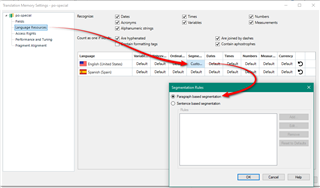
I am working on a PO file where some MSGID fields contain multiple very very long series of sentences and paragraphs. So far, studio recognizes separate sentences within certain tags and segments the file, but I'd like to further refine this to force a segmentation when certain codes are present (example: </p> or \n)
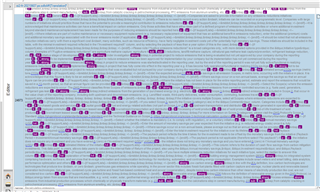
Here's an simplified example of a segment in the PO file (bearing in mind that some msgid content represents several pages of text) :
<p class="MsoNormal"><strong><span style="font-size: 11.0pt; font-family: 'Lucida Grande'; mso-bidi-font-family: 'Lucida Grande'; color: #123456;">TITLE TO BE TRANSLATED</span></strong></p>
<p class="MsoNormal"><span style="font-size: 11.0pt; font-family: 'Lucida Grande'; mso-bidi-font-family: 'Lucida Grande'; color: #123456;">SENTENCE 1 TO BE TRANSLATED. SENTENCE 2 TO BE TRANSLATED.</span></p>
Studio's sentenced based segmentation will split this in 2 segments (creating placeholder tags for each string of code within <>), with the split occurring between sentence 1 and sentence 1. (because of the period?)
I'd like to add a rule of sort to recognize </p> and/or \n as markers for segmentation. IS this possible? I've checked out this post (https://community.sdl.com/product-groups/translationproductivity/f/studio/25104/po-portable-object-file-segmentation-on-a-sentence-basis?ReplySortBy=CreatedDate&ReplySortOrder=Ascending) and didn't find an answer really.
I feel like this one might be helpful, but I don't know how to adapt it to my PO file.
https://community.sdl.com/product-groups/translationproductivity/f/studio/12708/how-to-fix-very-large-segments-in-studio-in-xliff-projects-from-wordpress-wpml?ReplyFilter=Answers&ReplySortBy=Answers&ReplySortOrder=Descending
Would appreciate any help with this!
Kindly,
Marie