Translate



Hello,
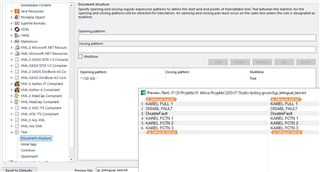
Could you help me with the specific bilingual TXT format:
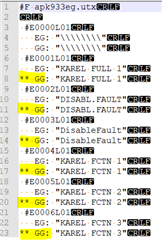
Im using this settings for Studio 2017, this settings is working and only target segments with the delimiter ** GG: are imported into the Studio.
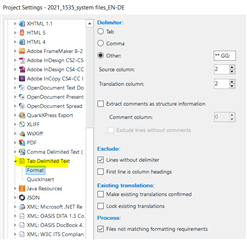
BUT if I use Studio 2019 or 2021 and setup the same settings it doesnt work.
I dont have any idea why...No Error, No warnings, nothing imported.
Thank you for your help if you have similar problem how it solve.
Jiri
Generated Image Alt-Text
[edited by: Trados AI at 2:59 AM (GMT 0) on 29 Feb 2024]