The Trados cloud platform will be undergoing maintenance on Saturday, 9th May 2026 between 05:00 to 17:00 UTC. During this time, you will not be able to log in to the Trados platform.

Context match TM leverage despite difference in tag content

Dear all, 

I have the following situation:

1- An XML file with this content is opened in Studio using a specific file type configuration:

<instruction>Test<dynamic_link linkid="785086220" use="grab" dynamic="true">Maschine drucklos schalten</dynamic_link></instruction>

2- As a result, this segment becomes visible. Note the tag content:

Trados Studio interface showing an XML file opened with a segment containing the text 'Test dynamic_link Maschine drucklos schalten dynamic_link'.

3- I translate the segment (dummy translation). My local TM is updated
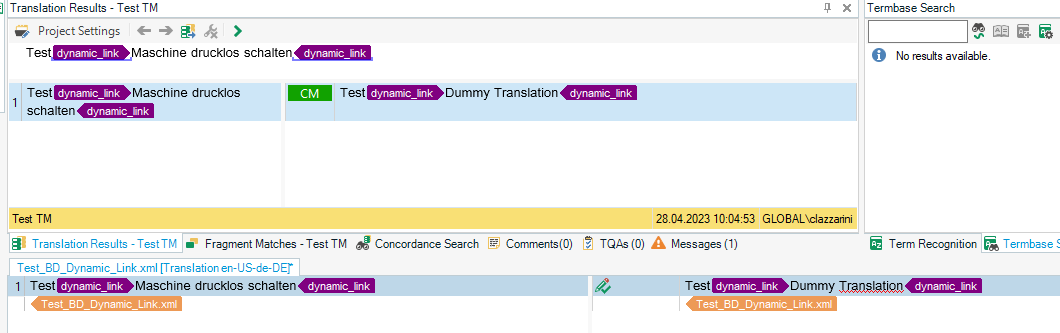
Trados Studio displaying a Context Match (CM) from the Translation Memory (TM) for the segment 'Test dynamic_link Maschine drucklos schalten dynamic_link' with a dummy translation.

3- Now I open a different file with the same translatable text, but different tag content, using the same file type configuration and TM with this content:

<instruction>Test<link linkid="1393822220" use="grab">Maschine drucklos schalten</link></instruction>

4- After opening, I get a Context Match from the TM:
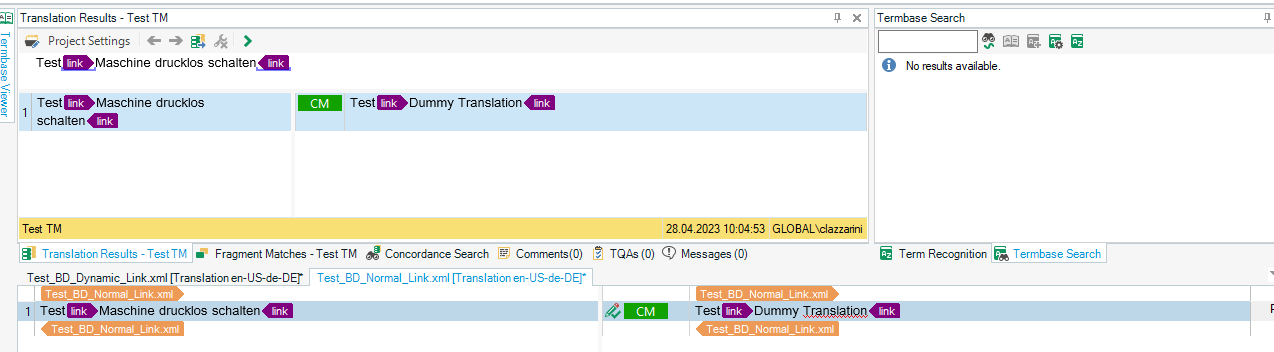
Trados Studio screen with a Context Match from TM for a segment 'Test link Maschine drucklos schalten link' and a dummy translation, showing different tag content from the first file.

All the default penalties are enabled per default, but they apparently do not apply here (Different Formatting Penalty: 1)

Shouldn't there be a penalty applied to the TM leverage based on the fact that the tags are different? Is there a way to enforce such a penalty?


Generated Image Alt-Text
[edited by: Trados AI at 10:55 AM (GMT 0) on 29 Feb 2024]
emoji
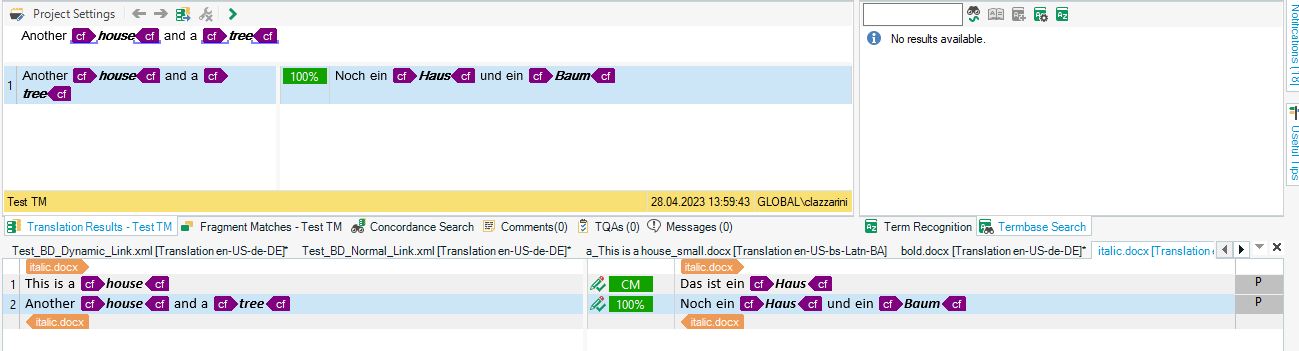
  •   I found your answer to this post that partially explains why I am getting CM leverage although the tag content differs. Your statement is "the TM doesn't hold tag detail, it only holds a placeholder", which matches my tests both in WorldServer and in Studio. However, I would like to understand how the Different Formatting Penalty works in this context because I haven't managed to make this work either. I was assuming that maybe there is a different mechanism with actual formatting tags like bold, italic etc. But that does not seem the case either. This is a screenshot from a file with words in italic style getting CM or 100% match from TM entries created out of a previously translated file containing the same source text but with the same words in italics instead of bold. Still getting CM or 100%.

    Trados Studio screenshot showing Translation Results with 100% CM match despite different formatting, words in italic matched to TM entry with bold formatting.

    Am I not supposed to get a 99% Fuzzy Match if the different formatting penalty is applied? I also tested using the *.doc and xlsx format instead of *.docx in case the penalty is meant for different file formats: same results.

    emoji


    Generated Image Alt-Text
    [edited by: Trados AI at 10:55 AM (GMT 0) on 29 Feb 2024]
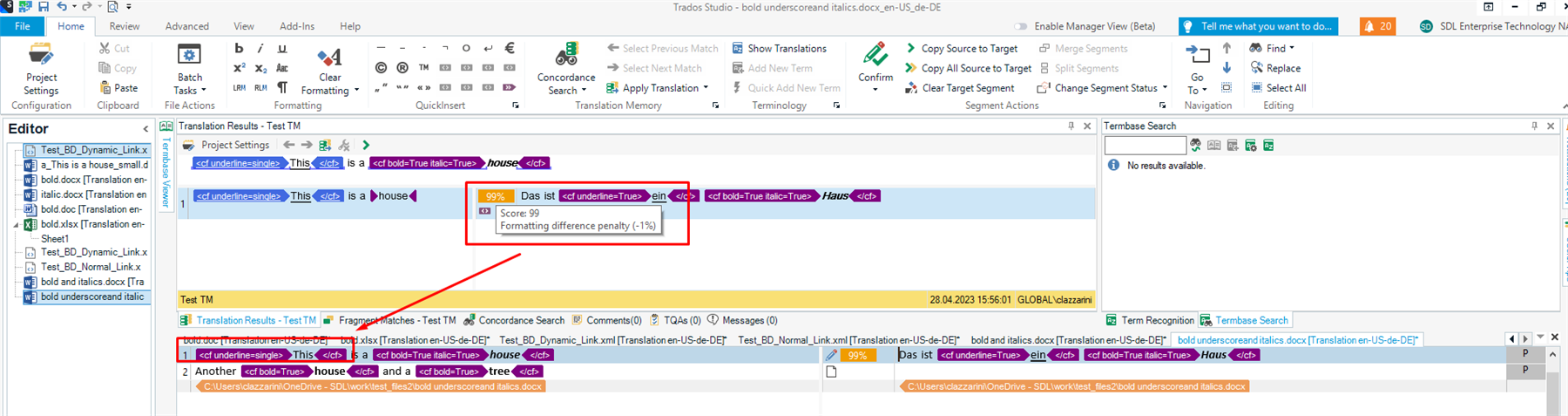
  • Ok, I have worked some more on this. The Different Formatting Penalty will be applied only if the source segment contains an additional formatting element that was not present in the previous document and in the TM entry created out of it.

    Trados Studio interface showing the Editor view with a highlighted segment. A red arrow points to a 'Formatting difference penalty (-1%)' warning in the Translation Results pane.

    I think I have answered my own question now, but feel free to comment.

    emoji


    Generated Image Alt-Text
    [edited by: Trados AI at 10:55 AM (GMT 0) on 29 Feb 2024]
  •  sounds like you answered your own question.

    Tags in TM are nothing more but placeholders so that regardless of future projects you are more likely to get high fuzzy matches.
    The detail of the tags will then be driven by the source content when it comes to generating the target file

    You are right when you say:

    The Different Formatting Penalty will be applied only if the source segment contains an additional formatting element that was not present in the previous document and in the TM entry created out of it.

    I hope this puts your mind at ease

    Lyds


    Oana Nagy | QA Engineer | RWS Group

    emoji