


Halfwidth and fullwidth forms error

I am the original poster of the thread titled "How can I solve this space error?" below.

I haven't received any responses yet, so I've decided to open a new thread to provide more context.

As you can see from the image, this issue is related to full-width and half-width characters.

For some reason (possibly related to saving, based on my experience), what was being typed in half-width in korean suddenly changes to full-width.

Restarting Trados resolves the issue temporarily, but it recurs during further work. I have tried reinstalling the program, but that hasn't resolved the issue.
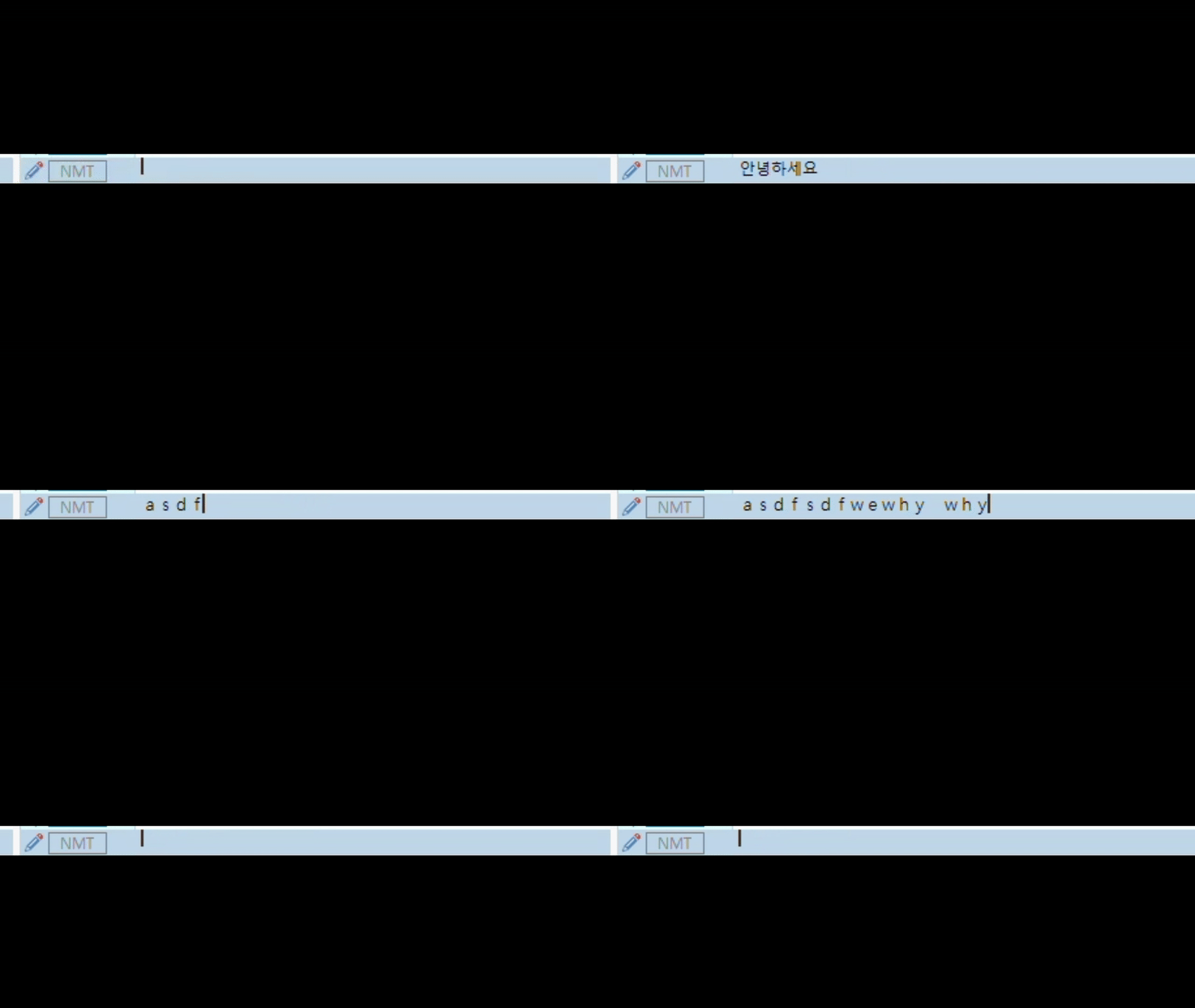
Screenshot of Trados Studio interface showing a text input field with the abbreviation 'NMT' and a blinking cursor.


Generated Image Alt-Text
[edited by: RWS Community AI at 4:54 AM (GMT 0) on 13 Jan 2025]

emoji
Parents
  •  

    Tricky one... so some guesses to try and be helpful.

    • Try changing the font to ensure you are using a fully unicode compliant font.  Some fonts may automatically replace half-width characters with their full-width counterparts if the original font lacks support for the requested character. 

    • If you're typing in Korean and accidentally switch to a mode that defaults to full-width characters, this might cause sudden changes.  This might be triggered by pressing a hotkey unintentionally.

    • Some IMEs attempt to "normalise" text to match expected character widths, especially in mixed-script text.  Perhaps this is at play here?

    Paul Filkin | RWS Group

    ________________________
    Design your own training!

    You've done the courses and still need to go a little further, or still not clear? 
    Tell us what you need in our Community Solutions Hub

    emoji
  • Hi,
    It has been happening to me as well on Hungarian-Korean translations.
    In certain fields (a few % of the whole project) the input switches to full-width mode. The previous and following field is normal.
    I guess it is not a font issue as when I copy it to Word and change to any font, it remains full-width. Also I didn't change font between doing the previous, the problematic and the following field.
    Mixed script is a possibility, as there are latin characters in those fields, but so are in many others where this problem doesn't happen.

    emoji
  •  

    If not yet done, please go to File -> Options -> Editor -> Formatting display style and change it to "Show all tags but do not show formatting". This is helpful with font issues in my language, so it might help you too.

    _________________________________________________________

    When asking for help here, please be as accurate as possible. Please always remember to give the exact version of product used and all possible error messages received. The better you describe your problem, the better help you will get.

    Want to learn more about Trados Studio? Visit the Community Hub. Have a good idea to make Trados Studio better? Publish it here.

    emoji
Reply Children
