How to prevent merging segments in SDL Trados Studio

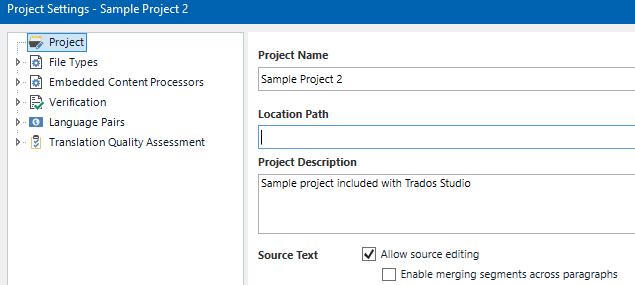
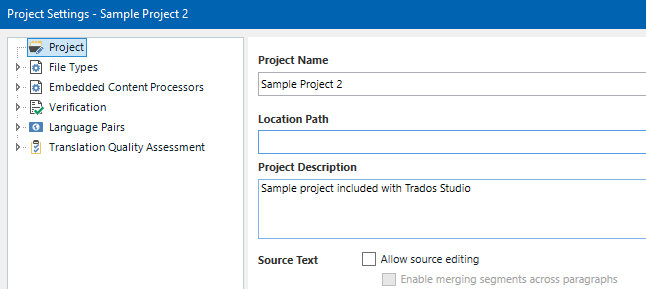
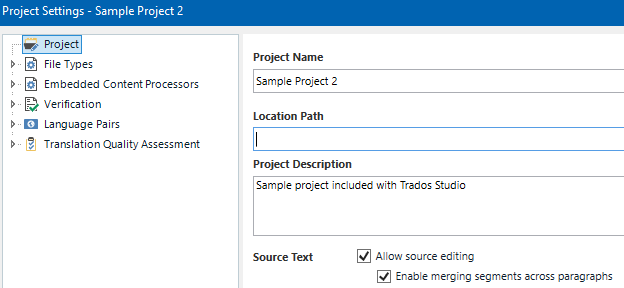
Hi, is it possible to prevent merging segments within same paragraph when creating a project in SDL Trados Studio and sending a package for translation? Further question if we cannot prevent merging segments, is there a way to check if segments have been merged? I know that you can open an sdlxliff file in Studio and visually check if the segment numbering is continous, but is there a way to automate the check?

Many thanks

Jouni

emoji
Parents Reply Children
  •  

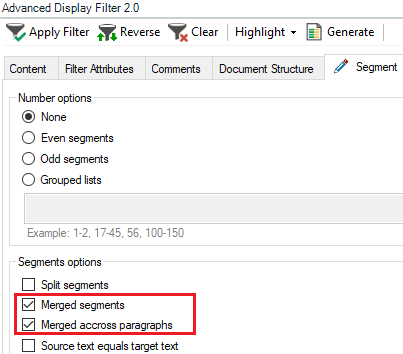
    Indeed, much trickier to reliably find them.  I note the advanced display filter cannot find these ether... probably why the approach changed in later versions!  However, you could try this:

    import os
    import xml.etree.ElementTree as ET
    from pathlib import Path
    
    def parse_sdlxliff_file(file_path):
        try:
            tree = ET.parse(file_path)
            root = tree.getroot()
            
            namespaces = {
                'sdl': 'http://sdl.com/FileTypes/SdlXliff/1.0',
                '': 'urn:oasis:names:tc:xliff:document:1.2'
            }
            
            results = []
            for trans_unit in root.findall('.//trans-unit', namespaces):
                seg_source = trans_unit.find('.//seg-source', namespaces)
                if seg_source is None:
                    continue
                    
                seg_markers = seg_source.findall('.//mrk[@mtype="seg"]', namespaces)
                location_markers = seg_source.findall('.//mrk[@mtype="x-sdl-location"]', namespaces)
                
                # Only process if multiple segments and any location markers exist
                if len(seg_markers) > 1 and len(location_markers) > 0:
                    for i, marker in enumerate(seg_markers):
                        segment_id = marker.get('mid')
                        segment_text = ''.join(marker.itertext()).strip()
                        
                        # Consider it merged if:
                        # - It's the first segment (often merged in your examples)
                        # - OR it contains an x-sdl-location marker
                        has_location_within = len(marker.findall('.//mrk[@mtype="x-sdl-location"]', namespaces)) > 0
                        is_first_segment = (i == 0)
                        
                        if is_first_segment or has_location_within:
                            results.append({
                                'segment_id': segment_id,
                                'source_text': segment_text,
                                'merge_type': 'MergedSegment (old format)',
                                'filename': file_path.name
                            })
            
            return results
            
        except ET.ParseError:
            return []
        except Exception:
            return []
    
    def process_sdlxliff_folder():
        folder_path = input("Please enter the folder path containing sdlxliff files: ")
        
        if not os.path.isdir(folder_path):
            return
        
        sdlxliff_files = list(Path(folder_path).glob('*.sdlxliff'))
        
        for file_path in sdlxliff_files:
            results = parse_sdlxliff_file(file_path)
            
            for result in results:
                print(f"File: {result['filename']}")
                print(f"Segment #{result['segment_id']}:")
                print(f"Source: {result['source_text']}")
                print(f"Merge Type: {result['merge_type']}")
                print("-" * 50)
    
    def main():
        try:
            process_sdlxliff_folder()
        except KeyboardInterrupt:
            pass
    
    if __name__ == "__main__":
        main()

    The approach here identifies merged segments in older SDLXLIFF files by:

    1. Targeting multi-segment <trans-unit> elements with <mrk mtype="x-sdl-location"> tags.
    2. Flagging the first segment and any with internal x-sdl-location markers as merged.
    3. Reporting these with filename, ID, text, and merge type.

    This balances specificity (catching #1 and #5 as your samples) with generality (no ID hardcoding), using the best structural clues available.  So surely not perfect but might be helpful if you're having problems and need to find them!

    Paul Filkin | RWS

    Design your own training!
    You've done the courses and still need to go a little further, or still not clear? 
    Tell us what you need in our Community Solutions Hub

    emoji
  • Great Paul, I admire your patience and perseverance with this! I was able to confirm that this really works Slight smile.

    Jouni

    emoji