Autopropagation Issue Causing Unpaid Rework – Need Urgent Attention

This is not a question but a formal complaint.

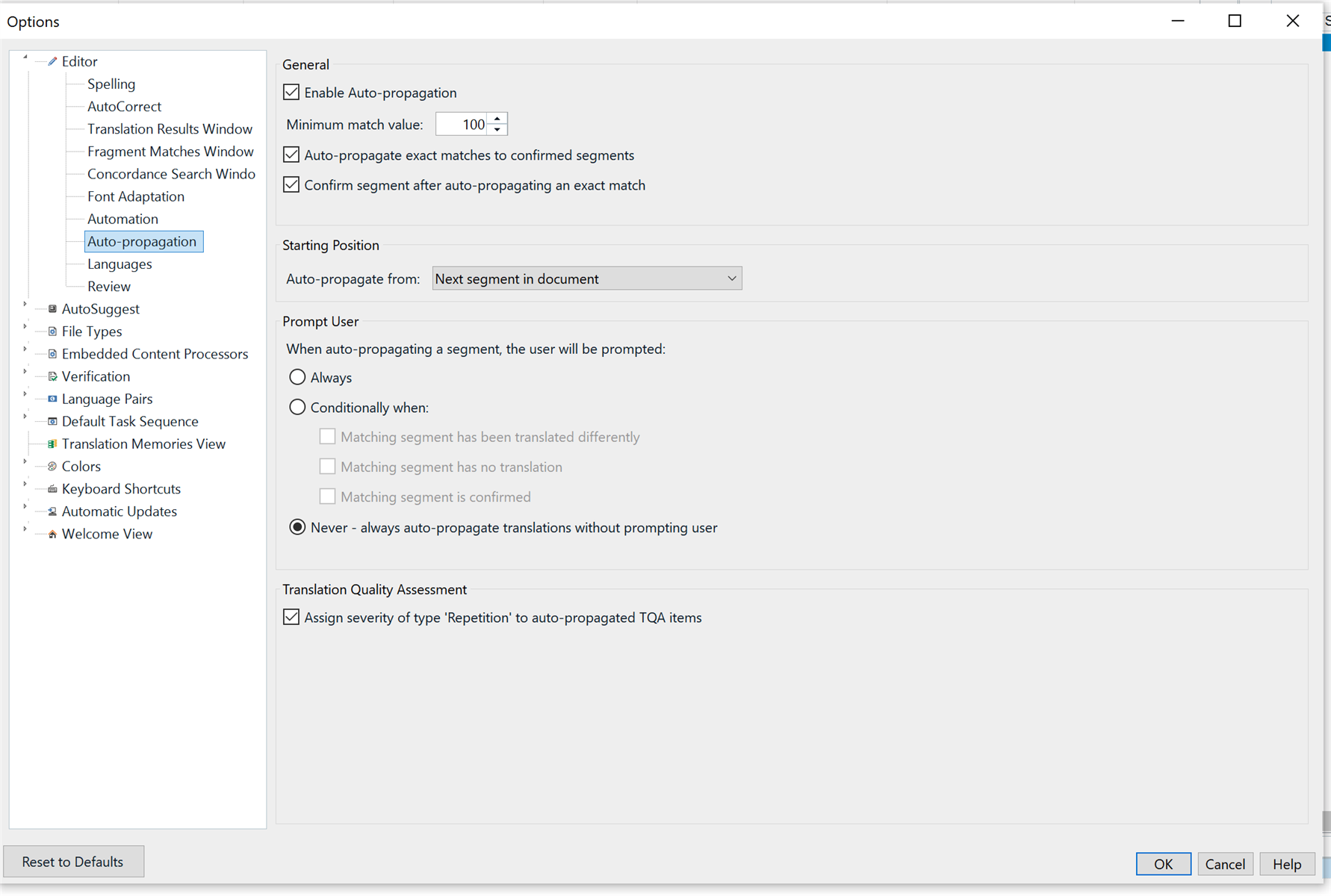
I’m currently working on a revision task for a project with heavy repetition. I enabled Autopropagation for 100% matches to confirmed segments, as I usually do. However, I noticed that segments began autopropagating to non-100% matches, which is not the expected behavior.

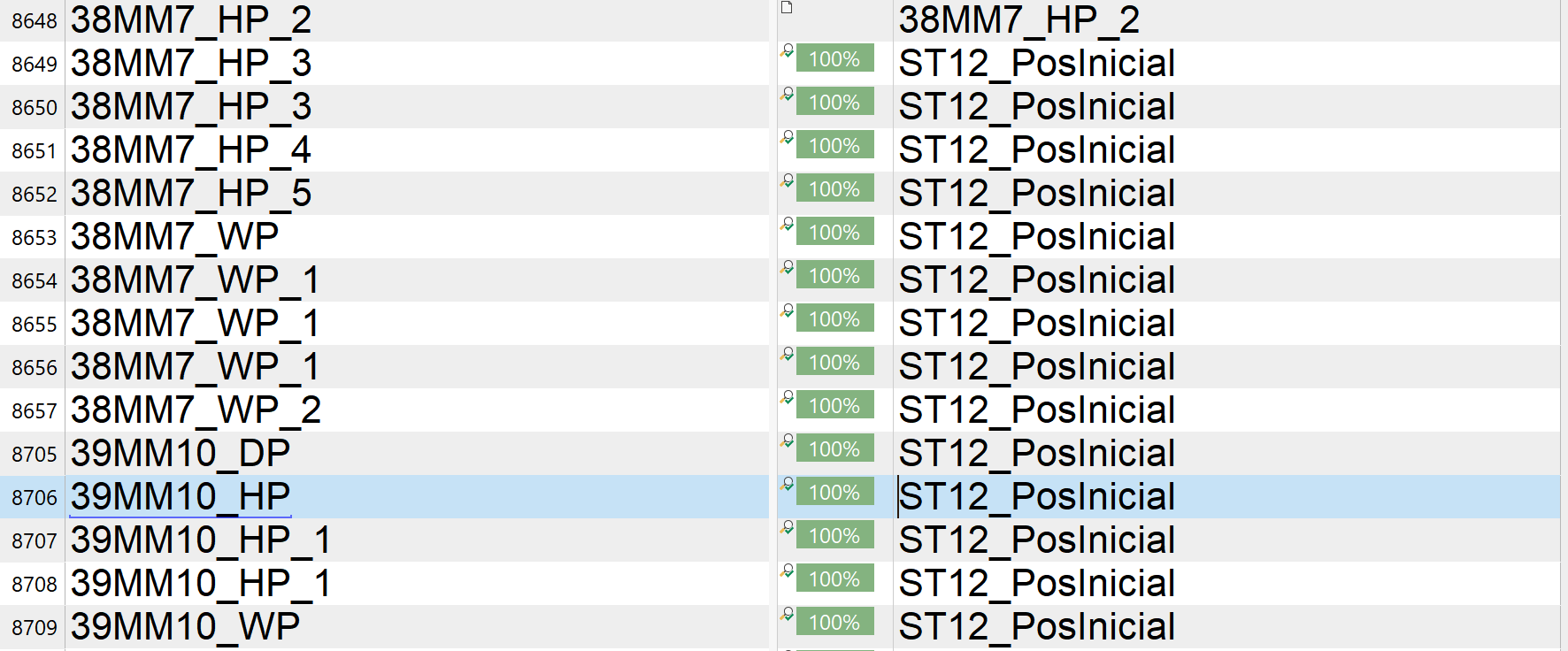
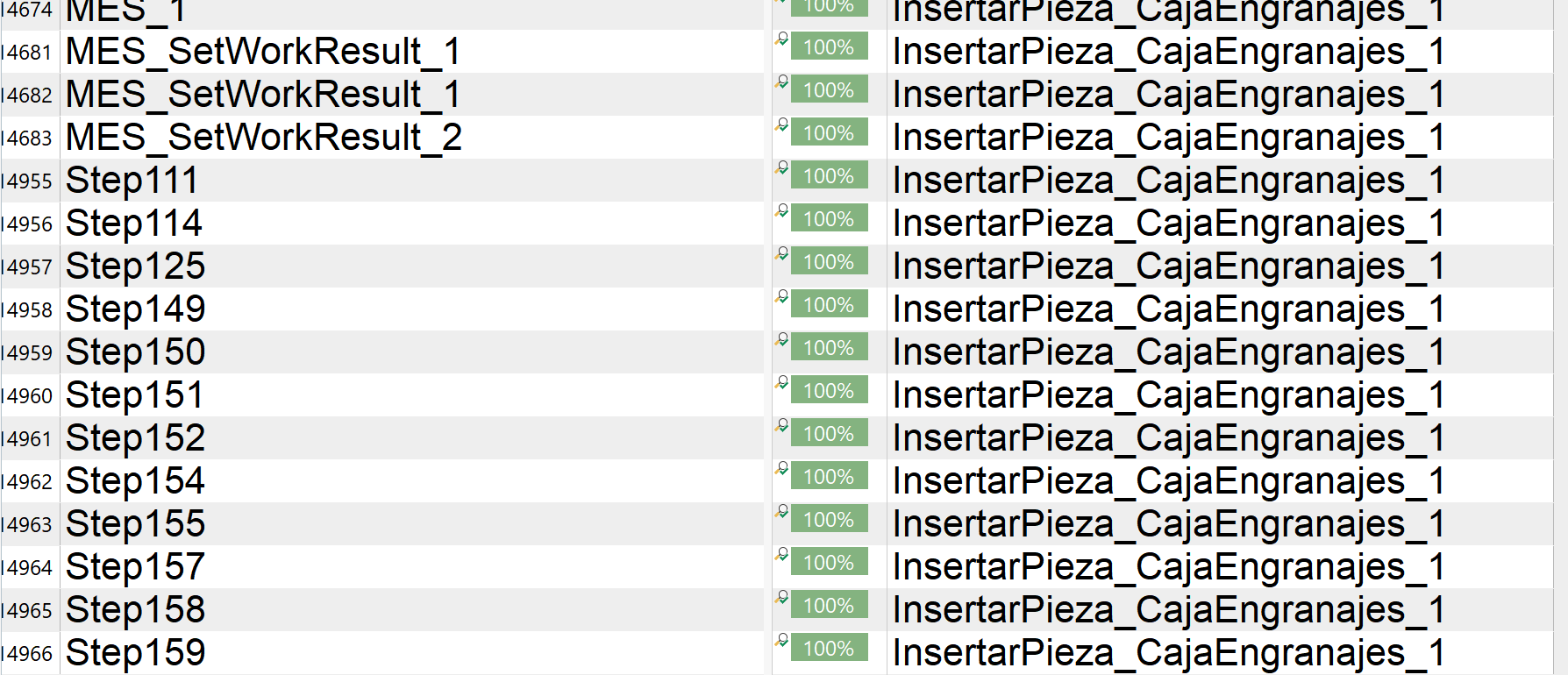
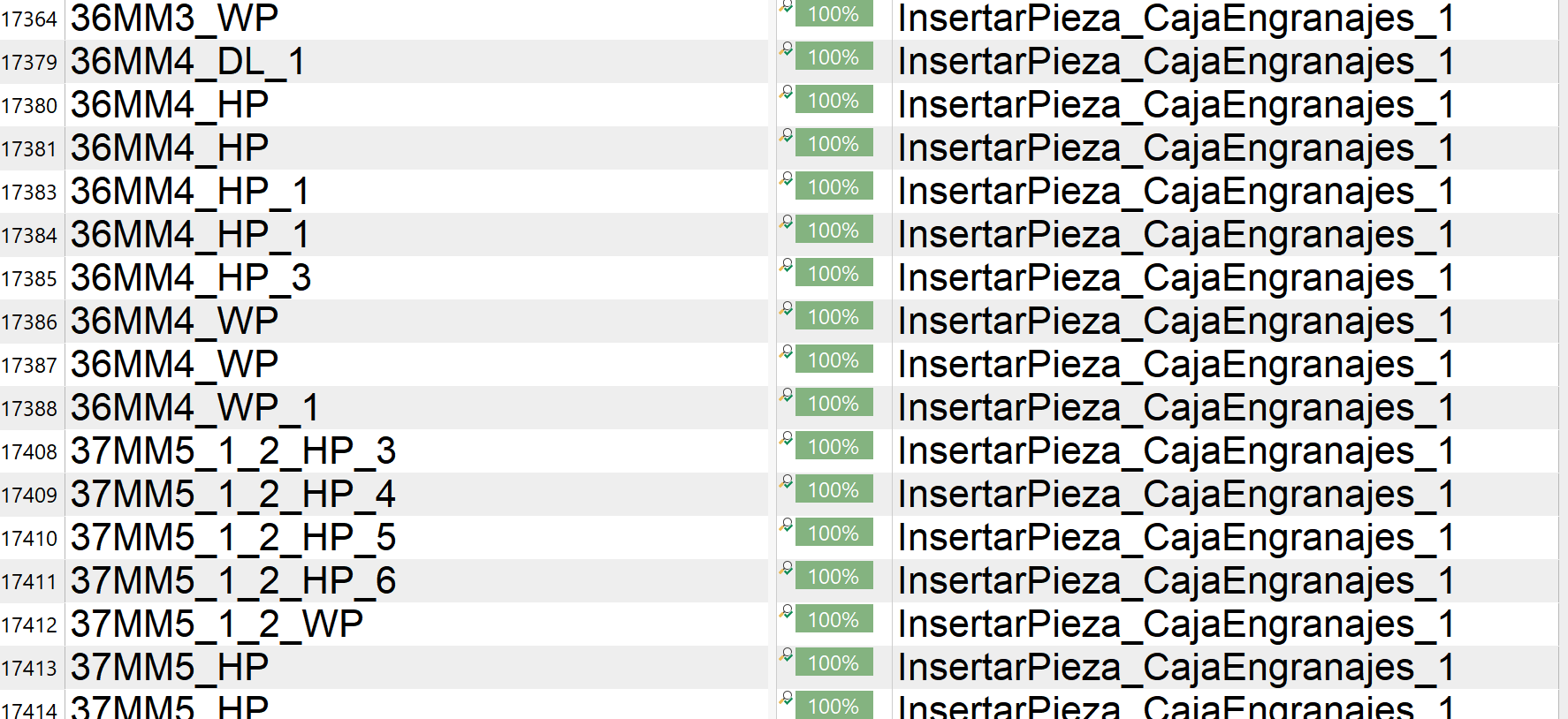
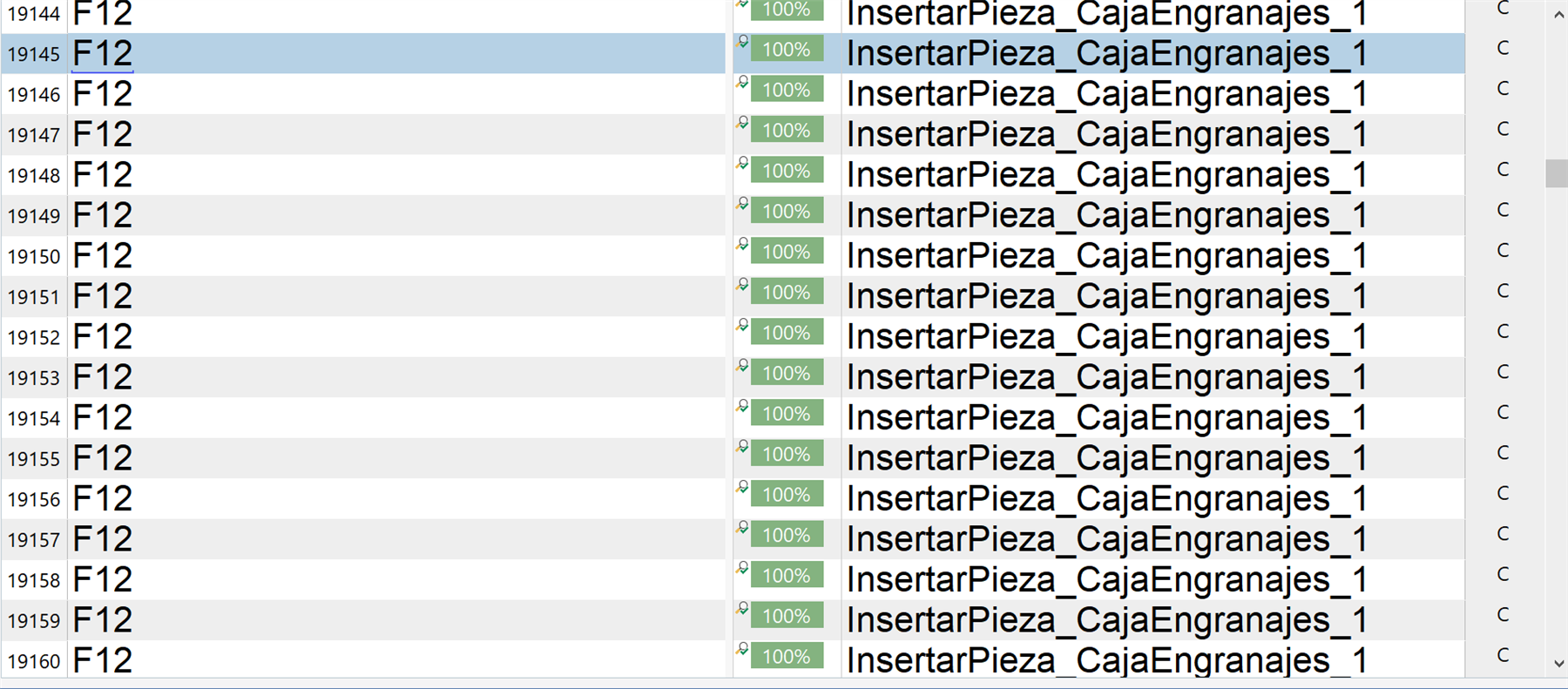
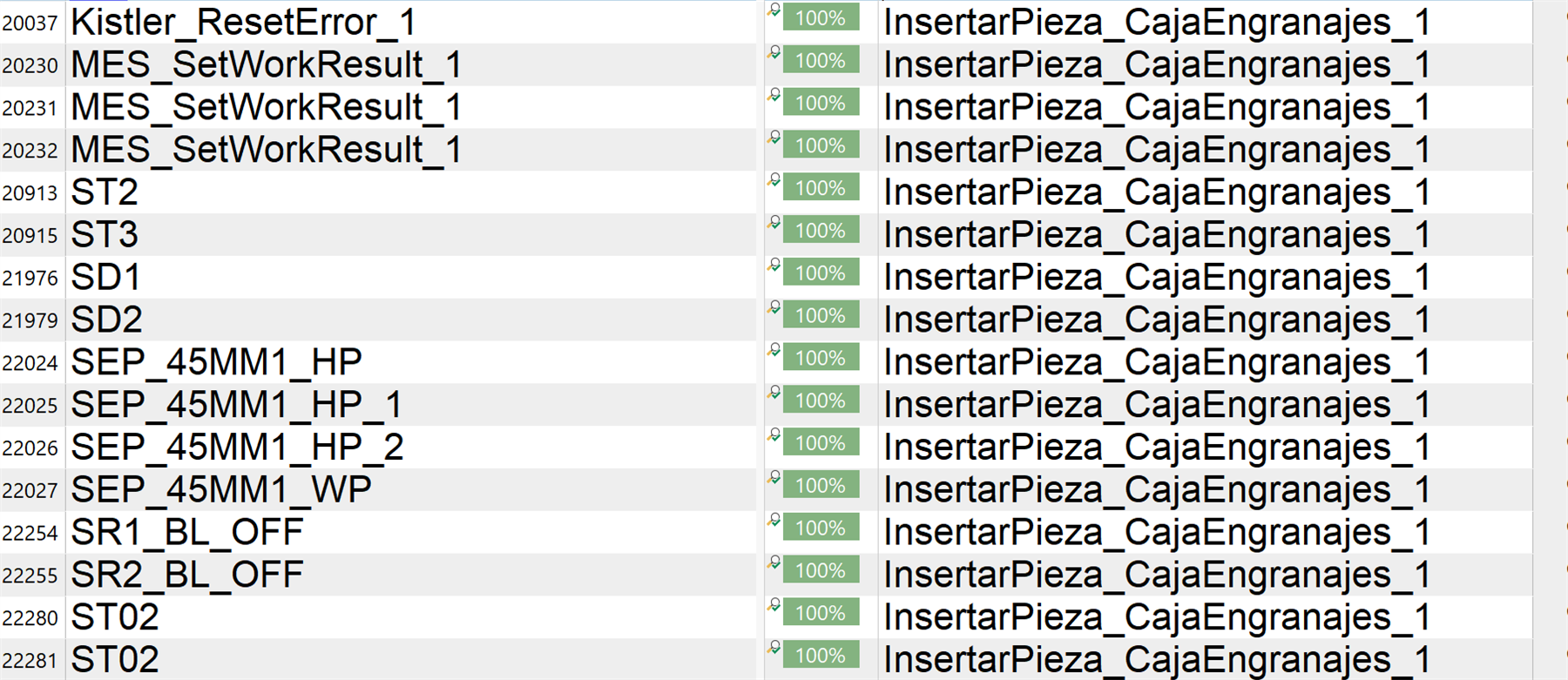
In the attached image, you can clearly see inconsistencies in the source text caused by this faulty autopropagation. This issue has resulted in multiple rounds of rework—none of which will be compensated by the client.

This situation is not only exhausting but entirely demoralizing. I feel trapped in a workflow that punishes diligence and wastes hours of labor. I sincerely ask the Trados team to look into this malfunction and provide an explanation or fix.

This kind of software behavior is unacceptable in a professional environment.
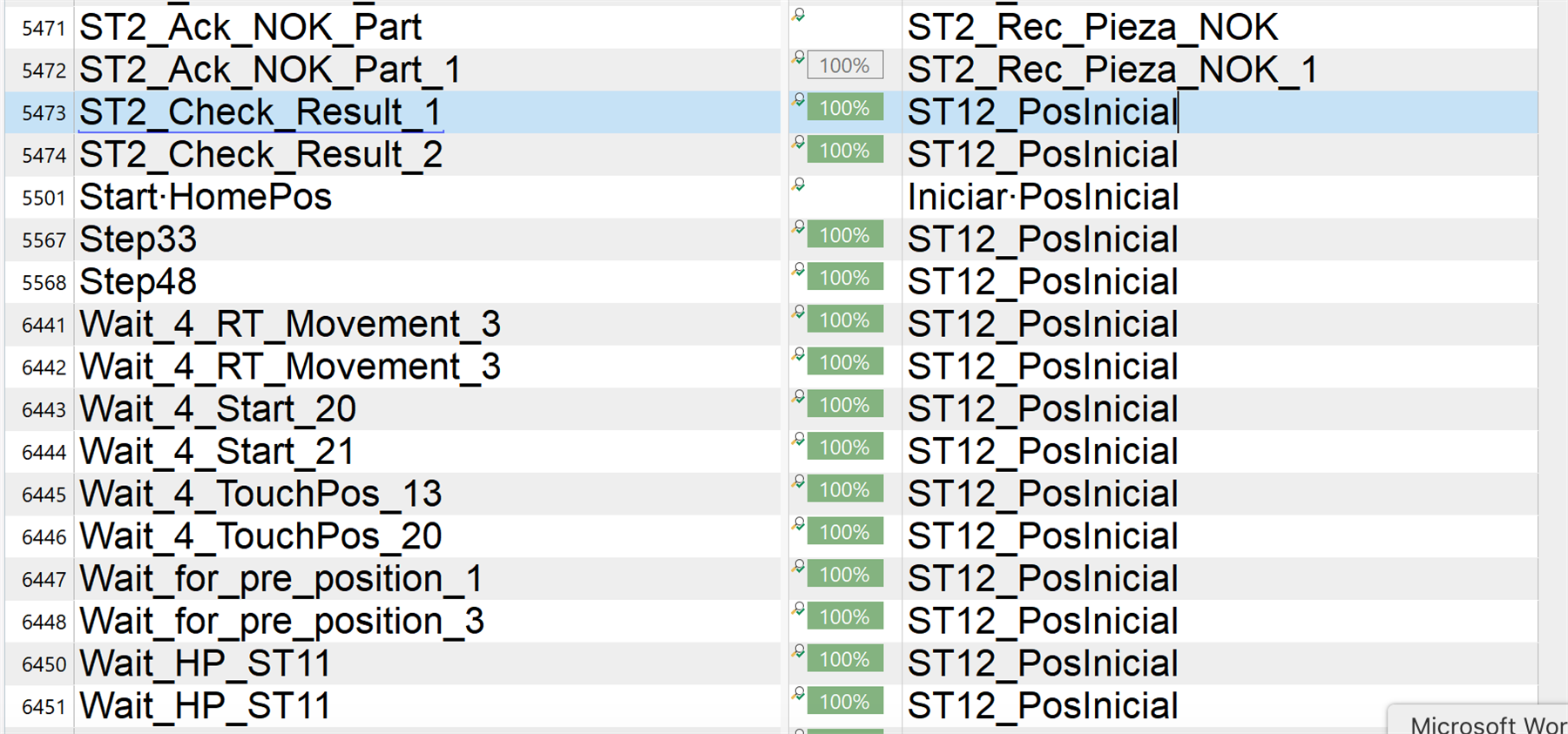
Screenshot showing a list of segments in Trados Studio with source and target text columns. Some segments are marked as 100% matches, but inconsistencies are visible in the source text.


Generated Image Alt-Text
[edited by: RWS Community AI at 6:59 PM (GMT 1) on 30 Apr 2025]
emoji
Parents Reply
  • Hello Paul,

    Thank you, and apologies for the delayed response. That project left me completely drained, and I’ve only just regained the energy to investigate what might have gone wrong.

    I resolved the issue at the time by working hard rather than smart — I disabled autopropagation and reviewed the segments manually, one by one. However, I’d still like to understand what triggered this behavior so I can prevent it in the future.

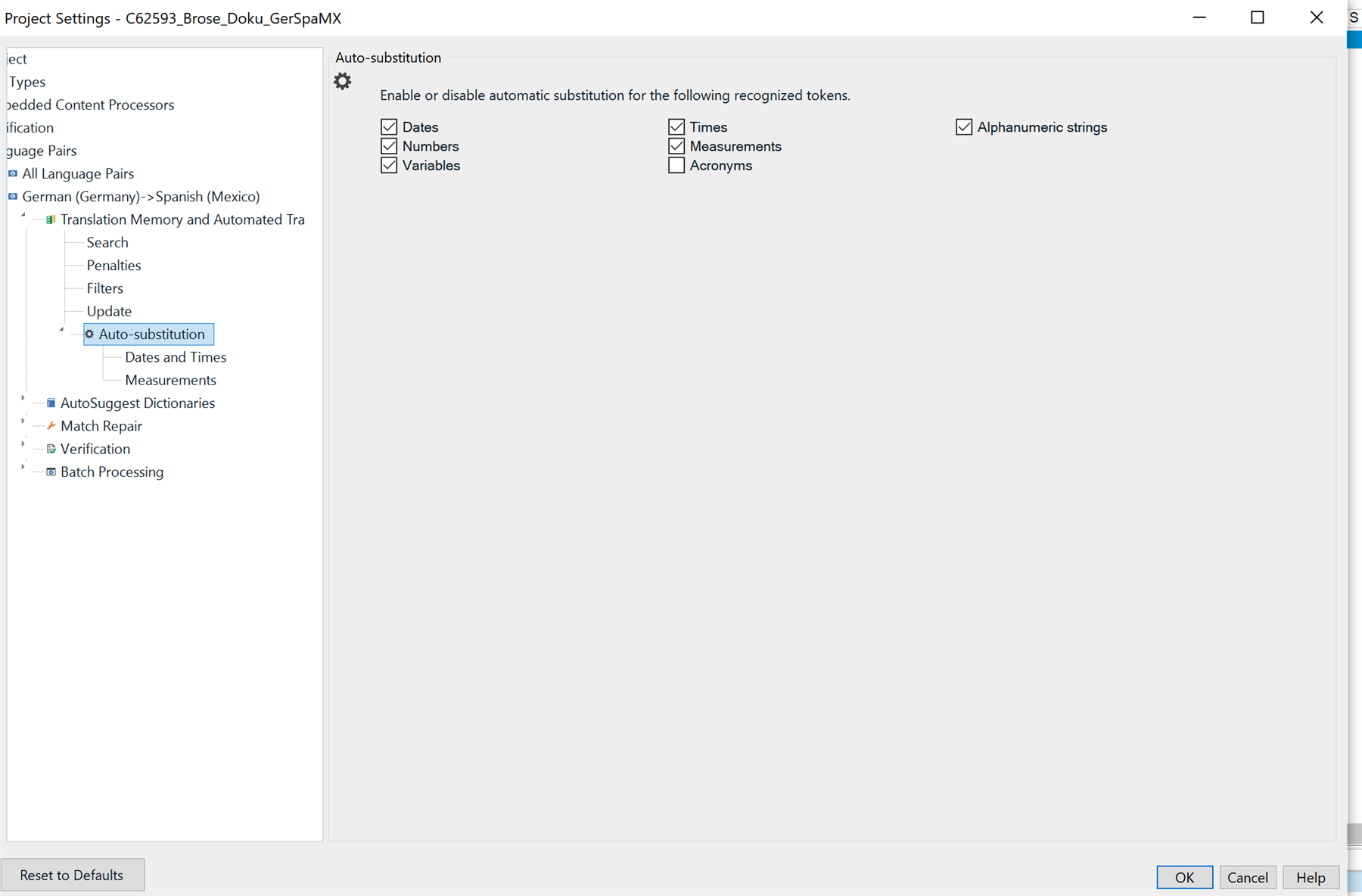
    I’m using SDL Trados Studio 2019. I was reviewing a project, so I received both a project package from the PM and a return package from the translator. Everything seemed normal until I began the QA phase. When I hit Ctrl + Enter to confirm an alphanumeric segment, a pop-up appeared with a progress bar, indicating autopropagation across numerous segments. I confirmed two before realizing what was happening. After that, I stopped confirming segments to avoid exacerbating the issue and just proceeded with QA.

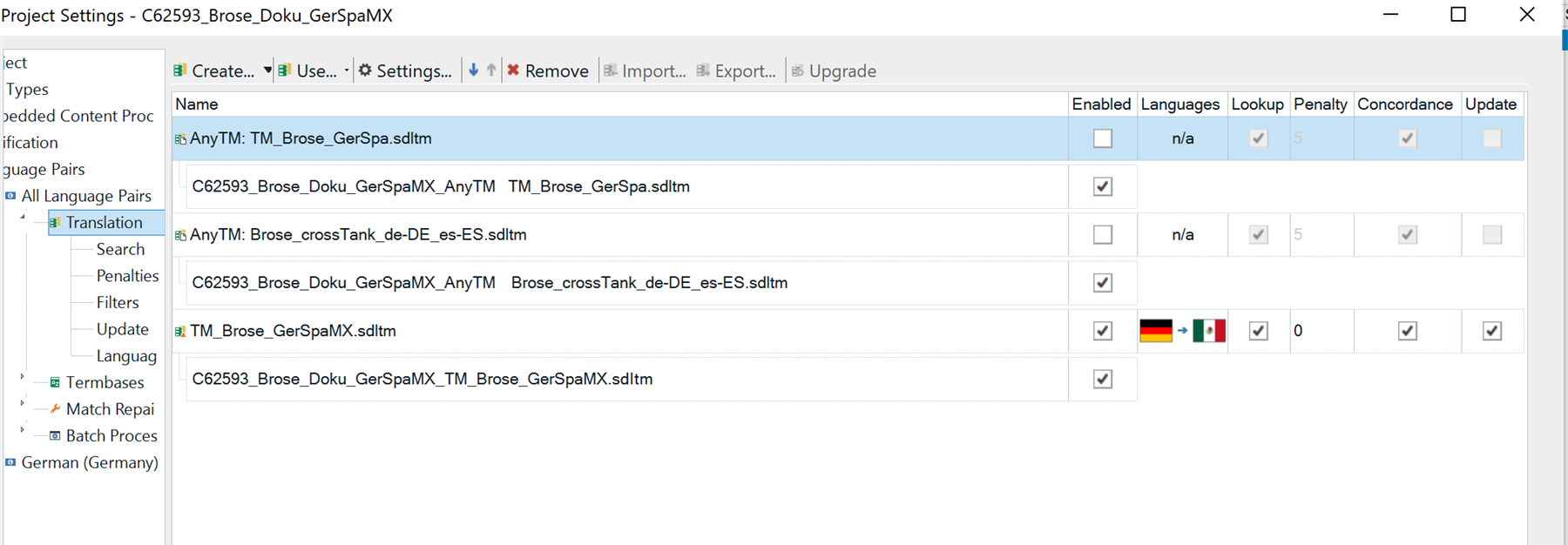
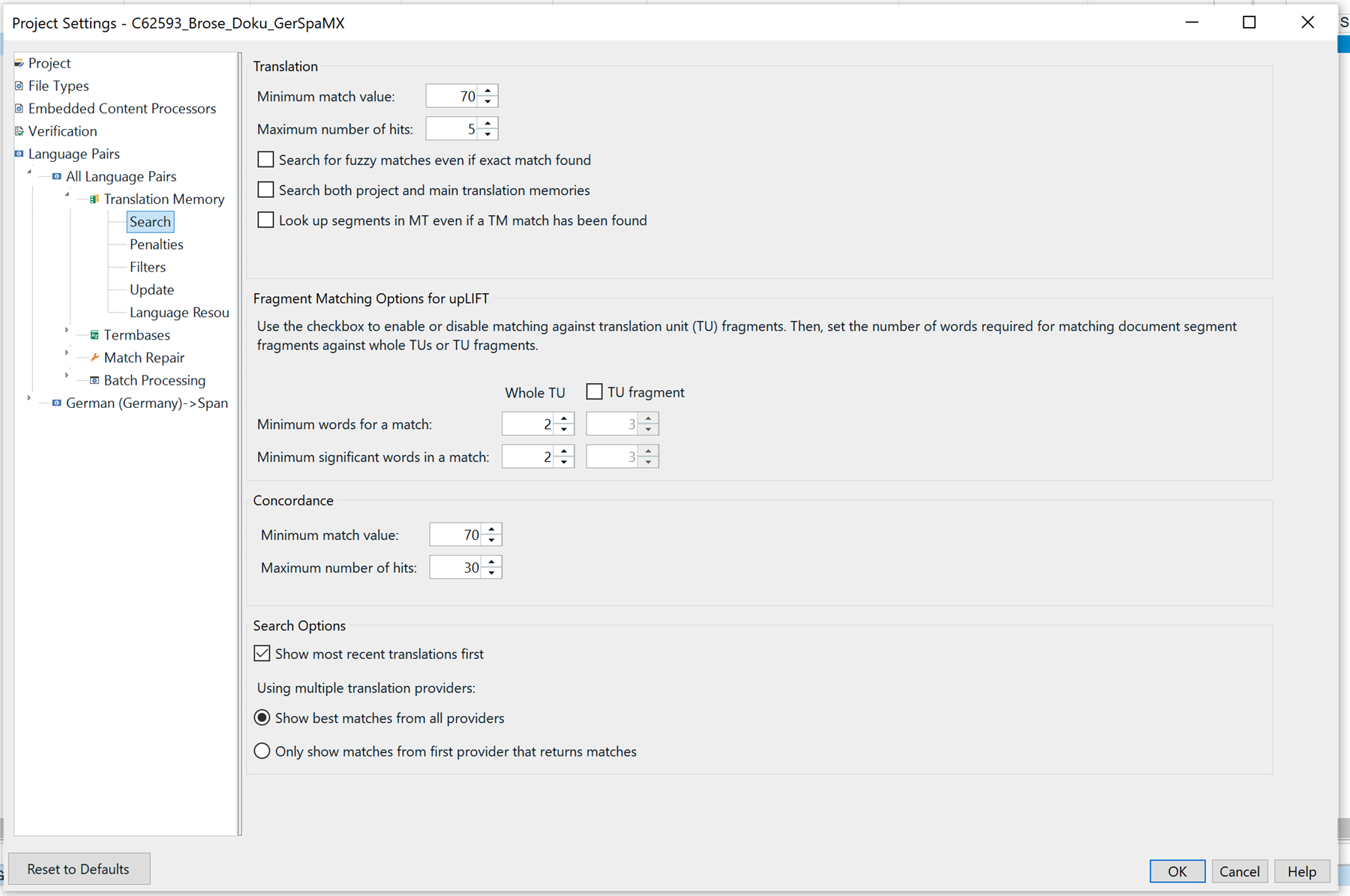
    I've attached some screenshots of the project settings below in case they help clarify the problem.

    Thanks again for your help,

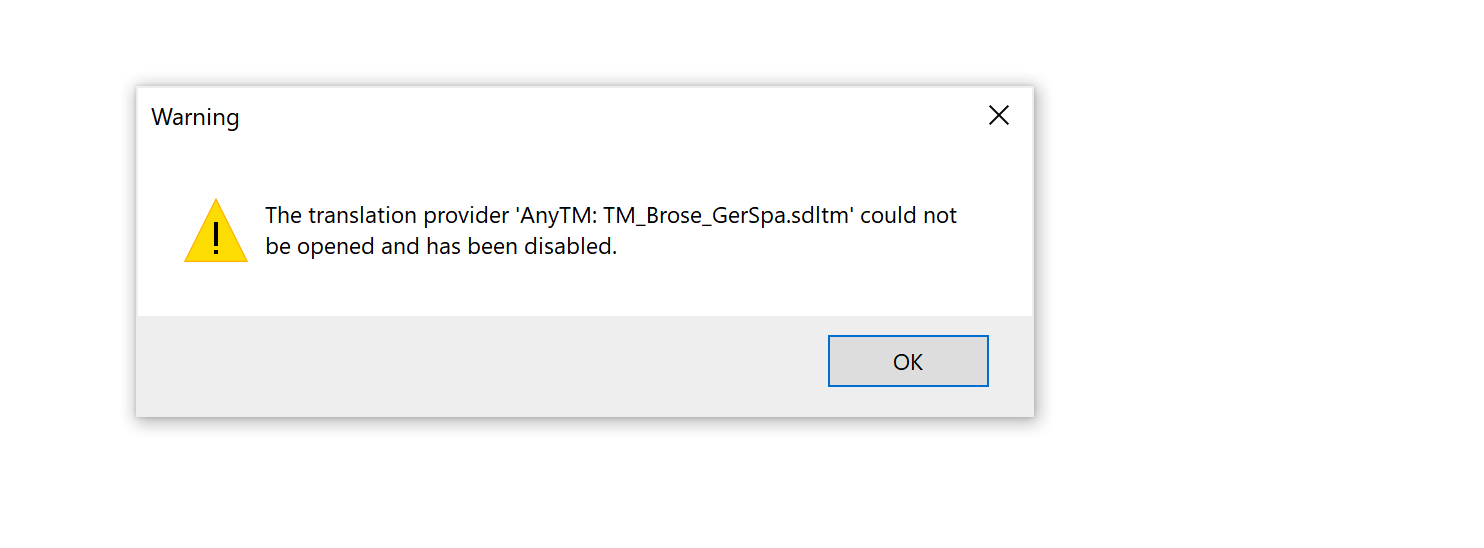
    Warning dialog box stating 'The translation provider AnyTM: TM_Brose_GerSpa.sdltm could not be opened and has been disabled' with an OK button.

    Project settings window showing a list of translation memories, their names, enabled status, languages, and other options.

    Project settings window displaying translation memory search options, including minimum match value, maximum number of hits, and fragment matching options.

    Project settings window showing auto-substitution options for dates, numbers, times, variables, and alphanumeric strings.

    Options window for auto-propagation settings, including minimum match value, prompt user conditions, and translation quality assessment settings.

    emoji


    Generated Image Alt-Text
    [edited by: RWS Community AI at 11:38 PM (GMT 1) on 9 May 2025]
Children