Translate



I am currently using Trados Studio 2024 SR1 - 18.1.2.6370
In the Editor, the shortcut Alt-Down opens the QuickPlace function, showing a list of placeable elements (Numbers, Tags etc.) to choose and place in the target segment.
The same used to be true for Ctrl-Down, which opened the list of terms found in the active termbases.
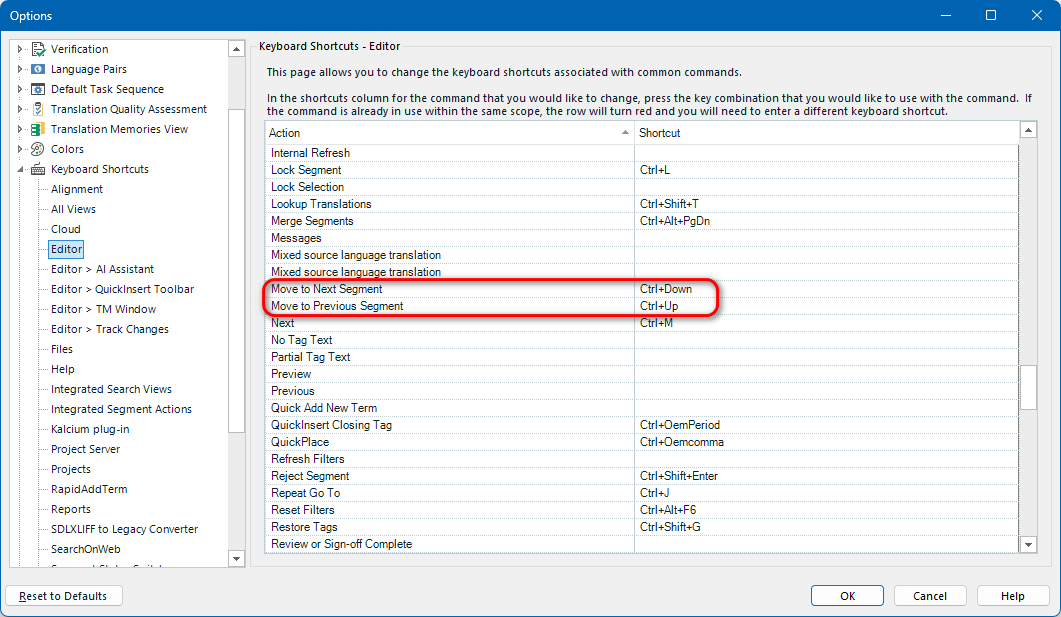
I am no longer able to access this function after upgrading to Studio 2024, since the shortcut Ctrl-Down is now assigned to changing the focus to the next segment.
Under Options --> Keyboard Shortcuts --> Editor, I was not able to find the now lost function.
Now the only way to insert a term in the Editor is to start typing it, which requires looking through the term recognition window to find out how it starts.
Is the function of opening the list of found terms been removed? If not, how can I assign a shortcut to it?
Removed AI Suggestion
[edited by: Alexander Heyne at 10:19 AM (GMT 0) on 9 Dec 2025]