Deleting multiple translation units from translation memory

Greetings!

Some years ago an employee of mine aligned an Icelandic law with its official English translation and imported the result into our main translation memory. This translation is now obsolete and I want to search for and delete all the imported translation units.

I have gone through a long and convoluted session with Chat GPT, which returned lots of suggestions but no results. All the translation units are identified by a "field value" (in this case "act no. xx/yyyy") but I cannot seem to search the memory using this field

Can anyone point me in the direction of an article or video that explains this process of cleaning a translation memory?

I am using Trados Studio 2021 Freelance.

Thank you in advance for any advice.

Jon Skaptason


Removed AI Suggestion
[edited by: Jon Skaptason at 2:24 PM (GMT 0) on 21 Jan 2026]
emoji
Parents
  • You can filter the unwanted segments based on date and time.
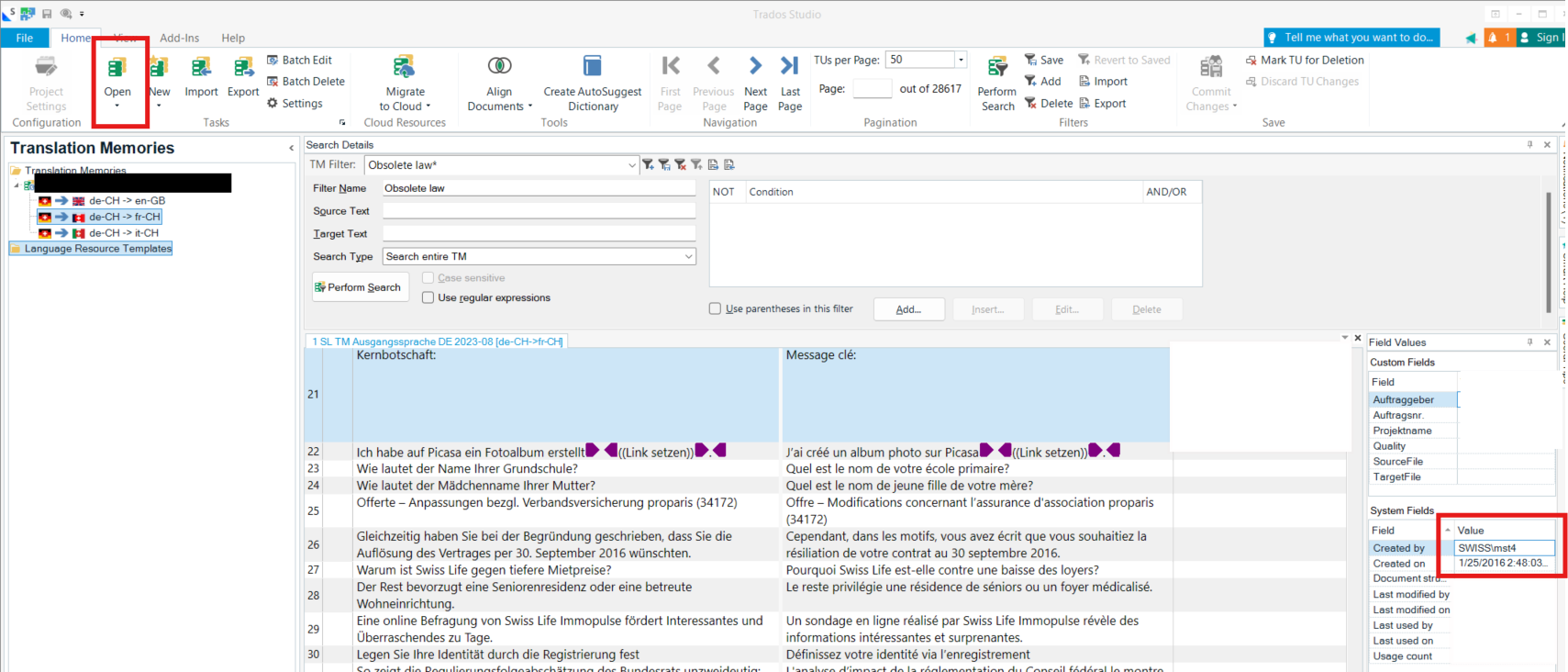
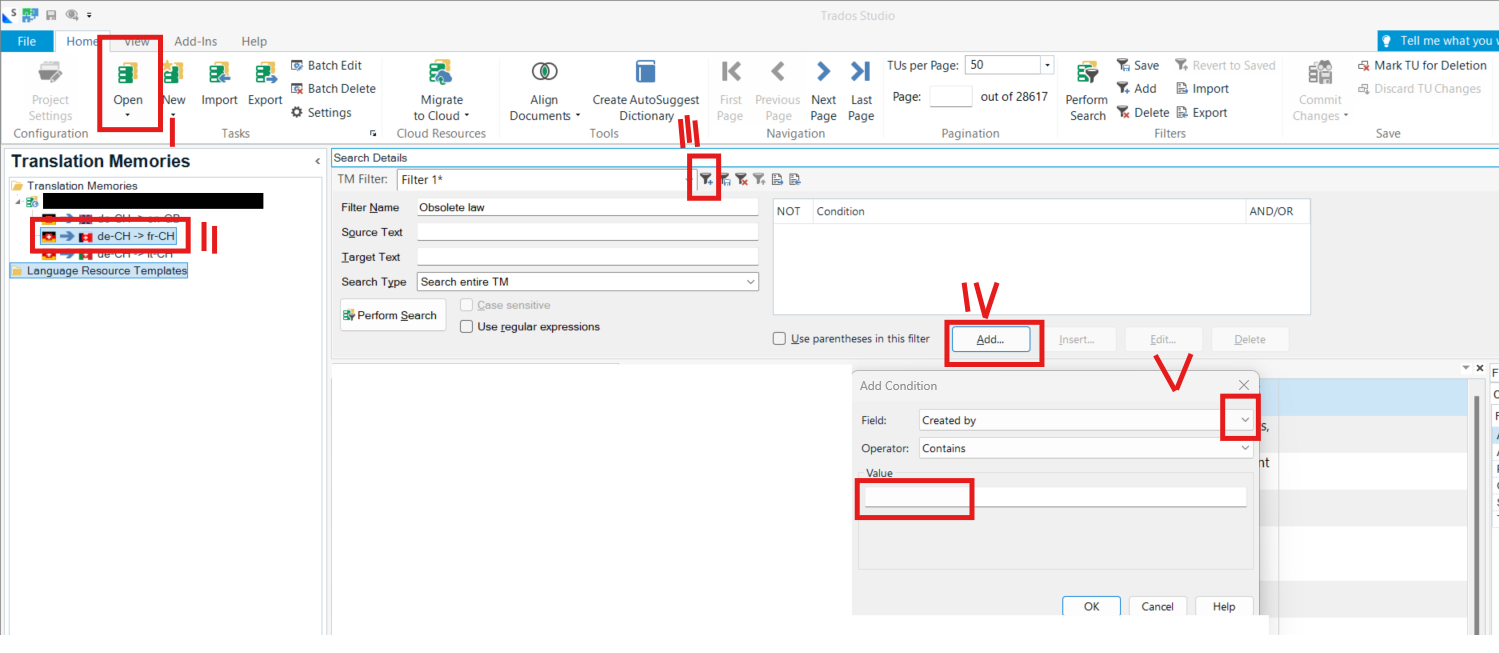
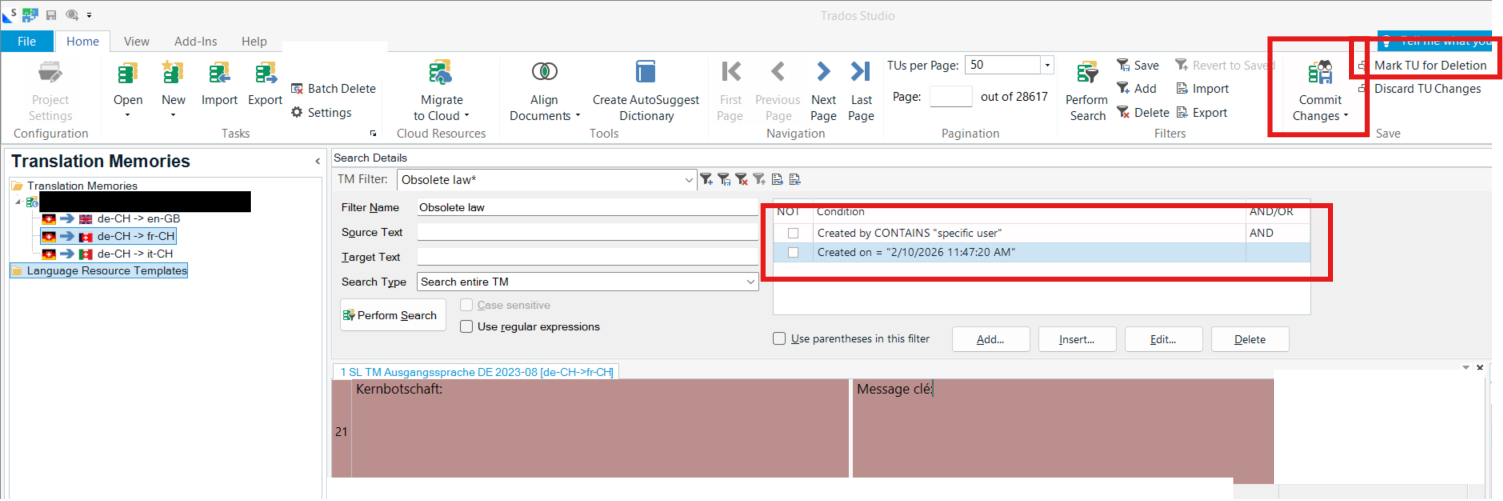
    In Translation Memories view, add a filter with two conditions: "Created on greater than or equal to" and "Created on smaller than or equal to".
    If the segments were imported from an aligned file, they might all share the same "Created on" timestamp.
    To ensure you capture all desired segments, set the filter's time range a few minutes wider than the exact creation time (e.g., set the lower bound a couple of minutes before, and the upper bound a couple of minutes after).
    Alternatively, if you know the content of the first and last segments you wish to remove, locate them in the TM. Use the "Created on" timestamp of the first segment for the lower bound ("greater than or equal to") and the last segment's timestamp for the upper bound ("less than or equal to").
    Once filtered, double-check the segments to confirm they are indeed the ones you intend to remove.
    Then click "Batch delete" and select the filter you just created.
    Create a copy of your TM before proceeding with the above steps.

    emoji


    Generated Image Alt-Text
    [edited by: RWS Community AI at 3:16 PM (GMT 0) on 22 Jan 2026]
Reply
  • You can filter the unwanted segments based on date and time.
    In Translation Memories view, add a filter with two conditions: "Created on greater than or equal to" and "Created on smaller than or equal to".
    If the segments were imported from an aligned file, they might all share the same "Created on" timestamp.
    To ensure you capture all desired segments, set the filter's time range a few minutes wider than the exact creation time (e.g., set the lower bound a couple of minutes before, and the upper bound a couple of minutes after).
    Alternatively, if you know the content of the first and last segments you wish to remove, locate them in the TM. Use the "Created on" timestamp of the first segment for the lower bound ("greater than or equal to") and the last segment's timestamp for the upper bound ("less than or equal to").
    Once filtered, double-check the segments to confirm they are indeed the ones you intend to remove.
    Then click "Batch delete" and select the filter you just created.
    Create a copy of your TM before proceeding with the above steps.

    emoji


    Generated Image Alt-Text
    [edited by: RWS Community AI at 3:16 PM (GMT 0) on 22 Jan 2026]
Children
No Data