Trademark insert symbol, Studio 2024

Hi,

I work with IDML files. Once they adapted to Studio and I go to the Editor, I get strange fonts for the trademark symbol. Her is an example:

Screenshot showing the text 'Value Stack  Chairs' with the trademark symbol appearing in a different font style compared to the rest of the text.

I did make some font changes for how they appear in the Term Recognition window but could that have affacted that Insert symbol?

If not, how can I make the Insert use the same font as the the text it is associated to?

Thank you in advance for your help.


Generated Image Alt-Text
[edited by: RWS Community AI at 4:36 PM (GMT 0) on 11 Feb 2026]
emoji
Parents Reply Children
  •  

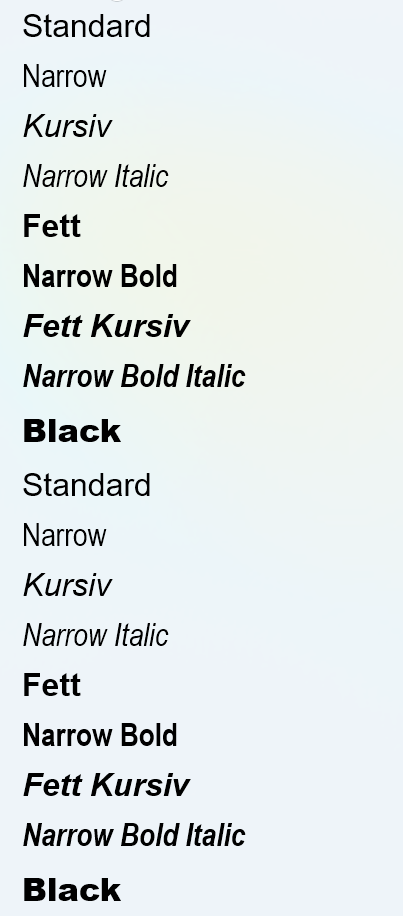
    This makes the font situation even more complicated. Many Mac fonts will not work on Windows and the other way round. In this situation working with no formatting but only tags visible is the most secure way to keep the formatting of the source document. In this case you should keep all tags and NOT insert any formatting via Bold, Italic and so on. This will lead to numerous errors in InDesign. The reason is quite simple. We all are used to use Word. When you format your document in Arial, select text and apply Bold, you do not see any change in the font name. However, in the background another font style is used, this is Arial Bold. You can see it here:

    A list of font styles including Standard, Narrow, Kursiv, Narrow Italic, Fett, Narrow Bold, Fett Kursiv, Narrow Bold Italic, and Black, displayed in different weights and styles.

    So many different Arial font styles are present on my PC.

    For many fonts Word will not show that a different font style has been used. It works different in InDesign, you have the main font and its different styles shown there. It would take too long to explain with examples, but the way formatting works is not that simple as Word pretends it to be.

    _________________________________________________________

    When asking for help here, please be as accurate as possible. Please always remember to give the exact version of product used and all possible error messages received. The better you describe your problem, the better help you will get.

    Want to learn more about Trados Studio? Visit the Community Hub. Have a good idea to make Trados Studio better? Publish it here.

    emoji


    Generated Image Alt-Text
    [edited by: RWS Community AI at 6:49 PM (GMT 0) on 11 Feb 2026]
  • I see.

    Mind you, in my particular case, I do not send back the IDML translated files!! I work on catalogues and what they want back is their original English PDF catalogue with comments in French where needed. 

    Lots of unecessary work, but hey, it is their choice. And that's the reason I prefered not seing any tags because I copy each translated segment to the appropriate comment in the PDF.

    Each job has its particulars, would'nt you say?

    emoji
  •  

    Wow, I do admire your patience. This is the way to drive a screw in a wall using a sledge hammer. And certainly they must take the right screw for the right wall.

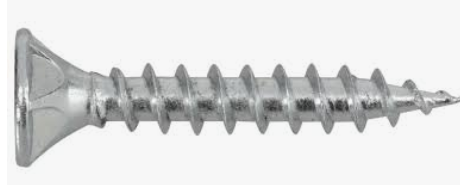
    This is a screw for a wall on your right side:

    Close-up image of a silver screw with a flat head and sharp tip, designed for use in walls.

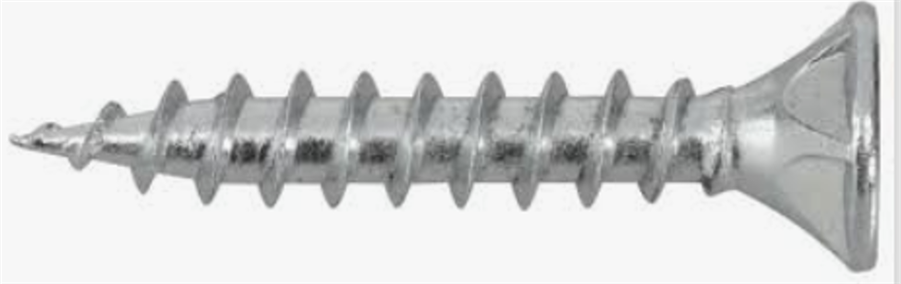
    This one is for the opposite wall:

    Close-up image of a similar silver screw with a flat head and sharp tip, shown from a slightly different angle.

    _________________________________________________________

    When asking for help here, please be as accurate as possible. Please always remember to give the exact version of product used and all possible error messages received. The better you describe your problem, the better help you will get.

    Want to learn more about Trados Studio? Visit the Community Hub. Have a good idea to make Trados Studio better? Publish it here.

    emoji


    Generated Image Alt-Text
    [edited by: RWS Community AI at 7:05 PM (GMT 0) on 11 Feb 2026]