Trados Slow

I am using the 2019 version, and lately, it has been taking a long time to start Trados or to open files and projects, if I close a project, or open it, I need to waite minutes to start the next stepl like to open the project file, or to create a return package.


Removed AI Suggestion
[edited by: Ali Abdulrazzak at 11:35 PM (GMT 0) on 16 Feb 2026]

emoji
Parents Reply
  •   

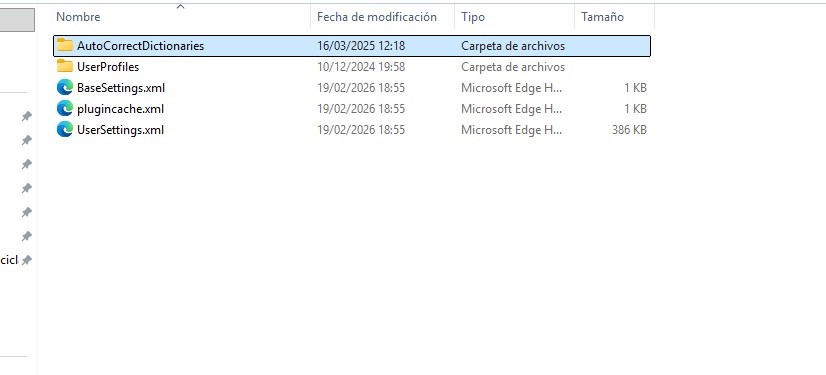
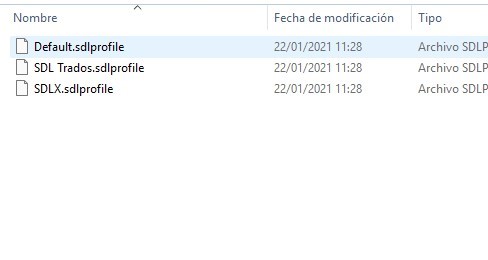
    You just showed screenshots of these folders.  Perhaps there is some confusion here and you are showing what you were asked to find and not what you actually find.  Let me try and help explain this.  First of all, these would be wrong because they are pretty old and we didn't use "Trados" on its own back then:

    %appdata%\Trados\Trados Studio\Studio15\

    %appdata%\Trados\Trados Studio\15\

    You should be looking for these:

    %appdata%\SDL\SDL Trados Studio\15.0.0.0\

    %appdata%\SDL\SDL Trados Studio\15\

    Find them like this:

    • Press Win + R to open the Run dialogue.
    • Type %appdata% and press Enter - this opens your AppData\Roaming folder.
    • Navigate to SDL -> SDL Trados Studio.
    • You should see both a 15.0.0.0 and a 15 folder – together these make up your Studio 2019 user profile (includes plugins).

    If you still cannot find them please provide a screenshot showing the location YOU HAVE LOOKED.

    Paul Filkin | RWS

    Design your own training!
    You've done the courses and still need to go a little further, or still not clear? 
    Tell us what you need in our Community Solutions Hub

    emoji
Children