


Sdl.Desktop.Platform.CommandBars.IActionService

I recently updated to TRADOS STUDIO 2017 from 2015 on Windows 10.

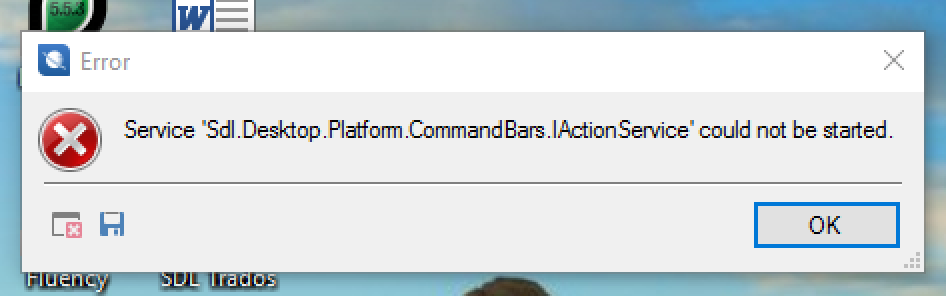
It all worked fine, but now I cannot open it because of the following error: "Service 'Sdl.Desktop.Platform.CommandBars.IActionSerrvice' could not be started"

Does anybody know if this is linked to a plugin problem - I think I may have wrongly installed the migration plugin Sdl.Community.StudioMigrationUtility.Integration.sdlplugin - and whether there is a quick solution rather than uninstalling Studio/licence and reinstalling the whole thing again??


Many thanks.
 

Parents Reply
  • Just follow the instructions I just gave you.

    Rename this folder (just add _old to the end or something, it's not important what you rename it to) and restart Studio:

    c:\Users\[USERNAME]\AppData\Roaming\SDL\SDL Trados Studio\14.0.0.0

    So the path would become this:

    c:\Users\[USERNAME]\AppData\Roaming\SDL\SDL Trados Studio\14.0.0.0_old

    If you can't find this folder then you need to unhide your hidden files/folders:

    www.howtogeek.com/.../
    Rename this folder (just add _old to the end or something, it's not important what you rename it to) and restart Studio:

    c:\Users\[USERNAME]\AppData\Roaming\SDL\SDL Trados Studio\14.0.0.0

    So the path would become this:

    c:\Users\[USERNAME]\AppData\Roaming\SDL\SDL Trados Studio\14.0.0.0_old

    If you can't find this folder then you need to unhide your hidden files/folders:

    www.howtogeek.com/.../

    Paul Filkin | RWS

    Design your own training!
    You've done the courses and still need to go a little further, or still not clear? 
    Tell us what you need in our Community Solutions Hub

Children
No Data