 Translate



I'm having the same problem linking my Trados Studio to my online account. Could you please help me with this issue?
I know I'm not the first to ask a similar question, but I couldn't find an option to add my post to the existing one.
Thanks.

Language Weaver Maintenance Activity - Saturday June 6th, 2026 between 06:00 AM UTC and 10:00 AM UTC

I'm having the same problem linking my Trados Studio to my online account. Could you please help me with this issue?
I know I'm not the first to ask a similar question, but I couldn't find an option to add my post to the existing one.
Thanks.
What same problem?
Have you logged into Trados Studio in the top right?
Paul Filkin | RWS
Design your own training!
You've done the courses and still need to go a little further, or still not clear?
Tell us what you need in our Community Solutions Hub

Thank you for your answer.
I'm trying to sign in from the top right corner and getting this message:
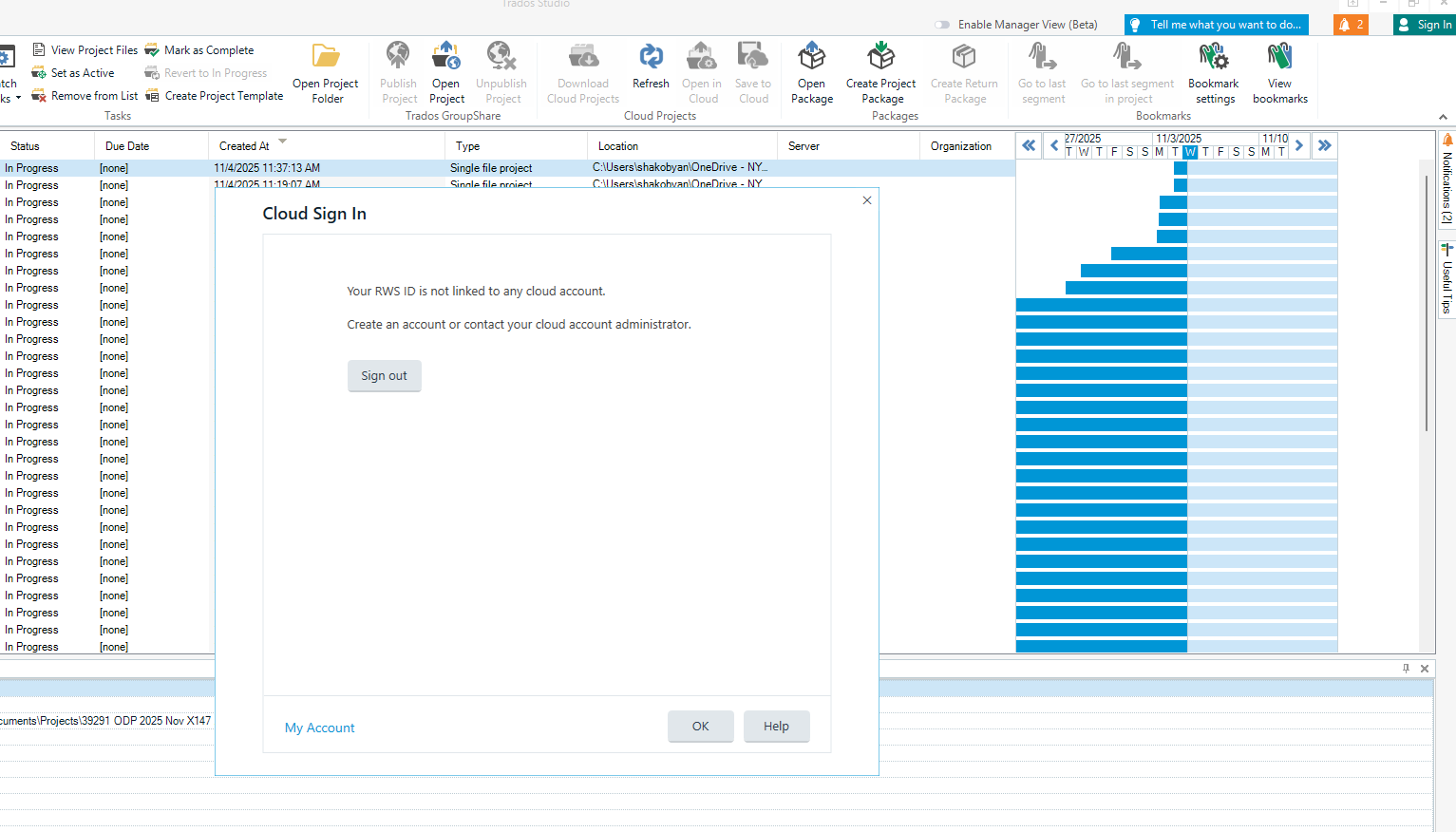

Looking at your email address and the accounts you belong to I think the reason might be that you are either logging into the wrong account, or you simply don't have one. What product are you trying to log into in the cloud?
Paul Filkin | RWS
Design your own training!
You've done the courses and still need to go a little further, or still not clear?
Tell us what you need in our Community Solutions Hub
The account is correct because I'm logged into the account. I'm trying to log in to Trados Studio. I don't have a cloud account. Is the top right sign-in only for the cloud?

I'm obviously a bit confused. You said:
I'm having the same problem linking my Trados Studio to my online account.
Please tell us what online account you mean and what you expect to be able to do with this in Trados Studio?
Paul Filkin | RWS
Design your own training!
You've done the courses and still need to go a little further, or still not clear?
Tell us what you need in our Community Solutions Hub
This is the perfect question! I guess I thought that if I wasn't signed in, I couldn't save to the dictionary, and my setup wouldn't be saved. Is that correct?
Probably, If i will see my nam in that top right coenr I will be satrisfiyed even without understanding what it is giving me. In general, I have online account , how can I link it to Tradois Studio?

Sadly I don't have a perfect answer!
When you say "Dictionary" I'll assume you mean a "Termbase" that is online. That being the case it'll either be a termbase that is part of GroupShare or Trados Cloud Terminology. I think we have ruled out the cloud as you have made it clear you don't have a cloud account. But I do note that your organisation has GroupShare. So, based on this if you want to be working with a termbase in GroupShare then you need to be logged into GroupShare and you should be prompted for this when you attempt to use such a termbase. It won't be through signing into Trados Studio in the top right as that is for your Cloud account as you have understood.
Does this sound about right for your situation?
Paul Filkin | RWS
Design your own training!
You've done the courses and still need to go a little further, or still not clear?
Tell us what you need in our Community Solutions Hub

I mean a dictionary, not a Termbase. I'm adding that specific word to the dictionary, but it is still unrecognized in every new translation. I thought it was because I'm not logged in. If the top right corner is only for cloud services, then I understand. But, in that case, is there no way to link an online account to Trados Studio without cloud services?
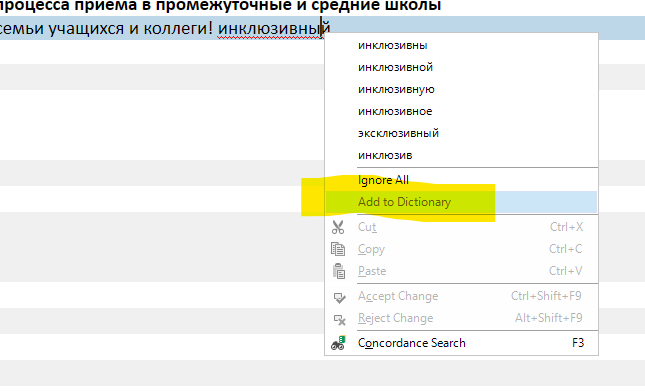
ok - in that case you do not need to be logged in anywhere. Your dictionary in this case is stored locally to your machine. Normally here - c:\Program Files (x86)\Trados\Trados Studio\Studio18\HunspellDictionaries\ - if you're using Hunspell; or here if you're using Microsoft 365/Office 2016 (click to run) - %AppData%\Microsoft\UProof\.
If you are not seeing words you know you have added it might be due to using the Microsoft spellcheck and also working in Trados Studio through a remote desktop session, or maybe virtualised environment? When your windows profile is stored on a server or synced between computers (a roaming profile), the UProof folder that holds Word’s custom dictionary can get replaced each time you log on. So if you add new words to Word’s dictionary, those changes may not appear in Trados because:
So Trados Studio may be reading a different or outdated version of your custom dictionary because the roaming profile overwrites or desynchronises the file. Does that fit the scenario you are in?
Paul Filkin | RWS
Design your own training!
You've done the courses and still need to go a little further, or still not clear?
Tell us what you need in our Community Solutions Hub
It sounds very logical. I will go over those folders to locate my dictionary. However, some of the words I'm adding to the dictionary have been added periodically, so I'm sure there won't be an update to the dictionary that includes these words next week. What about linking my online account to Trados? Is that possible?