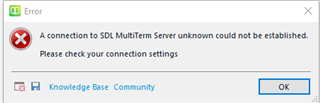
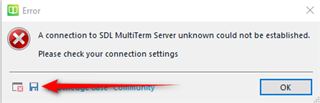
A connection to SDL MultiTerm Server unknown could not be established. Please check your connection settings

This is the error message I get when I try to open my own termbase in MultiTerm 2017. It is not connected to any server, so I do not know what the "connection settings" would be referring to.

I have tried to repair and uninstall/reinstall the software in addition to other suggestions made here, but to no avail. Latest attempt was to use SDL Freshstart. When I try to create a new termbase, I get the error message Object reference not set to an instance of an object. Is there any to be had? Thank you!

Parents Reply Children
  • Good morning and thank you. I just updated Trados to the 2145 version (it was 1041), and the Multiterm was updated yesterday. The Multiterm still reacted with the same message with the following details:

    <SDLErrorDetails time="31-Jan-20 8:17:16 AM">
    <ErrorMessage>A connection to SDL MultiTerm Server unknown could not be established.

    Please check your connection settings</ErrorMessage>
    <Exception>
    <Type>System.NullReferenceException, mscorlib, Version=4.0.0.0, Culture=neutral, PublicKeyToken=b77a5c561934e089</Type>
    <HelpLink />
    <Source>Sdl.MultiTerm.Desktop.Platform.WinForms</Source>
    <HResult>-2147467261</HResult>
    <StackTrace><![CDATA[ at Sdl.MultiTerm.Desktop.Platform.WinForms.DockingViewContentControl.SetActiveViewPart(IViewPartReference viewPartReference)
    at Sdl.MultiTerm.Desktop.Platform.WinForms.DockingViewContentControlEx.SetActiveViewPart(IViewPartReference viewPartReference)
    at Sdl.MultiTerm.Desktop.Platform.AbstractViewWithParts.set_ActiveViewPart(IViewPartReference value)
    at Sdl.MultiTerm.Studio.Editor.EditorView._TermbaseService_TermbaseActivated(TermbaseStatus termbase)
    at Sdl.MultiTerm.Studio.Common.Interfaces.TermbaseActivatedHandler.Invoke(TermbaseStatus termbase)
    at Sdl.MultiTerm.Studio.Editor.TermbaseService.ActivateTermbase(TermbaseStatus termbase)
    at Sdl.MultiTerm.Studio.Editor.TermbaseService.<ActivateTermbase>b__149_0(TermbaseStatus status)
    at Sdl.MultiTerm.Studio.Editor.TermbaseService.ActivateTermbase(String path)
    at Sdl.MultiTerm.Studio.Editor.Actions.TermbaseOpenAction.Execute(ITermbaseService termbaseService)]]></StackTrace>
    </Exception>
    <Environment>
    <ProductName>SDL MultiTerm</ProductName>
    <ProductVersion>MultiTerm15</ProductVersion>
    <EntryAssemblyFileVersion>15.0.5.56289</EntryAssemblyFileVersion>
    <OperatingSystem>Microsoft Windows 10 Home</OperatingSystem>
    <ServicePack>NULL</ServicePack>
    <OperatingSystemLanguage>1033</OperatingSystemLanguage>
    <CodePage>1252</CodePage>
    <LoggedOnUser>DESKTOP-3818LT4\Michael</LoggedOnUser>
    <DotNetFrameWork>4.0.30319.42000</DotNetFrameWork>
    <ComputerName>DESKTOP-3818LT4</ComputerName>
    <ConnectedToNetwork>True</ConnectedToNetwork>
    <PhysicalMemory>6174252 MB</PhysicalMemory>
    </Environment>
    </SDLErrorDetails>

    Your further comments or suggestions will be greatly appreciated, please. Thank you for your assistance.

  • Good morning again; Multiterm is now working. I pressed "Reset Window Layout" and my TB appeared. Any further comments or suggestions will always be greatly appreciated, and I thank you for your kind assistance.

    Have a nice weekend