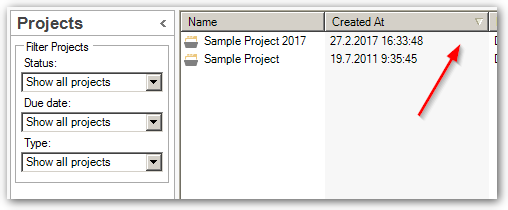
Files order under a project

Hello,
Usually this is not a problem, but sometimes, when I add a file under a project, the files order just becomes alphabetical, whereas I want the files to be ranked by the date I added them under the project. I have tried by "Sort by", but there is no way I can sort by date... just other options like "due date", etc., but this is not helpful as I never add any due date to my projects.
How can I "reset" this? This used to be good, I must have clicked on a wrong button. I tried "reset window layout", but this doesn't change anything as this is used for something else I think.
As some of my projects include more than 100 files, it's making it difficult for me to find my files easily.
Thanks!

Parents
  • Hi ,

    Are you sure you used to be able to do this? I have checked back a few versions and I'm fairly sure it has never been possible to sort files by the date you added them by virtue of an automatically added date in a date column.

    You can set delivery dates and sort on these for example? Or you can rename the files with a date at the front of the name... so maybe use something like "180117 - filename" for today's date and that way sorting is always easy. You could probably use a renaming tool to manage this or if you know how to develop create a plugin that automatically adds and removes the dates for you.

    Paul Filkin | RWS

    Design your own training!
    You've done the courses and still need to go a little further, or still not clear? 
    Tell us what you need in our Community Solutions Hub

  • Hi Paul,
    Thank you for your quick answer.
    Sorry I might have expressed myself wrong. I have never had to/been able to sort by date. Until yesterday, new files I added were just randomly/automatically added at the end of the list and therefore seemed to be sorted out by date of adding. But now I must have clicked on something and they just appear in alphabetical order.
    I have closed Studio and opened it again, but it seems they keep appearing alphabetically whatever I do now (when not sorting by anything).
    Thank you for the piece of advice Paul. If this is the only solution then that's what I'll do (adding a date yy-mm-dd in front in the name of the file).
Reply
  • Hi Paul,
    Thank you for your quick answer.
    Sorry I might have expressed myself wrong. I have never had to/been able to sort by date. Until yesterday, new files I added were just randomly/automatically added at the end of the list and therefore seemed to be sorted out by date of adding. But now I must have clicked on something and they just appear in alphabetical order.
    I have closed Studio and opened it again, but it seems they keep appearing alphabetically whatever I do now (when not sorting by anything).
    Thank you for the piece of advice Paul. If this is the only solution then that's what I'll do (adding a date yy-mm-dd in front in the name of the file).
Children