This discussion has been locked.
You can no longer post new replies to this discussion. If you have a question you can start a new discussion

Find / Replace not working - blank and unreachable window.

Hello.

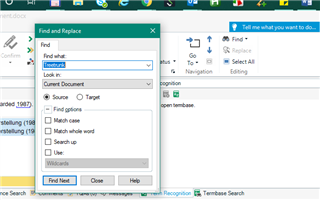
When I click on Replace a blank window appears in the background instead of the Find/Replace window. It is unreachable. This issue was happenning on and off, but now the Find/Replace window is never accessible. 

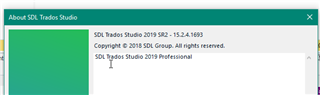
I have reinstalled SDL Trados Studio and my version is 2019 SR2 - 15.2.0.1041 which I believe is up to date.

Please help.


[locked by: Steven Whale at 10:32 AM (GMT 0) on 13 Jan 2020]
Parents Reply Children
  • Hi Steven,

    I am using Studio 2019 and I am having a similar problem to Alonso, which started after I had installed the most recent update.

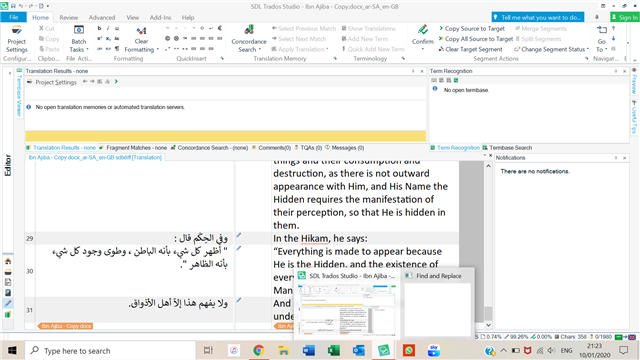
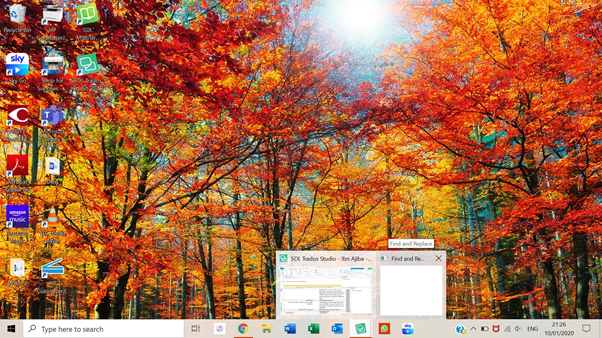
    I was using a second monitor with my laptop screen and had disconnected the external monitor at one point. Now, when I try to use Find and Replace, no window actually pops up; it is shown as a blank window in the taskbar, and when I hover the mouse over the blank window, it just brings up the desktop (images below). 

    Trados Studio application open with a project loaded, showing Arabic text in the translation grid. The Find and Replace window is not visible on the screen.  Desktop background with autumn trees, showing a blank Find and Replace window thumbnail in the taskbar without any visible content.

    I have tried:

    * Disconnecting and reconnecting the external display: the F&R window doesn't appear on the external display either, so I can't drag it across as Alonso was able to do.

    * Uninstalling and reinstalling Studio: I had installed update 15.2.5.2145 on the day that this problem started. Today I tried repairing Studio via the Control Panel, and I have also tried reinstalling it and the latest update. No change.

    Any suggestions?

    Kind regards,

    Rachel

    emoji


    Generated Image Alt-Text
    [edited by: Trados AI at 7:45 PM (GMT 0) on 28 Feb 2024]