No space inside Brakets or punctuation marks...

Guys, sorry for this ... I know this is a really MINOR thing BUT ...

Is it possible to set Studio so that it does NOT put a white space between punctuation marks, brakets&Co?

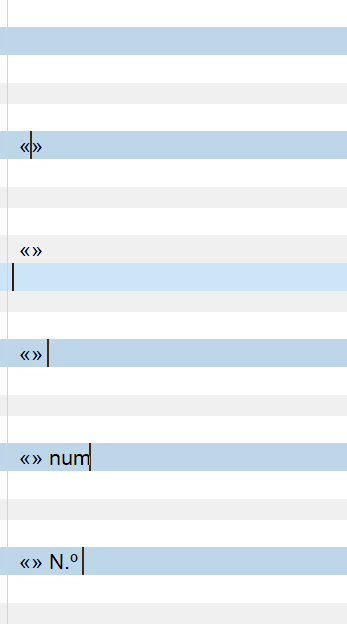
I do not know in english, but in Italian is it wrong to write " word " ... it should be "word". So «this one is correct» and «_this one is not_».

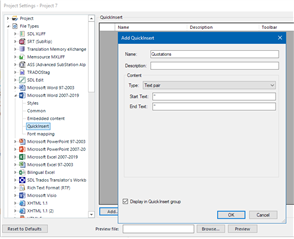
I use Quick insert quite a lot but every time I have to remove internal spaces
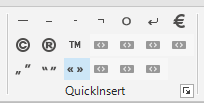
Screenshot of Trados Studio's QuickInsert feature showing various punctuation marks and symbols including quotation marks and brackets.

Text in Trados Studio showing Italian sentence with incorrect spacing around guillemets, 'La   pratica  non conferma'.

Can we set this somewhere in Studio and fix this little thing?


Many thanks.
Pietro


Generated Image Alt-Text
[edited by: Trados AI at 9:10 PM (GMT 0) on 28 Feb 2024]

emoji
Parents Reply
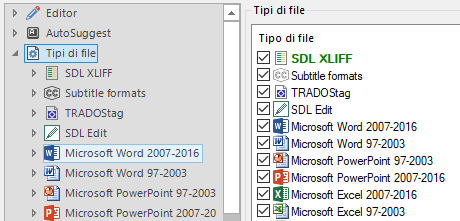
  • Thank You Nora and Paul! I will try harder... because honestly, the layout customization is not very confortable ... it will take an entire day to do a full custom bar ... by the way ... Nora, do You know why I do not have Word 2019 in my settings (which I do see in your screenshot)?
    I have Office 365 installed...

    Trados Studio settings showing file types with checkboxes, including Microsoft Word 2007-2016 but missing Word 2019.

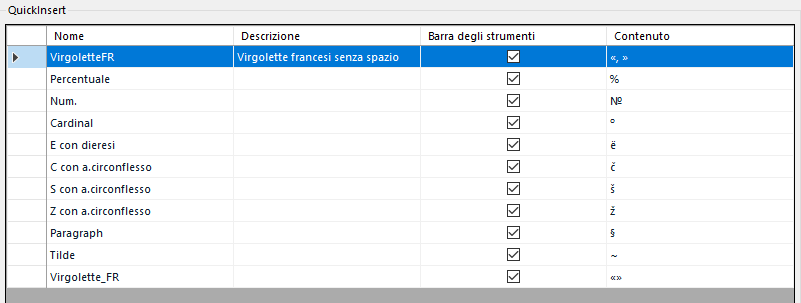
    I have build this but ... Then I do not see it cause I have different word files maybe ...

    Trados Studio QuickInsert feature with a list of special characters and their descriptions, such as 'Percentuale' and 'Num.'

    I have a PDF project open too, I will try to do a custom char-list for that kind of files and I will see ... But it really takes time ... Hope the 2021 version will have this improvement too ... I Love Customizations, to be honest! Smiley


    THANK YOU!
    Pietro

    emoji


    Generated Image Alt-Text
    [edited by: Trados AI at 9:10 PM (GMT 0) on 28 Feb 2024]
Children