The Trados cloud platform will be undergoing maintenance on Saturday, 9th May 2026 between 05:00 to 17:00 UTC. During this time, you will not be able to log in to the Trados platform.

Update

Good evening,

I have just updated to Trados Studio 2021, i have also updated multiterm. but How do I get back the glossaires and documents i had in the previous version.

I had glossaries, and I also had aligned 2 documents.

Updating shoudl not mean that you lose everything you had before right? There must be aa way to get it back, because in the end it's the same user, the only thing that changes is the license number.

Parents Reply
  • Where in my hard drive is it

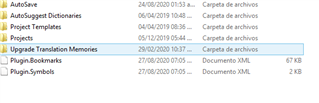
    Assuming you came from Studio 2019 the default location for your projects would be here:

    c:\Users\[USERNAME]\Documents\Studio 2019\Projects\

    The default location for your Translation Memories would be here:

    c:\Users\[USERNAME]\Documents\Studio 2019\Translation Memories\

    Your Glossaries don't have a default location so you'll have to think about where you saved them with the old version.  At the end of the day all of these resources can be saved wherever you like so there is no guarantee they will be in the default location either.

    The best way, if you really have no idea where these are, is to navigate to here:

    c:\Users\[USERNAME]\Documents\

    Then search for these:

    *.sdltb

    That will find your glossaries.

    *.sdltm

    That will find your Translation Memories.

    *.sdlproj

    That will find your Studio projects.

    In all cases [USERNAME] refers to the username you are using on YOUR computer, whatever that may be.

    And how do I add them?

    How did you add them in the previous version?  It's exactly the same.

    Paul Filkin | RWS

    Design your own training!
    You've done the courses and still need to go a little further, or still not clear? 
    Tell us what you need in our Community Solutions Hub

Children