Translate



Hello @Paul Filkin and all those skilled in the SDL art,
It is nice to be able and allowed to run our brand new CAT tool while keeping Studio 2019 up and running: you never know what might happen while Studio 2021 is being broken in and its bugs corrected. But this cohabitation may result in confusing situations. I explain myself.
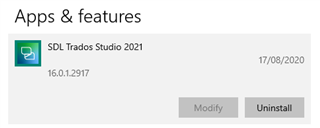
- In the Windows (10, v. 2004) list of apps, alles in Ordnung, every Studio (or Multiterm) appears with its separate identity.
- In Windows Explorer, in the right-click scrolling list, under "Open with" you have only one SDL Trados Studio, not better identified (In my case it is 2019: I can guess it from the icon).
- And in the Windows settings page where theoretically you can marry file types and apps, it is worse, it's a complete mess: .sdlalign, .sdlretrofit, .sdlrpx, .sdltm are associated with a SDL Trados Studio which -- guessing from the icon --, must be 2021, .sdlppx, .sdlproj, .sdlxliff are associated with (always guessing) Studio 2019 and .sdlfiletype, .sdltpl are left orphans. And though I am not totally IT-dumb, I cannot see how to rationalize all this mess (With Windows 7, I would have known how to!).
So I am open to all suggestions. Anticipated thanks.
G. LAMBERT