What is the best way to translate an updated user guide with Studio 2019?

Hello everyone!

I work in a software company. Each year, our team must translate the updated user guide. I've aligned the previous versions of the user guide and pretranslated the 2020 version. I thought that Studio would pretranslated the guide and only let empty the segments concerning the new features i.e. the text to be translated. But the match rate isn't as high as I expected, because of the tags. 

Trados Studio segment with a 93-99% match rate highlighted, showing tags and text to be confirmed manually.

I have to confirm a lot of 93-99 % match segments manually. It's really time consuming. How could I avoid that?

Precision : the format of the source file has not been changed, since the previous version, so I don't understand why the tags aren't the same.

Thanks for your help!


Generated Image Alt-Text
[edited by: Trados AI at 11:35 PM (GMT 0) on 28 Feb 2024]
emoji
Parents Reply Children
  • Hello Paul,

    Thanks for your quick answer.

    I'm sorry if I wasn't clear. Our department starts using Studio two years ago. Before that, we would translate directly in FrameMaker. So we've aligned the documents to start somewhere. Last year, we've confirmed all segments manually to have a memory. But this year, the same issue with the tags appears and I have to confirm half of my document manually only because of the tags.

    1. The source file format is .mif.

    2. No, I haven't customised segmentation rules.

    3. Yes, the source and target have the same tag structure.

    4. Yes, I used Studio last year for the previous user guide.

    5. I must check if I can show the files because of confidentiality issues. 

    Does Perfect Match will bypass the tag issue?

  • To start from behind: no, PerfectMatch will not resolve the tag issue. Have you updated Studio between the last translation and the current one? Has the MIF version maybe changed?

    If you updated Studio or the MIF version has changed, please—if possible—try to use the same versions as last year.

    _________________________________________________________

    When asking for help here, please be as accurate as possible. Please always remember to give the exact version of product used and all possible error messages received. The better you describe your problem, the better help you will get.

    Want to learn more about Trados Studio? Visit the Community Hub. Have a good idea to make Trados Studio better? Publish it here.

  • No, we haven't updated Studio nor FrameMaker (MIF version). We have been using Studio 2019 since the beginning.

  • This is then indeed strange, as the translation memory from the manually confirmed segments in last run should have same tags. Or were the font settings/layout of FM files adapted/changed?

    If you set the tag view to full tag text instead of tag ID, what do the tags say? Can you post a screenshot of the same segment as above, but with full tag text?

    _________________________________________________________

    When asking for help here, please be as accurate as possible. Please always remember to give the exact version of product used and all possible error messages received. The better you describe your problem, the better help you will get.

    Want to learn more about Trados Studio? Visit the Community Hub. Have a good idea to make Trados Studio better? Publish it here.

  • No, the font settings/layout of FM files weren't changed/adapted.

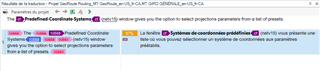
    The tags don't say much: 

    Trados Studio error message indicating 'The DTP (Desktop Publishing) Professional Certificate System' with red error icons and options to select projection parameters from a list of presets. 

    emoji


    Generated Image Alt-Text
    [edited by: Trados AI at 11:35 PM (GMT 0) on 28 Feb 2024]
  • Well, the tags would say much more, if you would create a screenshot from the actual segment in the editor and not in the Translation memory view. Here you are showing tag id on the left and partial tag text on the right. This is not enough to find out, why the change occurred.

    Full tag text view:

    Screenshot of Trados Studio editor showing a segment with tag id 'ParagraphDestinationAnker 9' and partial tag text 'hochgestellt' in German.

    You can clearly read, what the tags do.

    _________________________________________________________

    When asking for help here, please be as accurate as possible. Please always remember to give the exact version of product used and all possible error messages received. The better you describe your problem, the better help you will get.

    Want to learn more about Trados Studio? Visit the Community Hub. Have a good idea to make Trados Studio better? Publish it here.

    emoji


    Generated Image Alt-Text
    [edited by: Trados AI at 11:35 PM (GMT 0) on 28 Feb 2024]
  • Trados Studio screenshot showing a translation segment with manual formatting and style tags applied, with a 97% match on the right pane.

    Looking at your screenshot I see, that on the left (previously translated segment) the complete segment has been manually formatted, while the current segment has just some internal formatting, while the whole segment has a style assigned.

    Which tool has been used for the alignment?

    In any case: I would confirm all the segments manually again. Then I would create a completely NEW TM and update it ONLY with the newly translated files to make sure, that no tags are enclosing the whole segment, as you see on the left. The view on the right is the view I would expect from any properly formatted file.

    Also I would change the view setting in File -> Options -> Editor from "Show formating" to "Show only tags, do not show formatting". This way you have the best possible control over tags. Viewing formatting makes many people think, that they can use the formatting buttons in Studio, what leads to many formatting problems. In FM like in InDesign text will most probably not be made simply "BOLD", but a different font will be used here. However, when you just press "BOLD" from the ribbon or use the shortcut for bold, no font change will be applied in Studio. Studio will just apply bold to the main font in the paragraph, but such a font variation will most probably not exist. Such tags will also never be applied automatically next time, as the bold tags on the target side will not correspond with the proper tags in the source.

    _________________________________________________________

    When asking for help here, please be as accurate as possible. Please always remember to give the exact version of product used and all possible error messages received. The better you describe your problem, the better help you will get.

    Want to learn more about Trados Studio? Visit the Community Hub. Have a good idea to make Trados Studio better? Publish it here.

    emoji


    Generated Image Alt-Text
    [edited by: Trados AI at 11:36 PM (GMT 0) on 28 Feb 2024]
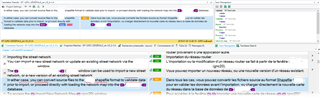
  • This is a screen shot of a segment in the editor with the Translation memory view with full tag text and the same with partial tag text. The segment comes from the memory and not from an aligned document. (I've made the alignment with Studio.) So it's supposed to be a properly formatted file. As you can see, the only difference is the last tag.

    Screenshot of Trados Studio editor showing a segment with full tag text in the Translation memory view. No visible errors or warnings.Screenshot of Trados Studio editor displaying a segment with partial tag text in the Translation memory view. Last tag differs from the first screenshot. No visible errors or warnings.

    emoji


    Generated Image Alt-Text
    [edited by: Trados AI at 11:36 PM (GMT 0) on 28 Feb 2024]

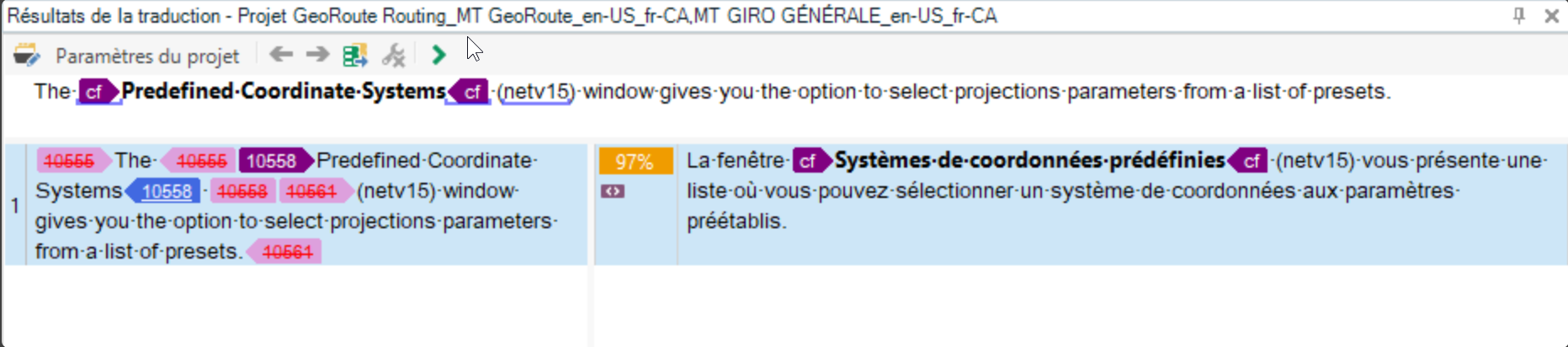
  • Thank you. This screens do not show the same text part as your previous screens.

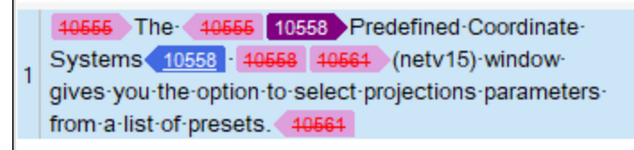
    Screenshot of Trados Studio segment with improper formatting, showing tags 10555 and 10561 around text, indicating extra formatting on top of the paragraph style.

    Here you have tags 10555 and 10561 around text parts, in your new screenshots such tags do not exist.

    Tag 10558 can represent footnote or line break. It's really hard to tell without seeing the files.

    The screenshot above clearly shows, that the segment has not been properly formatted. In a properly formatted segment tags 10555 and 10561 should not appear at all. These show extra formatting, applied on top of the paragraph style here.

    _________________________________________________________

    When asking for help here, please be as accurate as possible. Please always remember to give the exact version of product used and all possible error messages received. The better you describe your problem, the better help you will get.

    Want to learn more about Trados Studio? Visit the Community Hub. Have a good idea to make Trados Studio better? Publish it here.

    emoji


    Generated Image Alt-Text
    [edited by: Trados AI at 11:36 PM (GMT 0) on 28 Feb 2024]
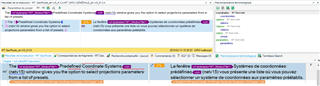
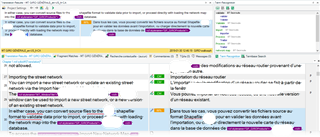
  • Sorry, I wanted to show segments that come from the memory and not from the alignment. Here is a screen shot of the segment in the editor and one of the sentence in FM, if it can help.

    Screenshot of Trados Studio editor showing a segment with text from the translation memory, no visible errors or warnings.Screenshot of Trados Studio with a segment open, displaying highlighted text from the translation memory and a warning about multiple translation units found.

    emoji


    Generated Image Alt-Text
    [edited by: Trados AI at 11:36 PM (GMT 0) on 28 Feb 2024]