Translate



Hi everyone!
I just received a package from a client, but I can't open it when I create a project, an error message appears.
Here is the detail:
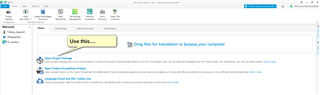
I swipe my file in the elcome page and then I click on “create a new project”. Then, I select the project with a sdlppx format and I choose “Translatable” for “usage”, and then an error message shows up. “the file usage of 1 of the 1 selected files was not changed to translatable, because no matching file type could be found. You have to add a suitable file type via Project Settings.”
I tried with different packages, even those that worked previously, and the same error message always appears. What can I do to resolve that? I have to translate and give back the package tomorrow :/ Does someone already have the same problem?