Translate



Dear All,
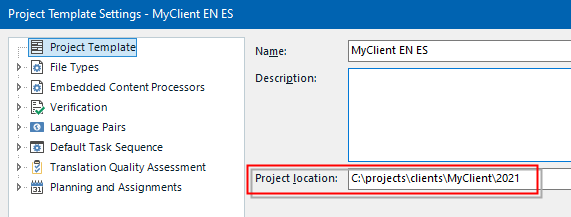
I have noticed that when setting up a new project for an old customer using the customer's saved project template, some outdated information gets carried over, for example:
1.
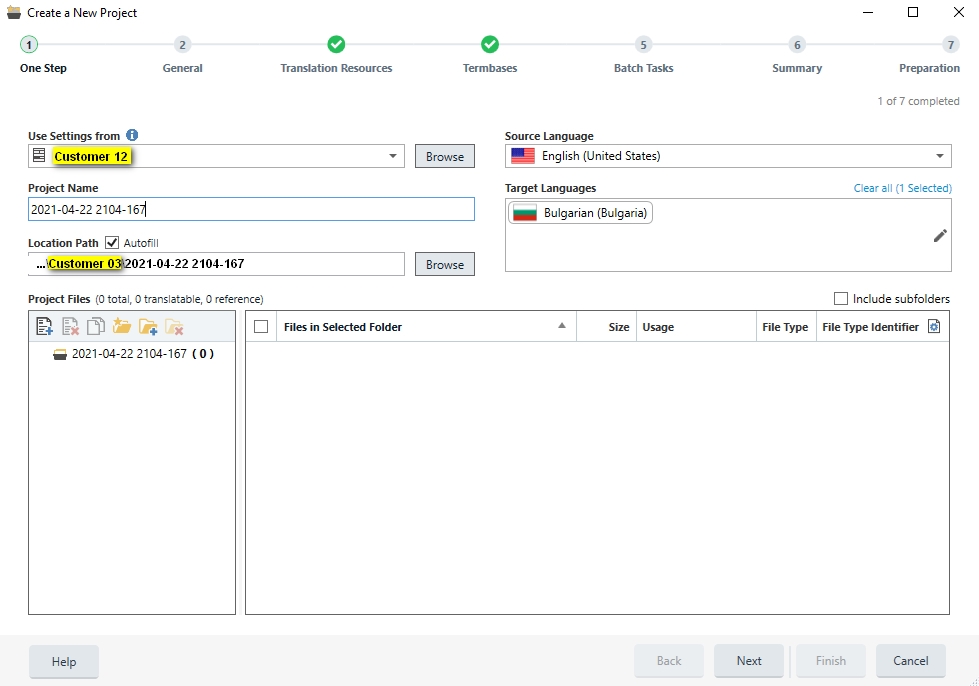
...What happens here is that Studio offers as a Location Path, the location path from a recent project fo a another customer. It would make sense to save the default location path for each customer in their corresponding project template and autofill it for new projects when using the same template. It would save us time.
2.
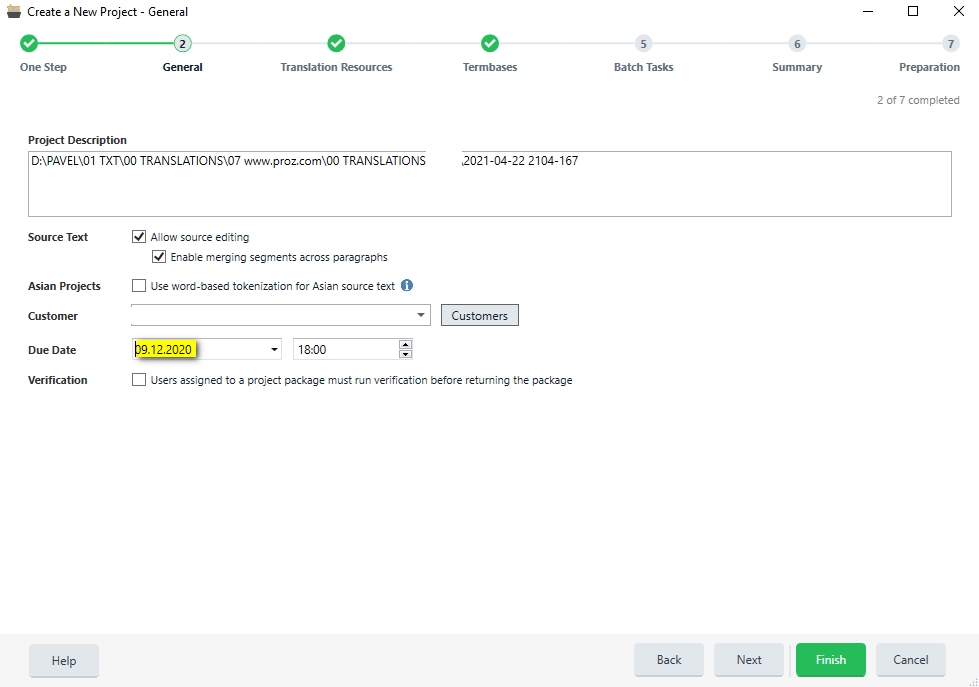
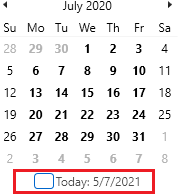
...And here is a piece of old information that was automatically saved by Studio in the customer project template and is then autofilled for each new project: the original project's due date. This forces me to manually skip forward many months (in some cases up to a full year or more) to finally arrive at the correct date. Would it be possible for Studio not to save the original due date and istead autocomplete today's date as the new due date? That would save us time.
Best regards,
Pavel
Generated Image Alt-Text
[edited by: Trados AI at 2:25 AM (GMT 0) on 29 Feb 2024]