Txlf file does not convert to Translatable format

Until now, I have been working with the Txlf file in Trados Studio 2021. But suddenly, a certain Txlf file does not convert to Translatable format. Please tell me how to solve it. For reference, there is no problem with other Txlf files.

Parents
  • Hello ,

    Do you get any error messages at all? Is the file set as a reference in the project?

    Are you able to open the particular file as a single file translation? (Translate as a single document)

    As you said there is only an issue with one particular file (and all others work fine), this would suggest there is a problem with that particular file.

    Perhaps its worth speaking to your client and requesting a new file?


    Oana Nagy | Developer Experience | QA Engineer | RWS Group

  • Hello Steven,

    Thanks for the reply.
    However, when I try to translate it into a single document, the following error message pops up: 'Object reference not set to an instance of an object.'
    And I had the same problem with another Txlf file not long ago. Although it is intermittent, the problem recurs over and over, which is quite annoying.

  • Hello ,

    As this is an intermittent issue, please share the full error stack- as this may indicate what is perhaps causing the problems

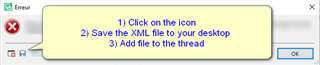
    Error message popup in Trados Studio with instructions: 1) Click on the icon, 2) Save the XML file to your desktop, 3) Add file to the thread.


    Oana Nagy | Developer Experience | QA Engineer | RWS Group

    emoji


    Generated Image Alt-Text
    [edited by: Trados AI at 2:58 AM (GMT 0) on 29 Feb 2024]
  • <SDLErrorDetails time="2021-06-17 오후 5:43:55">
      <ErrorMessage>개체 참조가 개체의 인스턴스로 설정되지 않았습니다.</ErrorMessage>
      <Exception>
        <Type>System.NullReferenceException, mscorlib, Version=4.0.0.0, Culture=neutral, PublicKeyToken=b77a5c561934e089</Type>
        <HelpLink />
        <Source>Sdl.FileTypeSupport.Filters.Xliff</Source>
        <HResult>-2147467261</HResult>
        <StackTrace><![CDATA[   위치: Sdl.FileTypeSupport.Filters.Xliff.Common.SubParagraphUnitKeyGenerator.BuildTagMatching()
       위치: Sdl.FileTypeSupport.Filters.Xliff.Infrastructure.Consumers.Parser.SubFlowPositionRecorder.Consume(XmlNodeParsed message)
       위치: lambda_method(Closure , IMessage )
       위치: Sdl.FileTypeSupport.Filters.Xliff.Infrastructure.InMemoryBus.Publish(IMessage message)
       위치: Sdl.FileTypeSupport.Filters.Xliff.Extractor.ParserImpl.Publish(XmlNodeParsed message)
       위치: Sdl.FileTypeSupport.Filters.Xliff.Infrastructure.XmlParser.Parse(XmlTextReader reader)
       위치: Sdl.FileTypeSupport.Filters.Xliff.Extractor.ParserImpl.Parse(String xliffPath)
       위치: Sdl.FileTypeSupport.Filters.Xliff.Parser.ParseNext()
       위치: Sdl.FileTypeSupport.Framework.Integration.FileExtractor.ParseNext()
       위치: Sdl.FileTypeSupport.Framework.Integration.MultiFileConverter.ParseNext()
       위치: Sdl.FileTypeSupport.Framework.Integration.MultiFileConverter.Parse()
       위치: Sdl.TranslationStudio.Editor.TranslationEditor.TranslatableDocument.Load(IJobExecutionContext context)
       위치: Sdl.Desktop.Platform.Services.JobRequest.Execute(IJobExecutionContext context)
       위치: Sdl.Desktop.Platform.Implementation.Services.Job.<_worker_DoWork>b__47_0()
       위치: Sdl.Desktop.Logger.Log.Resources(Object message, Action action)
       위치: Sdl.Desktop.Platform.Implementation.Services.Job._worker_DoWork(Object sender, DoWorkEventArgs e)
       위치: System.ComponentModel.BackgroundWorker.OnDoWork(DoWorkEventArgs e)
       위치: System.ComponentModel.BackgroundWorker.WorkerThreadStart(Object argument)]]></StackTrace>
      </Exception>
      <Environment>
        <ProductName>SDL Trados Studio</ProductName>
        <ProductVersion>Studio16</ProductVersion>
        <EntryAssemblyFileVersion>16.1.6.4276</EntryAssemblyFileVersion>
        <OperatingSystem>Microsoft Windows 10 Home</OperatingSystem>
        <ServicePack>NULL</ServicePack>
        <OperatingSystemLanguage>1042</OperatingSystemLanguage>
        <CodePage>949</CodePage>
        <LoggedOnUser>DESKTOP-TPSPFMF\leepr</LoggedOnUser>
        <DotNetFrameWork>4.0.30319.42000</DotNetFrameWork>
        <ComputerName>DESKTOP-TPSPFMF</ComputerName>
        <ConnectedToNetwork>True</ConnectedToNetwork>
        <PhysicalMemory>16684260 MB</PhysicalMemory>
      </Environment>
    </SDLErrorDetails>

    "개체 참조가 개체의 인스턴스로 설정되지 않았습니다" = "Object reference not set to an instance of an object"

    Is this okay?

  • Hello ,

    Thank you.

    Have you checked the file itself to make sure it's well-formed and doesn't contain any illegal characters?

    Perhaps you can share the file with us, so we can take a look? swhaleATsdl.com


    Oana Nagy | Developer Experience | QA Engineer | RWS Group

  • There is no problem with the file. 

    I want to too, but I don't think I can share the file because of the NDA.

Reply Children