Font in Studio 2024 no longer the same as in source doc (word)

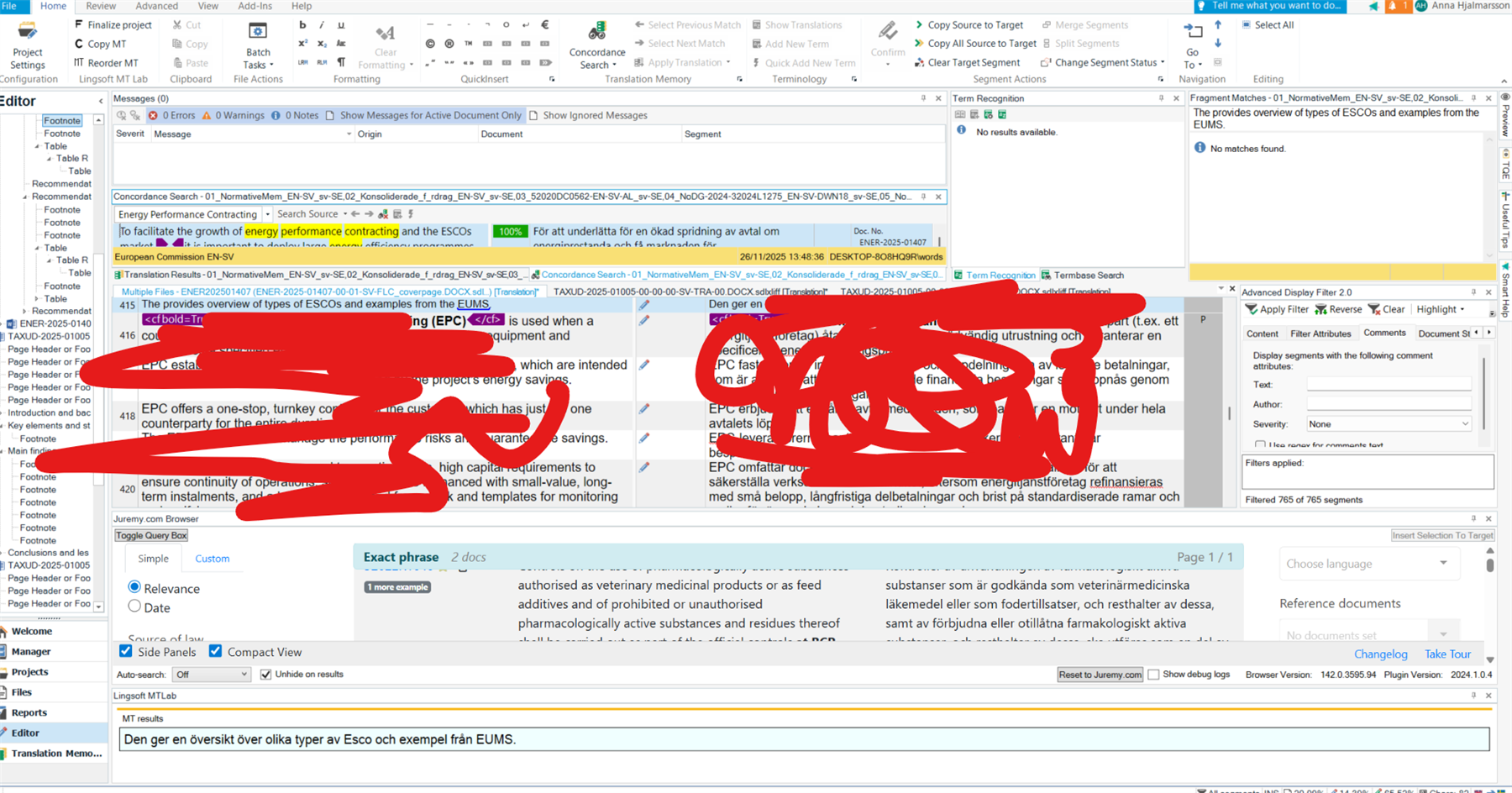
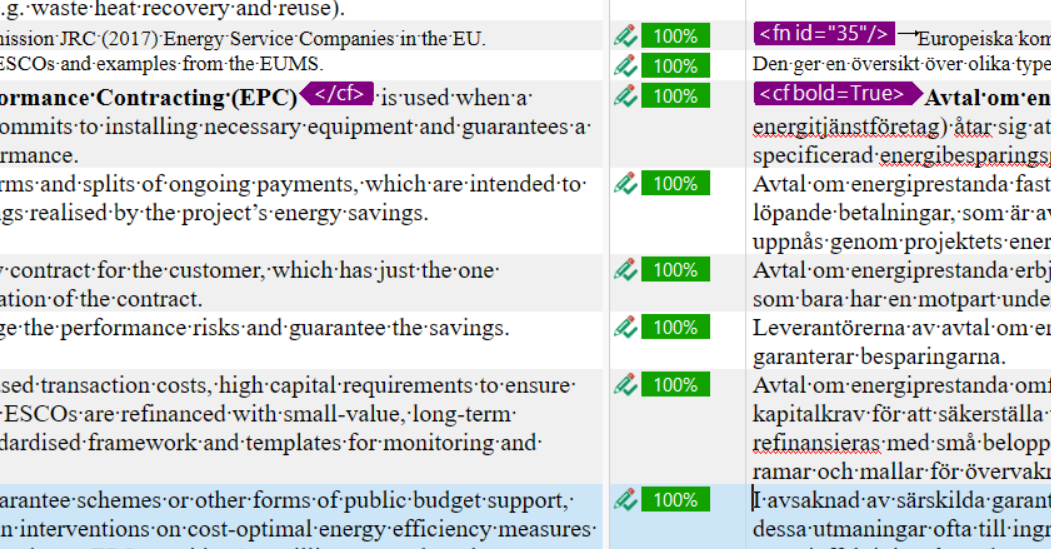
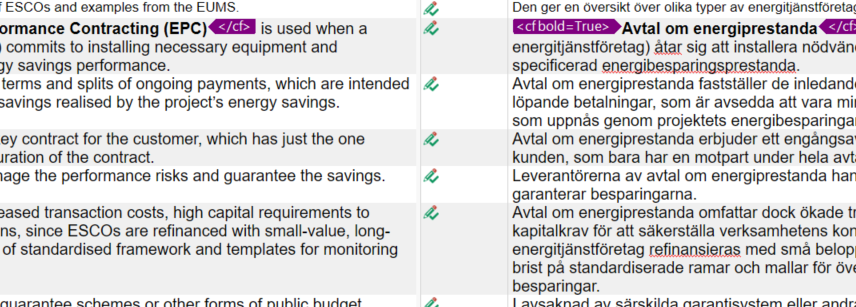
The Word document that I'm working with is not displayed in its original formatting (i.e. with the same font, size etc. as in the original Word document) - instead, all segments (source, target, footnotes etc.) are displayed in the same (bland and quite large) font (think Phase/Memsource). When my project manager opens the file, it is displayed with its original formattting, so the issue is evidently with my Trados.

I recently had to remove and re-install Trados as the program wasn't responding - might there be a correlation?

Thankful for any advise on what to do.


Removed AI Suggestion
[edited by: Anna Jalmars at 1:54 PM (GMT 0) on 26 Nov 2025]
emoji
Parents Reply Children
  •  

    With your document open in Editor go to View and use "Reset window layout".

    This said, I really fail to understand the problem. Your view with a non-serif font is much clearer and better readable than this clumsy view from your PM. Why is this so important to see the serifs? The font will not change anything in your translation, it has literally NO influence on it.

    _________________________________________________________

    When asking for help here, please be as accurate as possible. Please always remember to give the exact version of product used and all possible error messages received. The better you describe your problem, the better help you will get.

    Want to learn more about Trados Studio? Visit the Community Hub. Have a good idea to make Trados Studio better? Publish it here.

    emoji
  • No, reset window layout doesn't change anything (I saw your reply above that you don't see this as a problem. I do, and that's why I'm trying to find a solution.)

    emoji
  •  

    Are you really sure the font used is Times New Romand and not any other Times or other serif font? 

    Can you try to go to File -> Setup -> Manage user profiles and firs export your user profile. Then chose "Change user profile". You'll be asked to backup your current profile. Create a backup with a new name, not the one you used before. When you reach the step "Select User Profile", click "Browse", then go to C:\Program Files (x86)\Trados\Trados Studio\Studio18\UserProfiles and chose a profile from there. Should you be asked to overwrite any profile, do so. In next step reset window layout again.

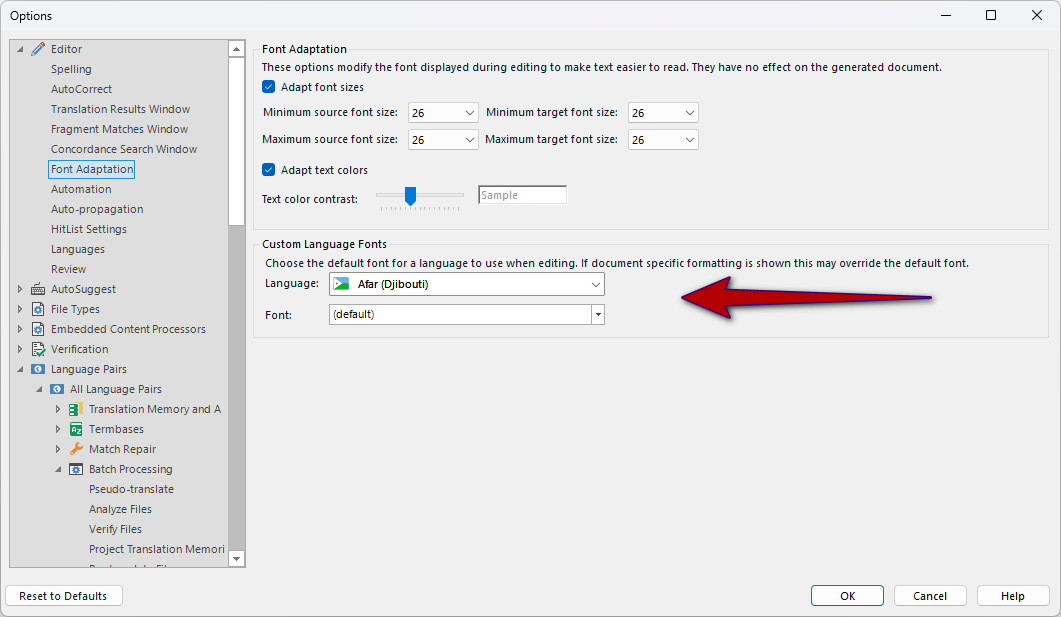
    Go to File -> Options -> Editor -> Font adaptation and press "Reset to defaults".

    If all this does not help, I have no further ideas.

    _________________________________________________________

    When asking for help here, please be as accurate as possible. Please always remember to give the exact version of product used and all possible error messages received. The better you describe your problem, the better help you will get.

    Want to learn more about Trados Studio? Visit the Community Hub. Have a good idea to make Trados Studio better? Publish it here.

    emoji
  •  

    That screenshot helps I think.  Perhaps the only problem is your default font for the editor is not the same?  Select the language you are translating into and make sure the font is the one you wish to use.  Also make sure you have the same fonts as your colleague.  And finally what version of Studio is your colleague using compared to you?  There was a lot of work carried out on the editor in more recent versions to improve the clarity of the fonts and for most users the view you see would probably be preferable as it is far crisper than the one in your colleagues screenshot.  This isn't the font that is used for the final document, it's only the editor view.

    Other than this I don't really know how to fix your problem.  Adding  in case he has any bright ideas :-)


    Trados Studio options window showing Font Adaptation settings. Minimum and maximum font sizes are set to 26. Language is set to Afar (Djibouti) with the default font selected.

    Paul Filkin | RWS Group

    ________________________
    Design your own training!

    You've done the courses and still need to go a little further, or still not clear? 
    Tell us what you need in our Community Solutions Hub

    emoji


    Generated Image Alt-Text
    [edited by: RWS Community AI at 11:58 AM (GMT 0) on 28 Nov 2025]
  •     I've fixed a font adaptation issue with CU3. The algorithm is as follows:
    1. If the file has a font saved as metadata then that font will try to be used (MS Word files usually have this font in metadata).

    2. If the font doesn't work for some reasons (not installed in Windows, not acceptable for the language you have to use it) or the file has no font specified (think of txt files) then we use the font adaptation 

    3. If the Graphics Engine (the same engine that MS Word uses) find issues with that font it will defer to another font or to our default font Segoe UI.

    As you can see there are many reasons a font might not be applied. The biggest problem usually is that it won't work well with some symbols so it might force the engine to select a better one. The biggest change I ever saw was the usage of 10 different fonts in a single segment for an Asian Language. 

    emoji
  • Thanks  ... seems very likely that  and her colleague are using different versions of the software.

    Paul Filkin | RWS Group

    ________________________
    Design your own training!

    You've done the courses and still need to go a little further, or still not clear? 
    Tell us what you need in our Community Solutions Hub

    emoji