Can you Align a large volume of *partially translated* ResX files?

Hi

I use SDL Trados studio 2014

I have a large volume of ResX files that need to be aligned into a TM. Actually 2 TM's (EN-NL & EN-FR)
The problem is that these ResX files are partially translated.
(Note: The ResX are for a software program, so lots of repetition and overlap)
example of what I have:
ErrorMessages.EN.resx
ErrorMessages.FR.resx
ErrorMessages.NL.resx
I have 10365 ResX files in total, so the choice of method to use is vital with regard to the time i'm going to spend doing this...

What is the best approach in this situation?

1. Aligning first with the risk of bad TU's because of untranslated fields in the ResX
And subsequently translate the ResX using the TM I just made.

2. Go through all the ResX files and translate the untranslated fields with another tool like Zeta Resource editor.
Once everything is translated, I start aligning the files.

Option 1 is faster I think, but poses a higher risk for errors in the TM (which will need to be corrected later I guess, which takes time too)

Option 2 will yield a better TM from the start but requires a lot more time & work without the help from the TM before you can even start aligning.

What would you guys do?
Is there a better solution? Option 3?

(I searched the forum but I couldn't find the answer to my question, so just in case this is "double", apologies )

Parents Reply
  • Hi Francois, 

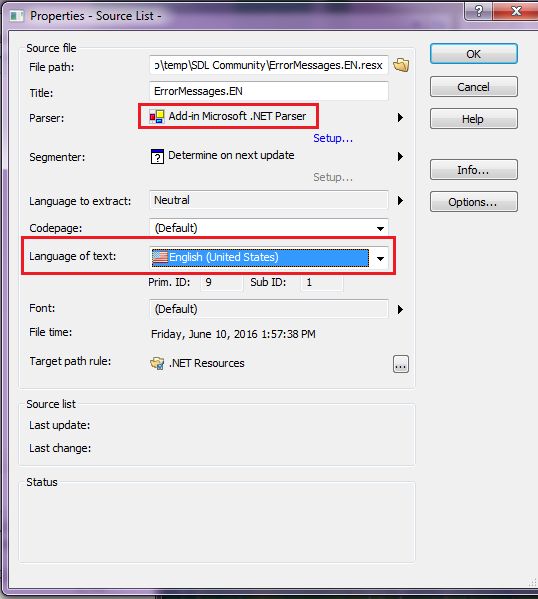
    Sure thing! So, I would add the ErrorMessages.EN.resx to a new project and use the built-in 'Microsoft .NET Parser' for RESX files:

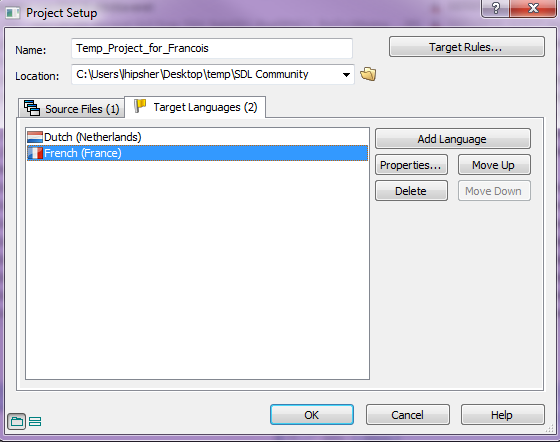
    Then, add the Target Languages FR and NL:


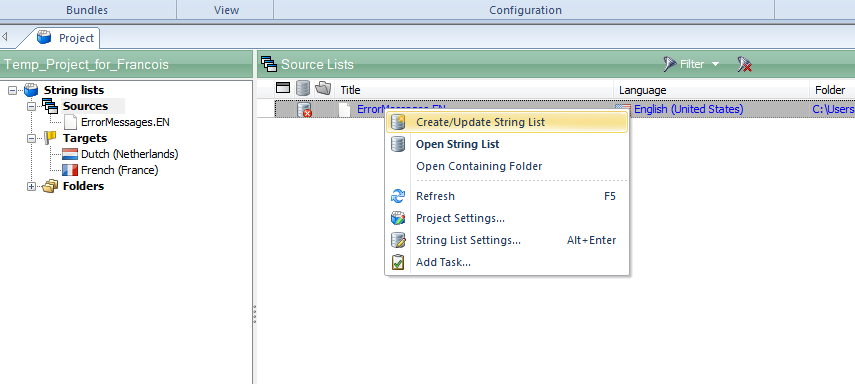
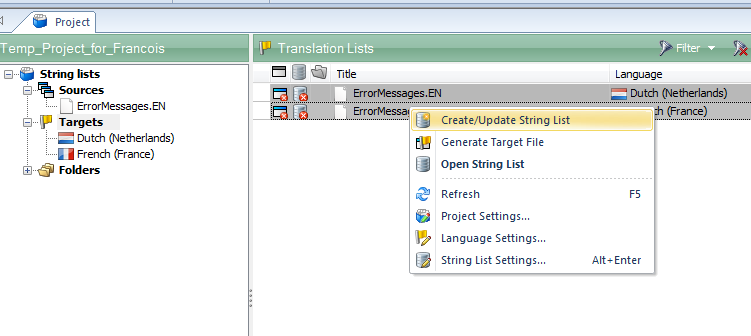
    Then, I would Create/Update the Source and Target string lists:

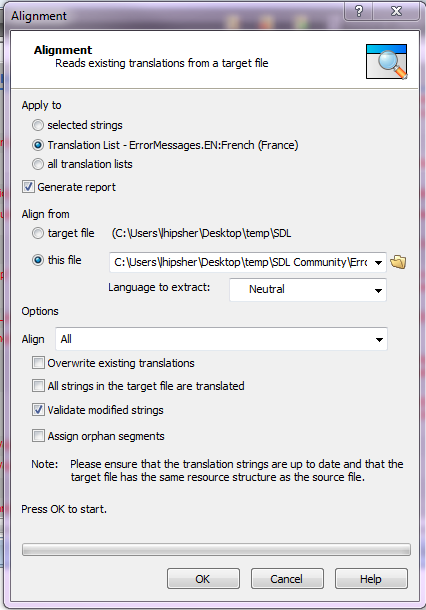
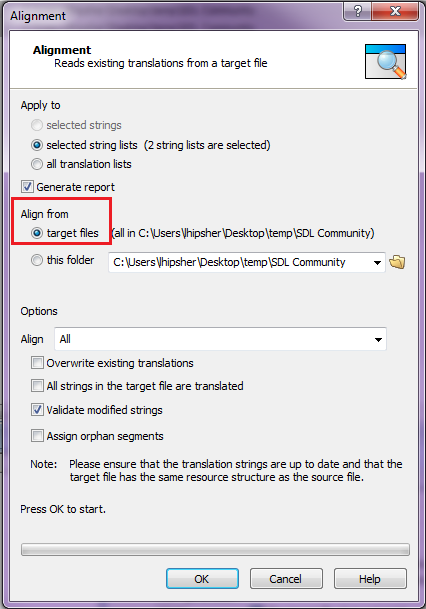
    Then, I would open each of the Target string lists, select all strings and click Home > Scan Target File (Alignment). Select the target file for alignment under this file and make sure that only 'Validate modified strings' is selected under Options:

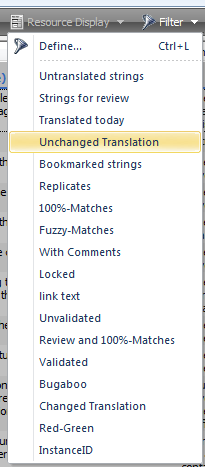
    This will validate all strings that are modified, which should validate all strings that are untranslated as well. So then I would filter to 'Unchanged Translation':

    This will filter to all strings where the Target is the same as the Source. Select all filtered strings and press Ctrl+U. This will un-translate and turn to red all of these strings that are unchanged.

    Then go back to the Project tab, select all target string lists and select Project > Export. Select the SDL Passolo TMX Export, click Next and make sure that the Output is set to Write another file for each target language. This will only export the Translated strings to the TMX, skipping all of the strings that I had changed to Untranslated. Then, these TMX files can be imported into an SDLTM in Trados Studio.
    Best regards

    Luke

Children