 Translate



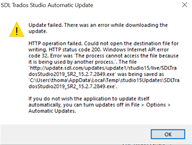
I am unable to update my version of studio 2019. I am receiving the below update error:
Generated Image Alt-Text
[edited by: Trados AI at 10:30 PM (GMT 0) on 28 Feb 2024]


I am unable to update my version of studio 2019. I am receiving the below update error:
Hello Tom Dyson ,
Unfortunately, the screengrab is too small to read.
Could you save this again to your desktop and then use the insert option in the thread to repost please.
Oana Nagy | QA Engineer | RWS Group
If you are having problems with autoupdate not being able to connect there is a log that may be useful in c:\ProgramData\SDL\SDL Trados Studio\Studio16\Updates\UpdateLog.txt
If you can share the log it might help identify the problem.
You could also simply take the latest build from here.
Paul Filkin | RWS
Design your own training!
You've done the courses and still need to go a little further, or still not clear?
Tell us what you need in our Community Solutions Hub

Thanks and @paul for your suggestions
I tried Paul's suggestion of downloading the latest update.
Unfortunately, the download was incredibly slow - I believe this has something to do with me accessing the download from China.
As my inability to update was causing compatibility issues across MultiTerm and Studio I decided to try and re-install the entire package via my original download link (I am using a temporary student licence given to me by my lecturer). I have now run into problems with this download as well! I have started a new thread for this.
Thanks again for your help
Hi
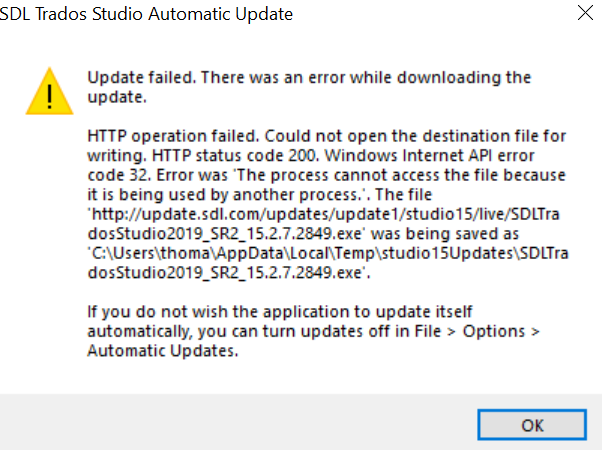
Please see the full error message above. I am getting the same error for both Studio and MultiTerm 2019.
I am currently running the current versions of both software:
Studio 2019 15.0.0.29074
MultiTerm 2019 15.0.0.28471
It is suggesting I update to the following versions:
Studio 2019 15.2.7.2849
MultiTerm 2019 15.0.6.56482
Thanks for your help and patience.
Hi Steven Whale or @Paul,
Do you have any further suggestions for resolving this update problem based on the above error message?
Many thanks,
Tom

