Translate



Hello everyone,
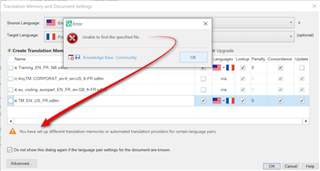
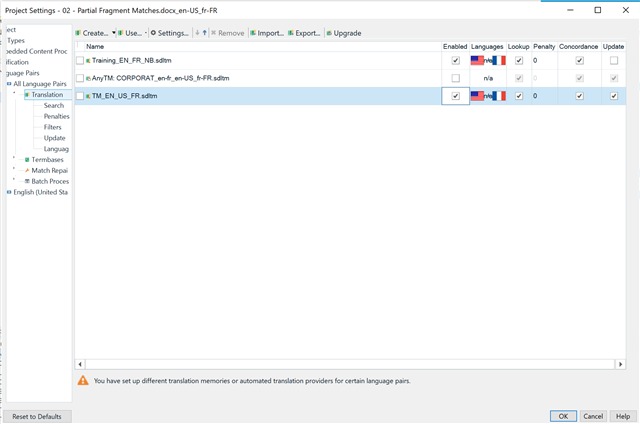
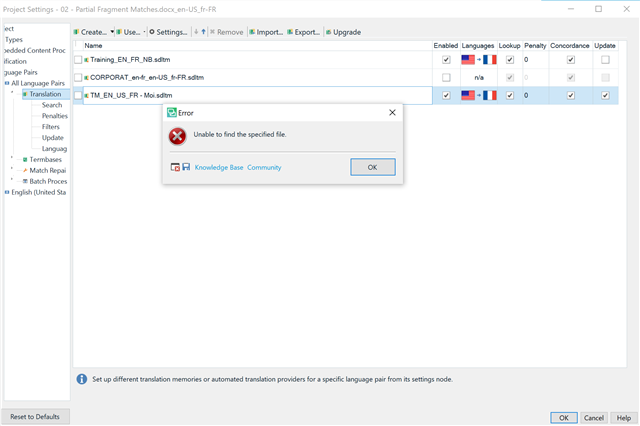
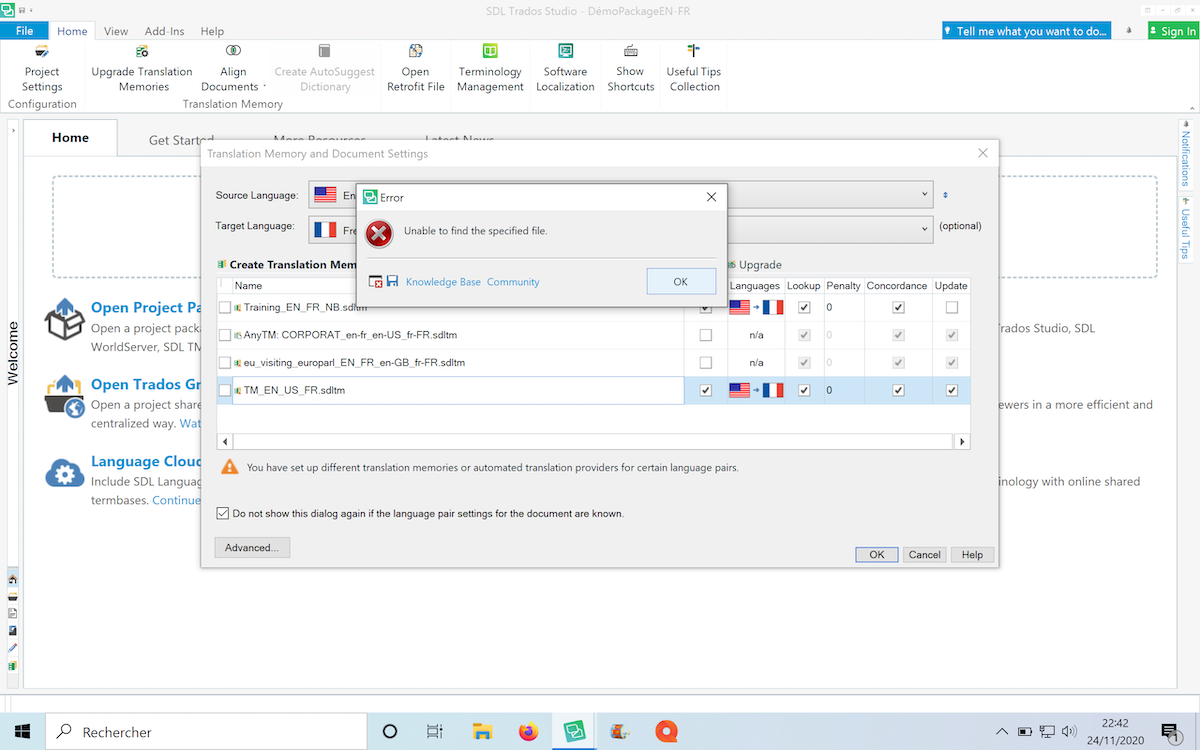
I am currently having a bit of an issue on SDL Trados Studio 2019: an orange triangle appears next to my Translation Memory when I am trying to add a new document to translate, and I can't fix it. Apparently, I should be able to fix it selecting the TM and then clicking on "Upgrade" (it worked for everyone else in my class) but when I do, an Error message appears saying "Unable to find the specified file".
I tried to update Trados, but all it did was put the orange triangle/warning sign on all my previous translation memories, which I therefore can no longer use. I did not move the TM files, so I don't even know why Trados can't find them in the first place.
Has anyone ever encountered this issue and know what might be causing this problem? Can I fix it?
I don't know if this can help, but I am using SDL Trados on Windows 10 via Parallels on my Macbook. I have to say I am pretty new at Trados, but my professor doesn't know how to fix this issue either.
Here is a screencap of my problem, and I'll also join the .XML document with the error details:
<SDLErrorDetails time="24/11/2020 09:20:55">
  <ErrorMessage>Unable to find the specified file.</ErrorMessage>
  <Exception>
    <Type>System.IO.FileNotFoundException, mscorlib, Version=4.0.0.0, Culture=neutral, PublicKeyToken=b77a5c561934e089</Type>
    <FileName />
    <FusionLog />
    <HelpLink />
    <Source>Sdl.LanguagePlatform.TranslationMemoryApi</Source>
    <HResult>-2147024894</HResult>
    <StackTrace><![CDATA[   at Sdl.LanguagePlatform.TranslationMemoryApi.FileBasedTranslationMemory..ctor(String tmFilePath)
   at Sdl.TranslationStudio.Common.TranslationMemory.TranslationMemoryUtil.OpenAndUnlock(String tmFilePath, ITranslationProviderCredentialStore credentialStore, String permission, Boolean alwaysPrompt, Boolean validate, Boolean setUnlockedPermissions, Boolean throwLogOnException)
   at Sdl.TranslationStudio.Common.TranslationMemory.TranslationMemoriesControl.OpenAndUnlockTM(String tmFilePath)
   at Sdl.TranslationStudio.Common.TranslationMemory.TranslationMemoriesControl._upgradeToolStripButton_Click(Object sender, EventArgs e)
   at System.Windows.Forms.ToolStripItem.RaiseEvent(Object key, EventArgs e)
   at System.Windows.Forms.ToolStripButton.OnClick(EventArgs e)
   at System.Windows.Forms.ToolStripItem.HandleClick(EventArgs e)
   at System.Windows.Forms.ToolStripItem.HandleMouseUp(MouseEventArgs e)
   at System.Windows.Forms.ToolStripItem.FireEventInteractive(EventArgs e, ToolStripItemEventType met)
   at System.Windows.Forms.ToolStripItem.FireEvent(EventArgs e, ToolStripItemEventType met)
   at System.Windows.Forms.ToolStrip.OnMouseUp(MouseEventArgs mea)
   at System.Windows.Forms.Control.WmMouseUp(Message& m, MouseButtons button, Int32 clicks)
   at System.Windows.Forms.Control.WndProc(Message& m)
   at System.Windows.Forms.ScrollableControl.WndProc(Message& m)
   at System.Windows.Forms.ToolStrip.WndProc(Message& m)
   at System.Windows.Forms.Control.ControlNativeWindow.OnMessage(Message& m)
   at System.Windows.Forms.Control.ControlNativeWindow.WndProc(Message& m)
   at System.Windows.Forms.NativeWindow.Callback(IntPtr hWnd, Int32 msg, IntPtr wparam, IntPtr lparam)]]></StackTrace>
  </Exception>
  <Environment>
    <ProductName>SDL Trados Studio</ProductName>
    <ProductVersion>15.0.0.0</ProductVersion>
    <EntryAssemblyFileVersion>15.0.0.29074</EntryAssemblyFileVersion>
    <OperatingSystem>Microsoft Windows 10 Famille Langue unique</OperatingSystem>
    <ServicePack>NULL</ServicePack>
    <OperatingSystemLanguage>1036</OperatingSystemLanguage>
    <CodePage>1252</CodePage>
    <LoggedOnUser>NICOLASBRID8435\nicolasberidot</LoggedOnUser>
    <DotNetFrameWork>4.0.30319.42000</DotNetFrameWork>
    <ComputerName>NICOLASBRID8435</ComputerName>
    <ConnectedToNetwork>True</ConnectedToNetwork>
    <PhysicalMemory>3122516 MB</PhysicalMemory>
  </Environment>
</SDLErrorDetails>
Thank you all,
Have a nice day,
Nicolas
Generated Image Alt-Text
[edited by: Trados AI at 11:50 PM (GMT 0) on 28 Feb 2024]